



The difference that matters
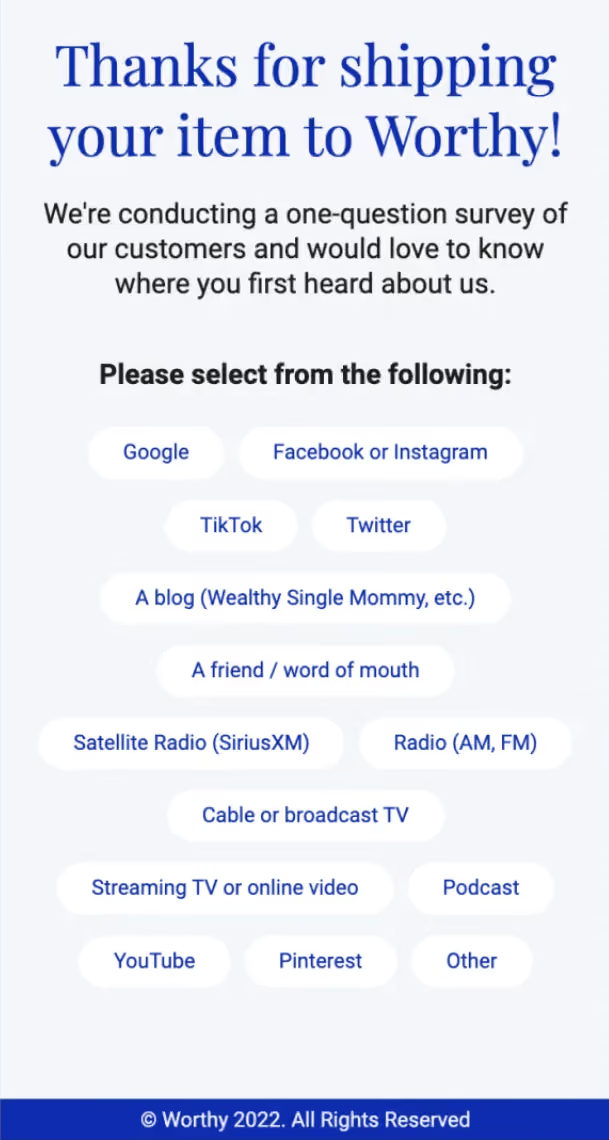
Most survey tools produce a report. The answers sit in a dashboard, someone reads them once, and nothing downstream changes.
A survey form does something else: each answer writes to a field or tag on the contact record. What someone tells you changes what they receive next — which is the difference between research and segmentation.
Both are legitimate. But if you're only after research, a dedicated survey tool will do it more thoroughly. Build here when you want the answer to do something.
Step 1: Ask one thing at a time
Long surveys get abandoned, and a half-finished survey usually gives you nothing.
Where you can, ask a single question in context — on a confirmation step, in a popup on the relevant page — rather than assembling twelve questions into one page nobody finishes.
Step 2: Add the survey element
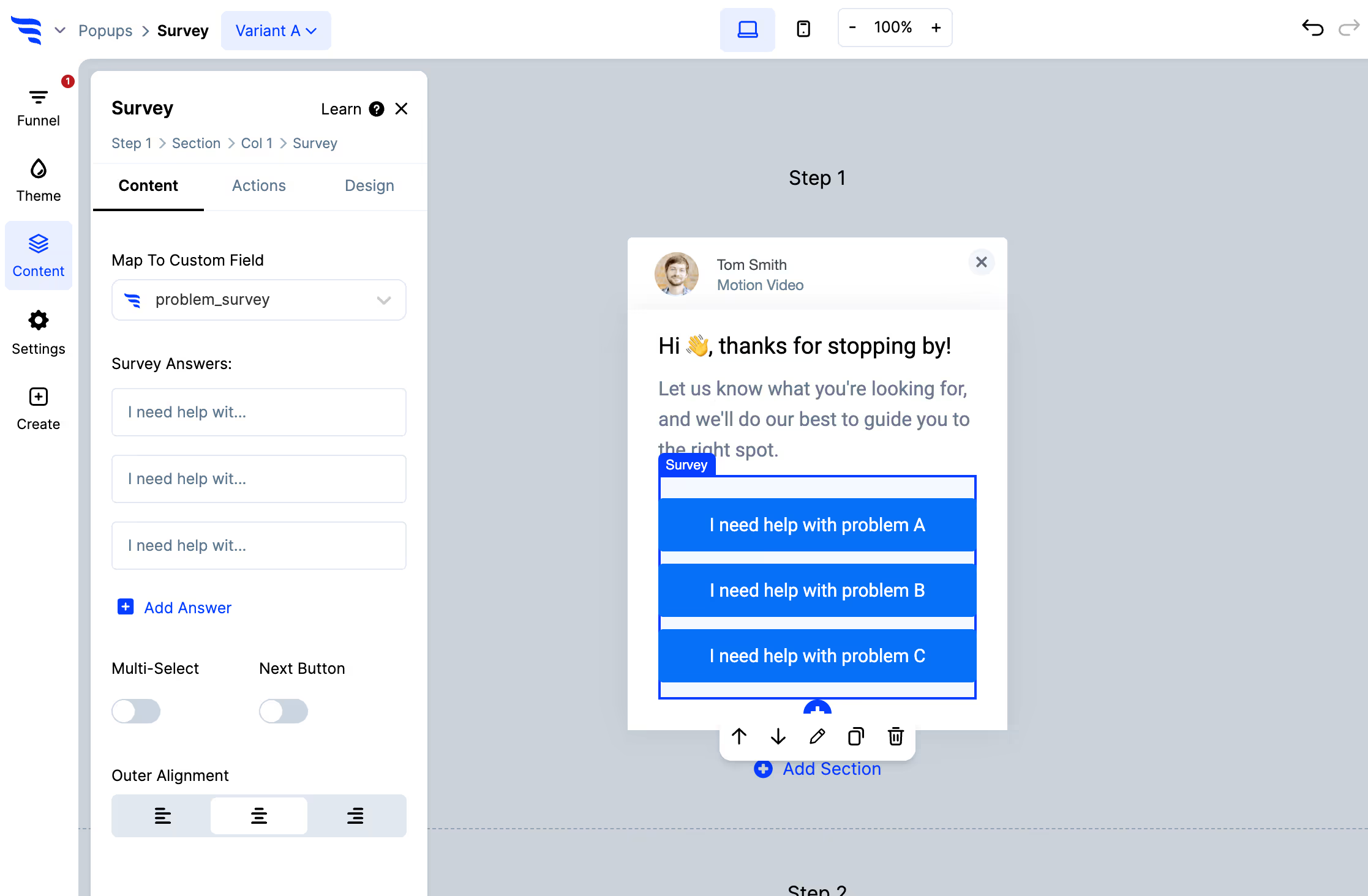
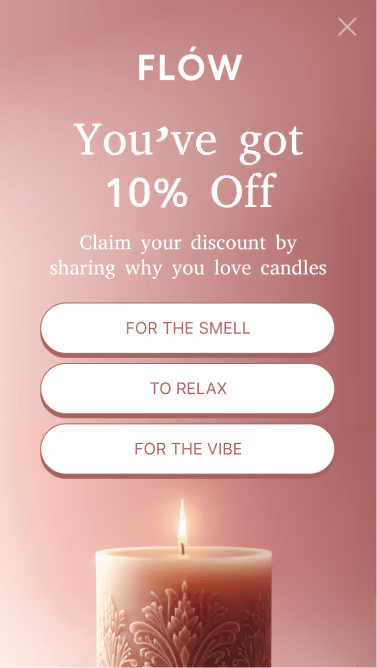
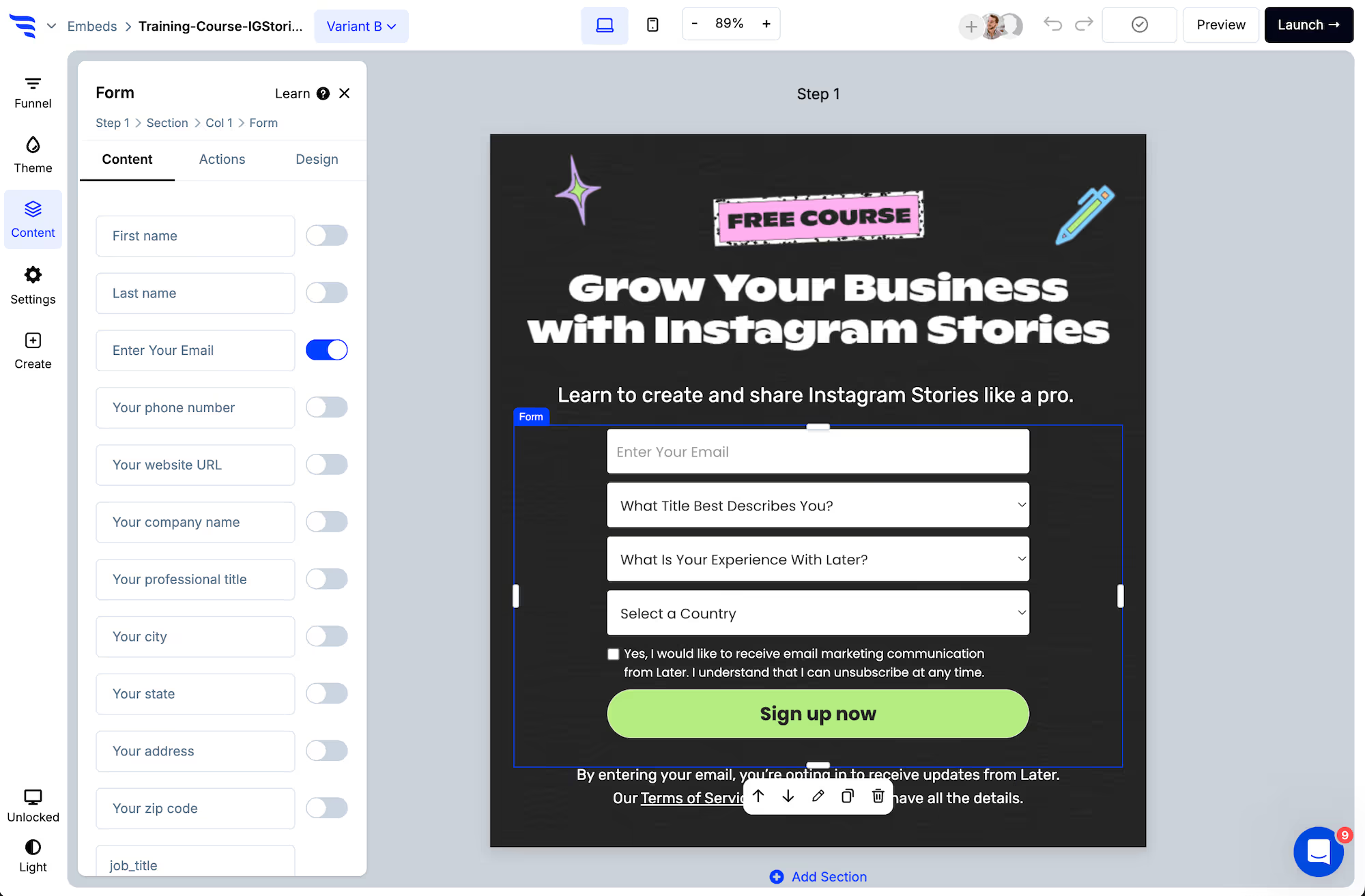
Add options, arrange them, and toggle multi-select if people should be able to pick more than one — multiple values are written separated by commas.
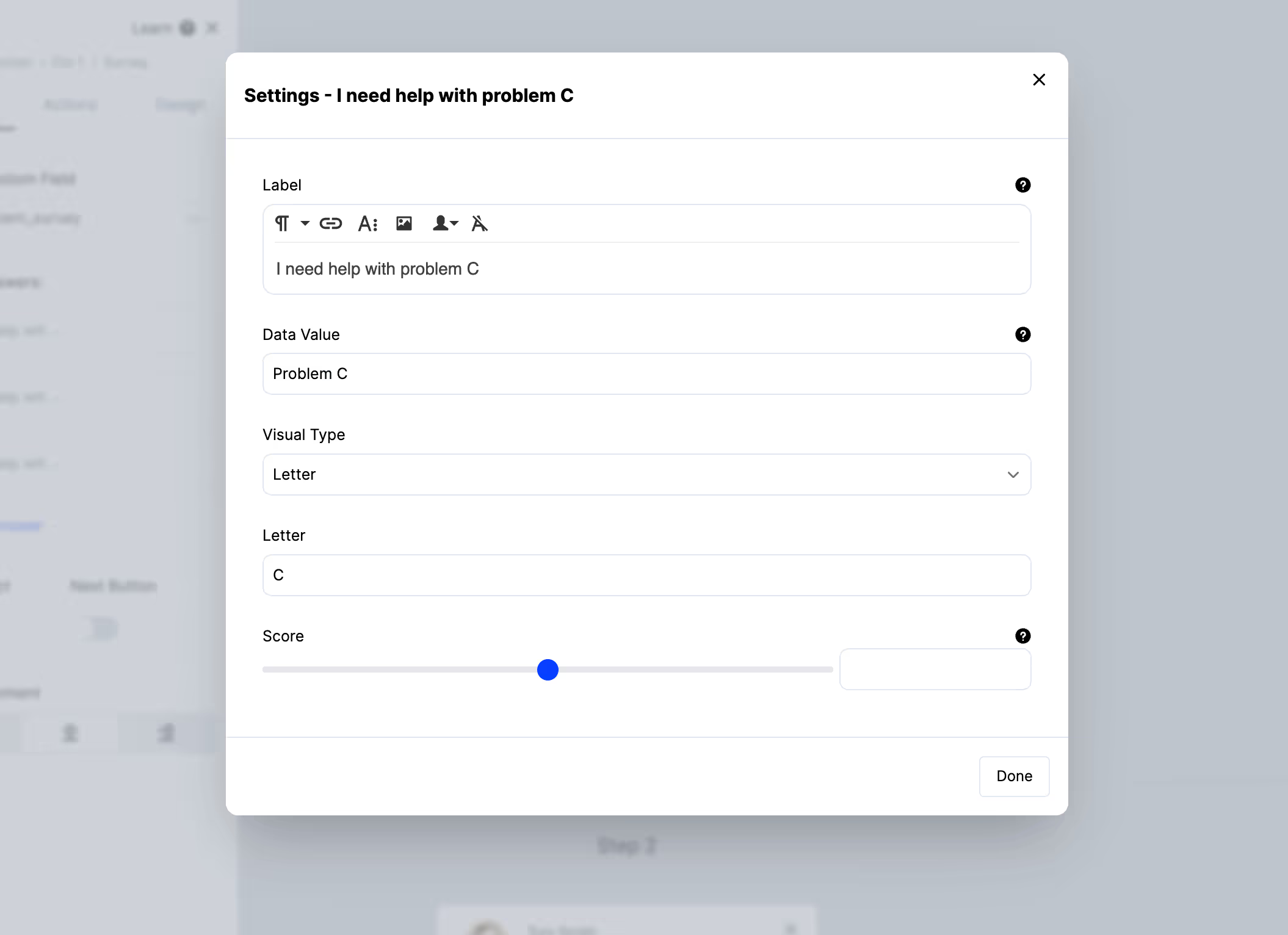
Click an option to set its data value separately from its label, attach an image, or give it a score.
Step 3: Write answers to fields, not just a report
Use the Map to custom field setting to choose where each answer is stored.
Keep the values short and consistent. too-expensive works as a segment condition; It was a bit too expensive for me does not. The label is what the person reads, the value is what your platform matches on — which is why they're separate settings.
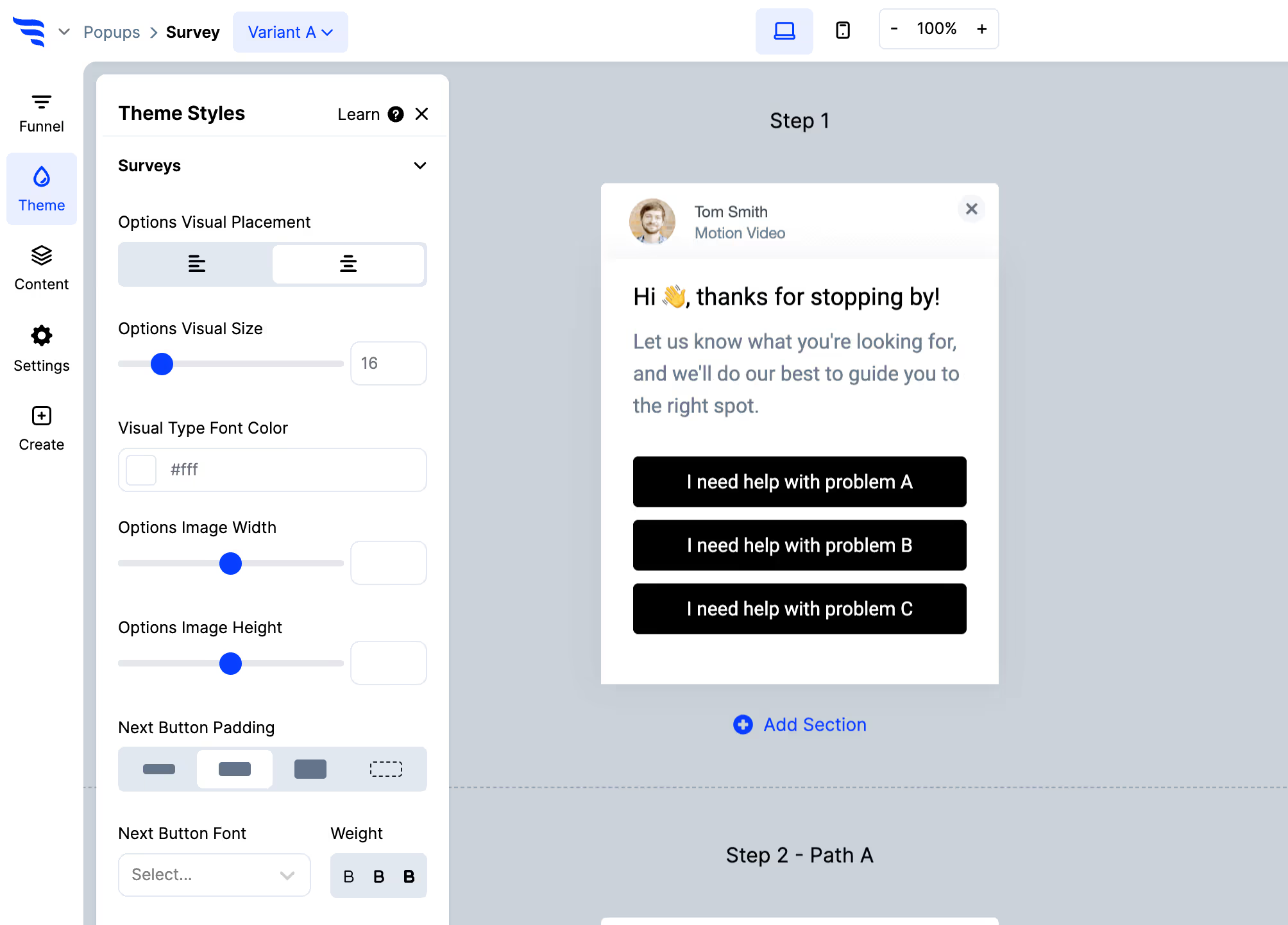
Step 4: Style it
Step 5: Decide what happens on answer
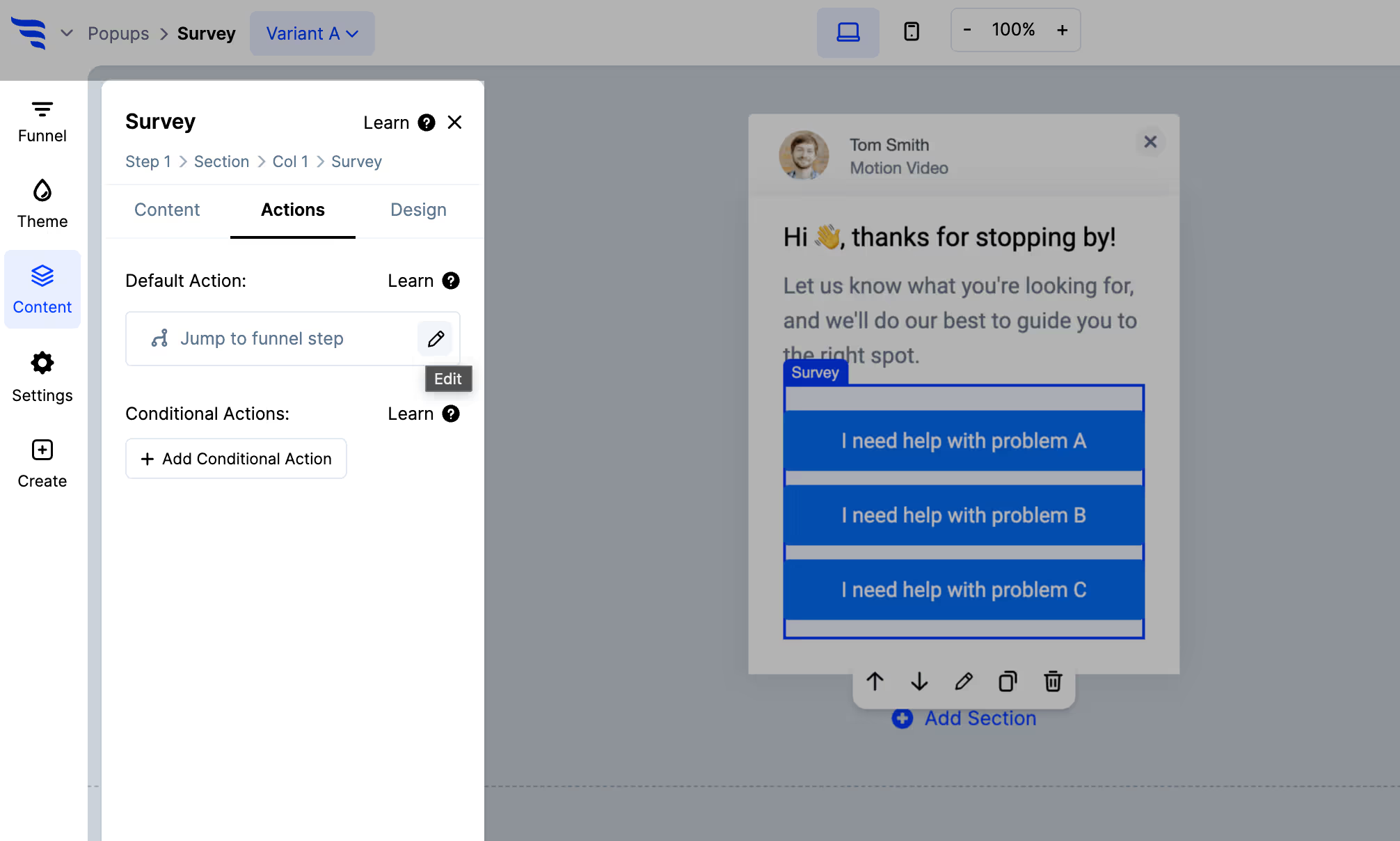
Redirect, show another step, display a message, or open another campaign — and add the automation that writes the answer to your email platform or CRM.
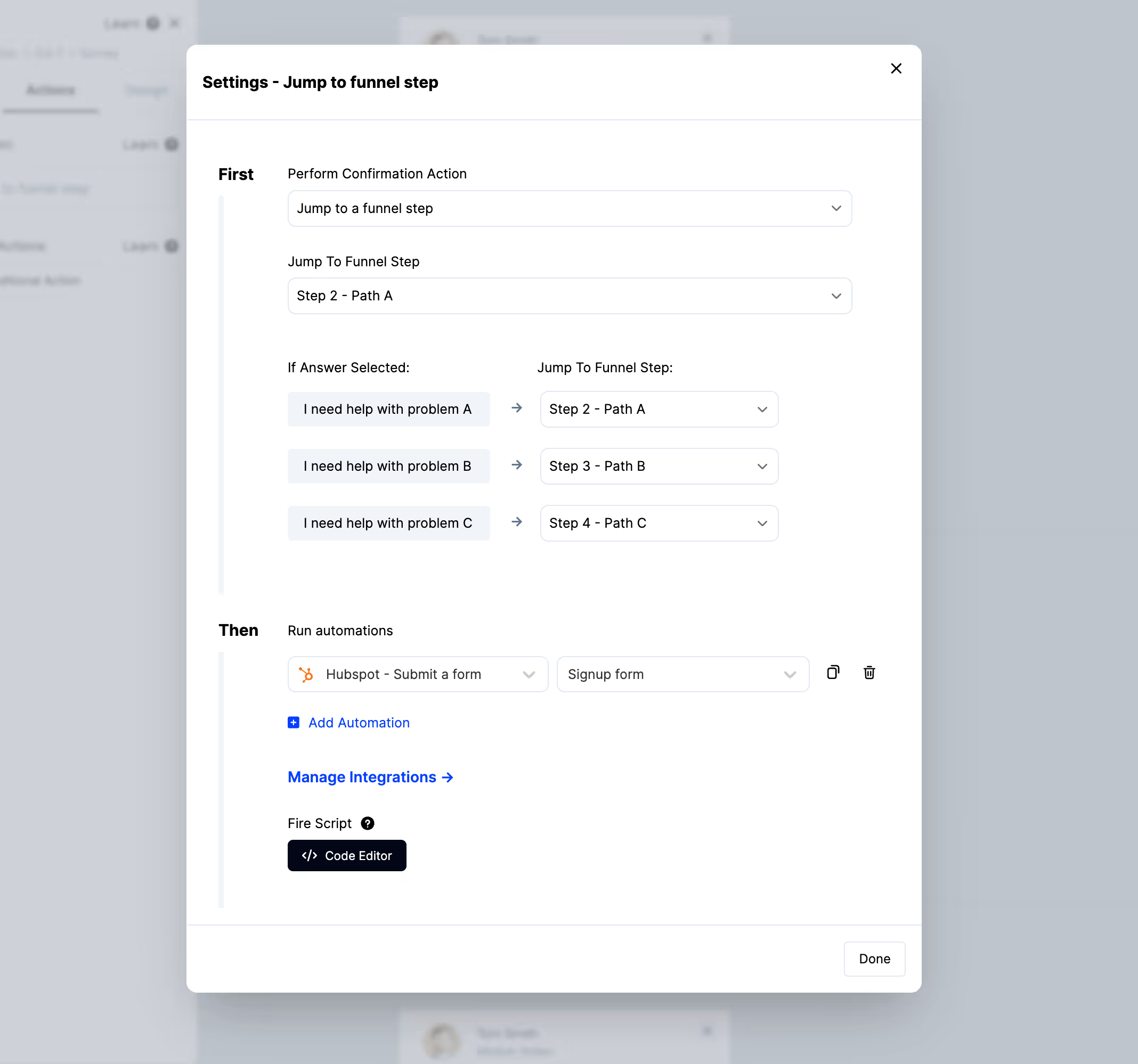
Step 6: Branch on the answer
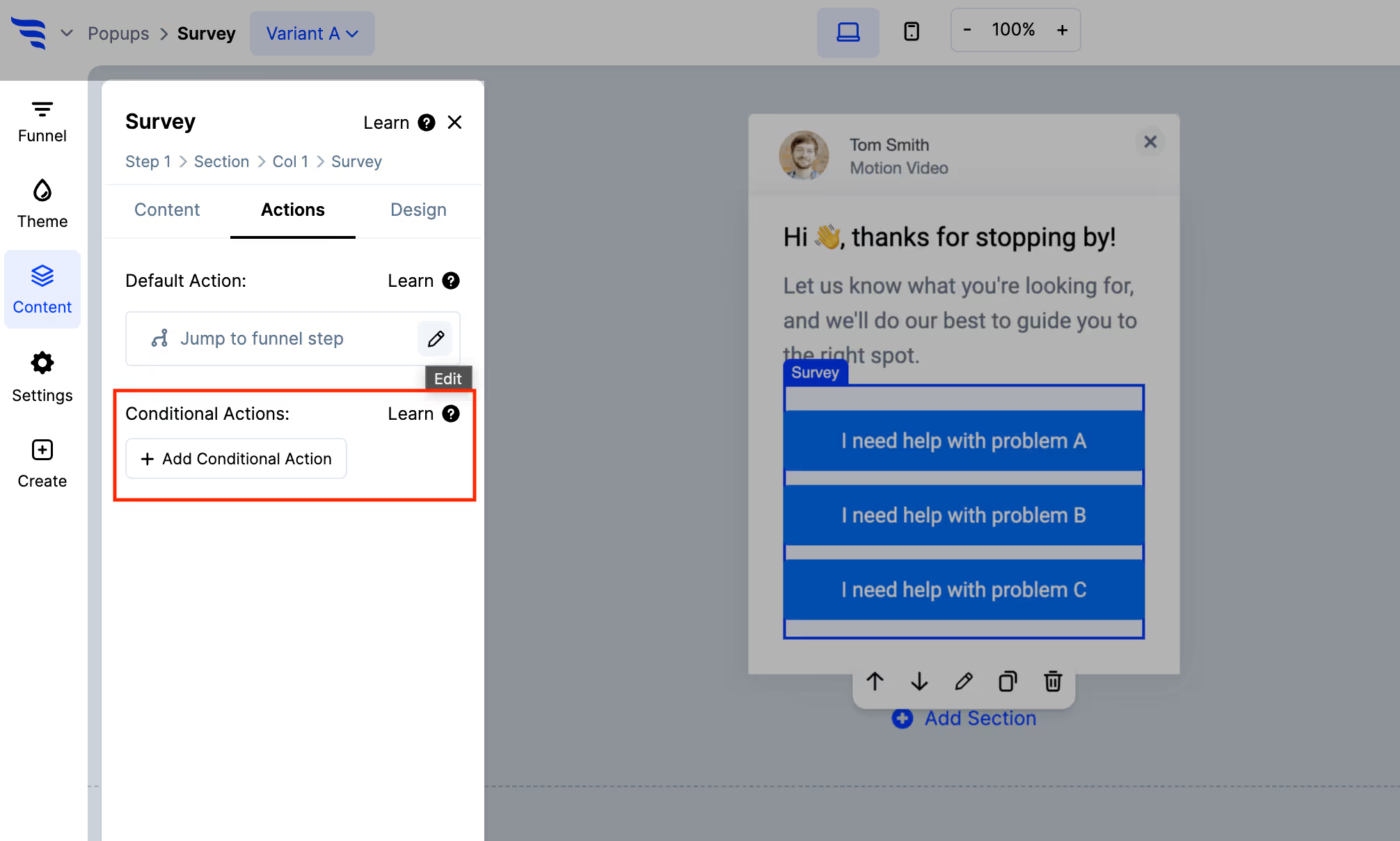
Conditional actions let a different answer apply a different tag or show a different follow-up — so someone who says price is the barrier gets a different next step from someone who says they're still comparing.
Three places a survey earns its keep
On the signup confirmation. One question while engagement is highest, tagged onto a contact you just created.
On the pricing page. Ask what's stopping them. The answers are the objections your sales team already hears, collected from people who never got as far as talking to sales.
On the unsubscribe or cancellation path. Ask why. Over time this separates price, missing features, and having got what they came for — three different problems with three different fixes.
Step 7: Target who gets asked
With your email platform or CRM connected, show the survey to a specific segment rather than all traffic. Answers then land on records you already have context for, which is what makes them actionable rather than anonymous.
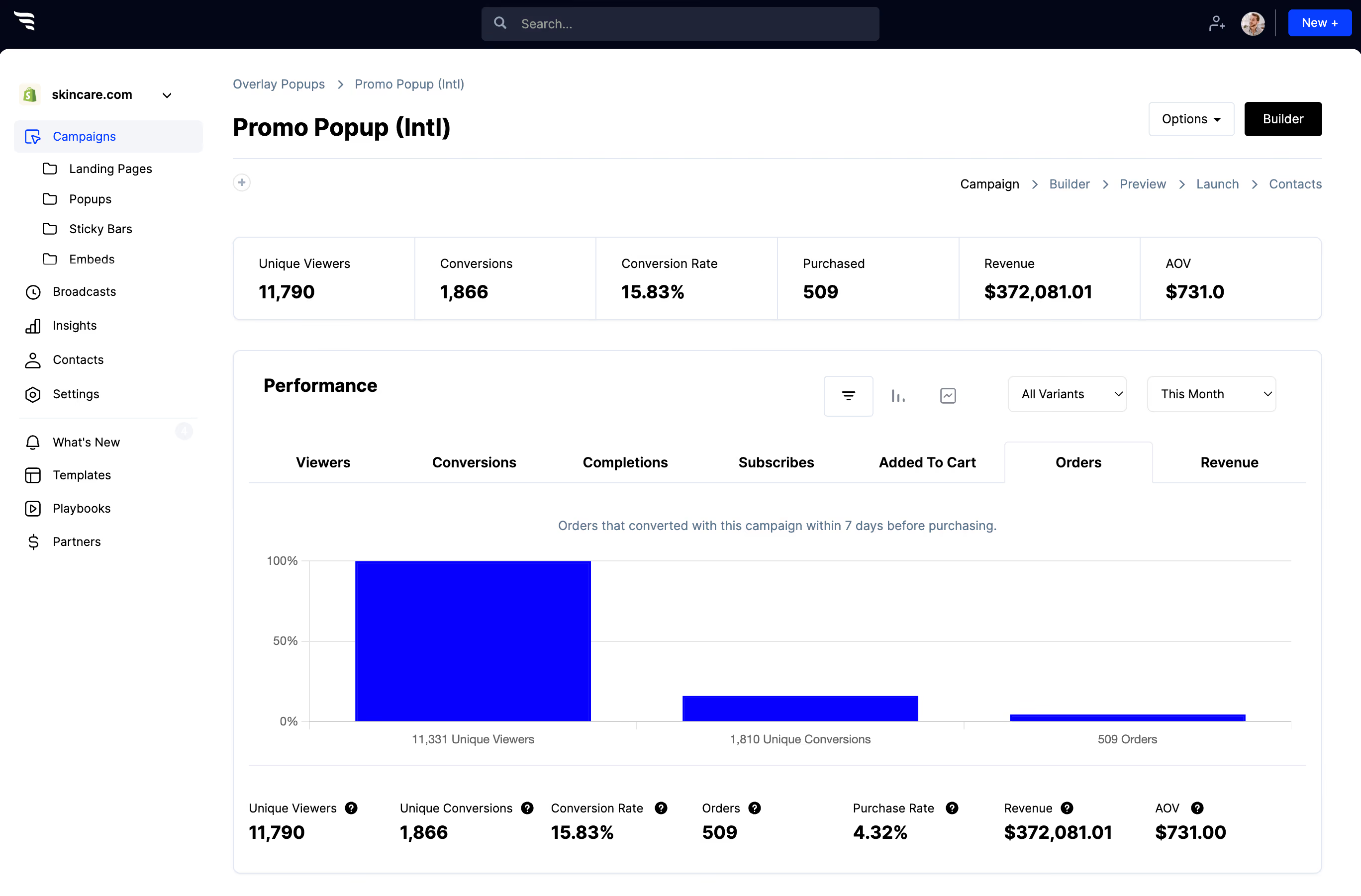
Step 8: Watch the answer distribution
.avif)
If one option takes nearly everybody, the question isn't dividing your audience and isn't earning the friction it adds. If responses spread evenly across five options, you've found a real segmentation axis — use it.



%20(1).avif)





.svg)
