



What makes a form dynamic
A static form is the same for everyone. A dynamic form changes according to context — and there are four kinds of context worth using:
- What they've answered — fields and steps that appear based on earlier responses
- Who they are — prefilled details for known contacts, skipped questions you already have answers to
- Where they are — different content by page, category, UTM or referrer
- What they're doing — on a store, cart value and cart contents
Most "dynamic" forms only use the first. The other three are where the bigger gains are, because they need nothing from the visitor.
Step 1: Connect your data first
Dynamic behaviour depends on knowing something. Connect your email platform or CRM — and Shopify if you're on a store — before building.
Without a connection, a form can respond to answers but not to people. That's a much smaller version of dynamic.
Step 2: Build the form
.avif)
.png)
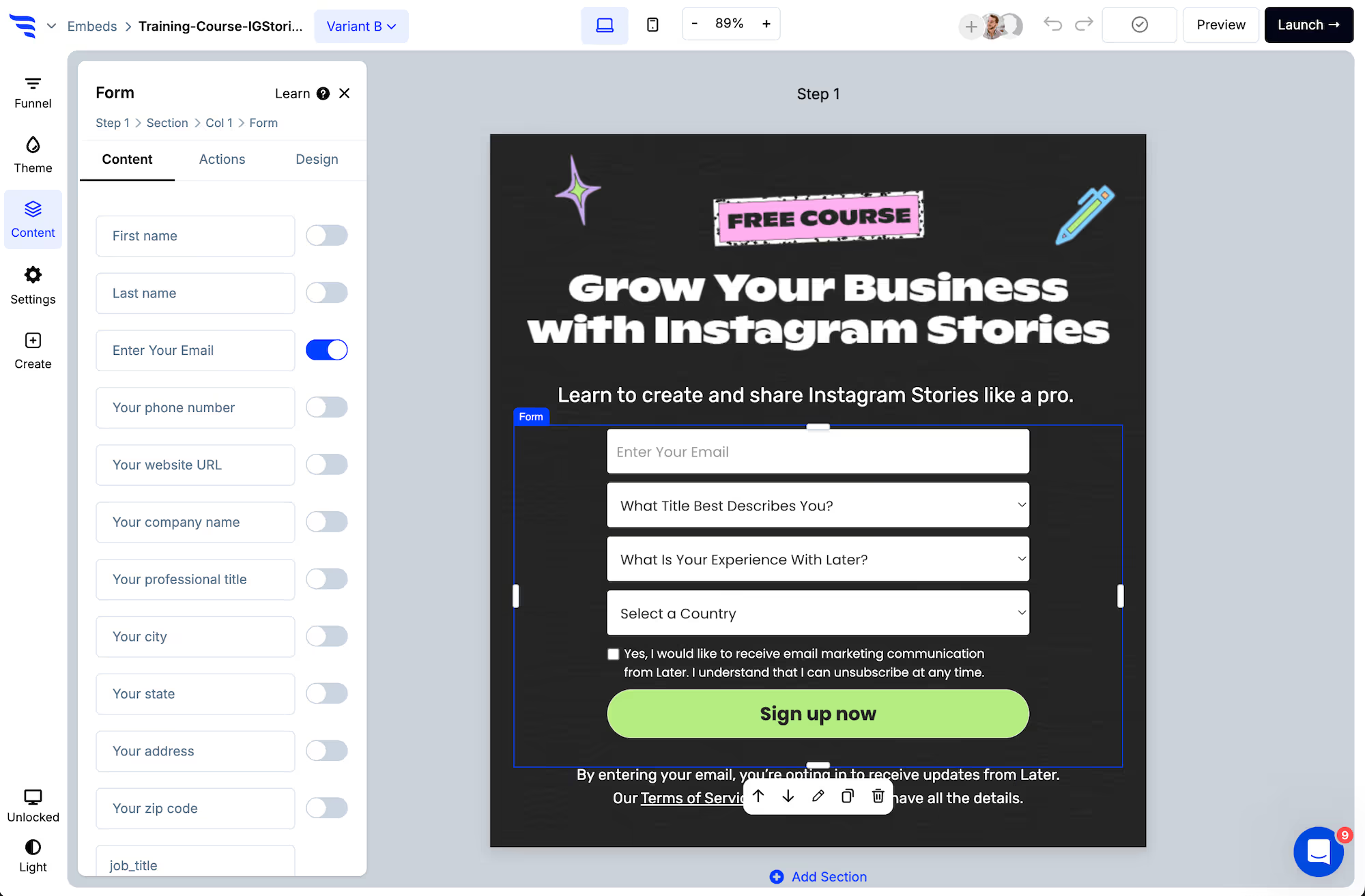
Field settings include prefill values, so a field can arrive already populated for someone you recognise.
.avif)
Step 3: Make fields conditional on answers
.avif)
Open the Actions tab, set the default, then add conditional actions that override it for people meeting your conditions.
.avif)
Where combinations start multiplying, score the answers and route on ranges instead of mapping every path.
.avif)
Step 4: Vary by page and campaign
The same form can behave differently depending on where it appears. Target by page, category, UTM parameter or referrer so the offer matches what brought the visitor.
This costs the visitor nothing — no extra question, no extra step — and is usually the highest-return dynamic behaviour on a content site.
Step 5: Vary by cart, on a store
.avif)
With Shopify connected, conditions can read cart value and cart contents — so a free-shipping nudge appears only to shoppers near the threshold, and a recommendation reflects what's already in the basket.
Step 6: Make the result dynamic too
The end of the form can change as well as the middle: a different message, a different redirect, a different product recommendation depending on the answers.
Step 7: Test every path
Preview and walk each variation. Automations don't fire in preview, so testing creates no contacts.
The common failure with dynamic forms is a condition that never matches — leaving some visitors on a step that was meant to be replaced. Walking the paths catches it in minutes.
Step 8: Check the complexity is earning its keep
.avif)
Compare against a static version at least once. Dynamic forms take longer to build and maintain, and on a short form the gain is often small — the returns concentrate on longer forms and on recognising returning visitors.




%20(1).avif)








.svg)
