ConvertFlow’s Postscript landing page builder uses AI to create, personalize, and A/B test Postscript landing pages for your website. 100+ landing page templates. 1-click integrations.
See step-by-step how to build a Postscript landing page in ConvertFlow
How to create the best Postscript landing pages
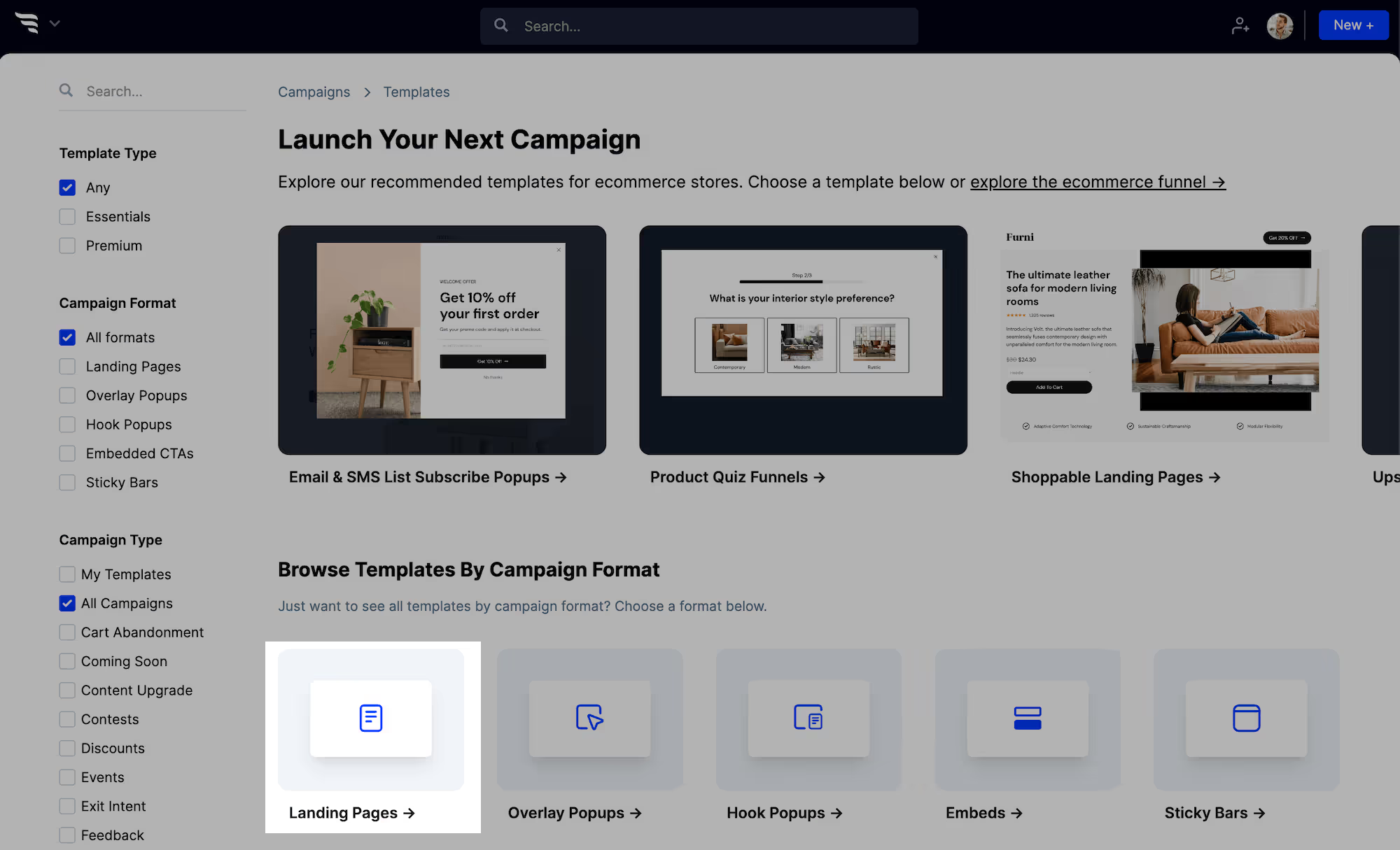
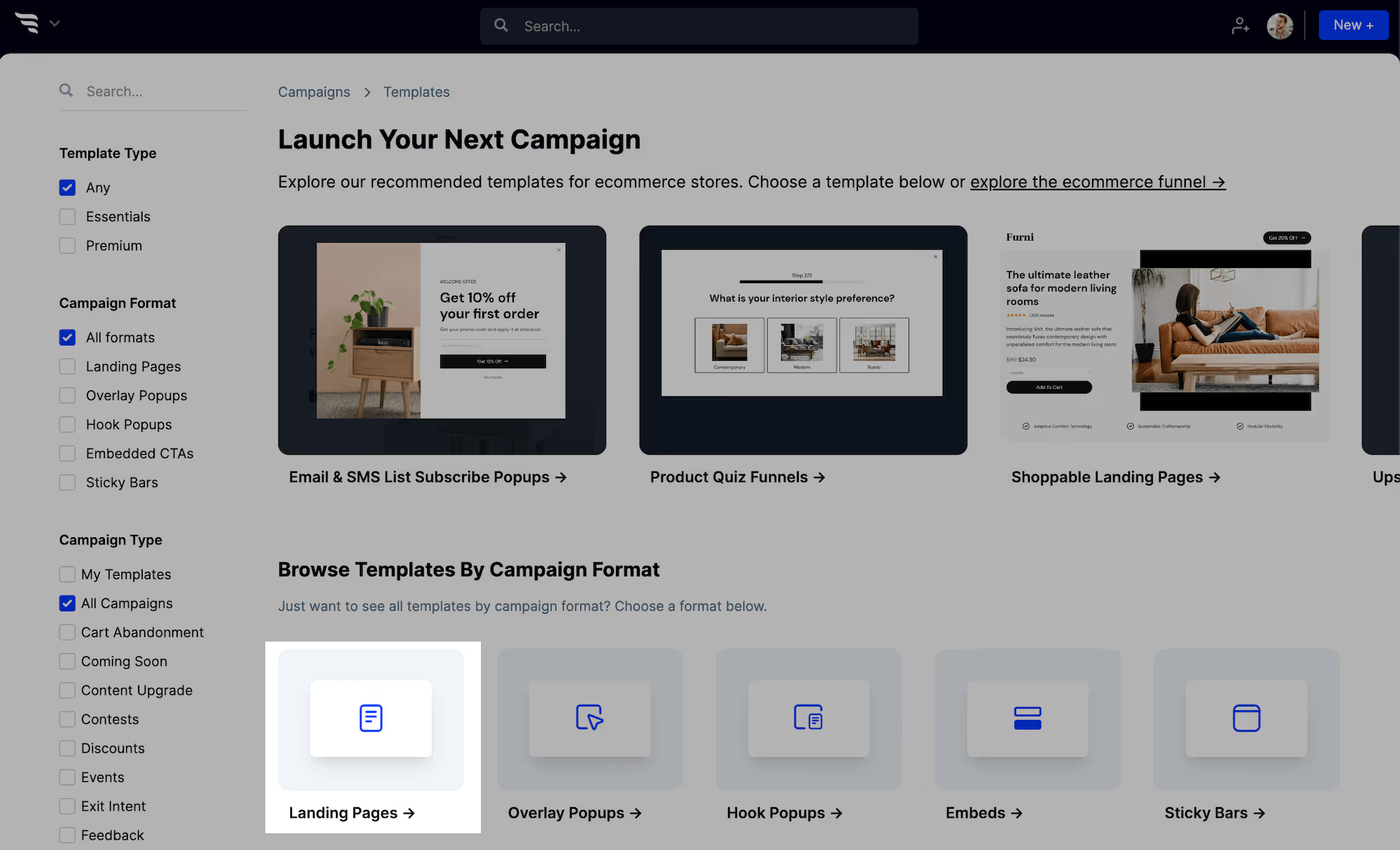
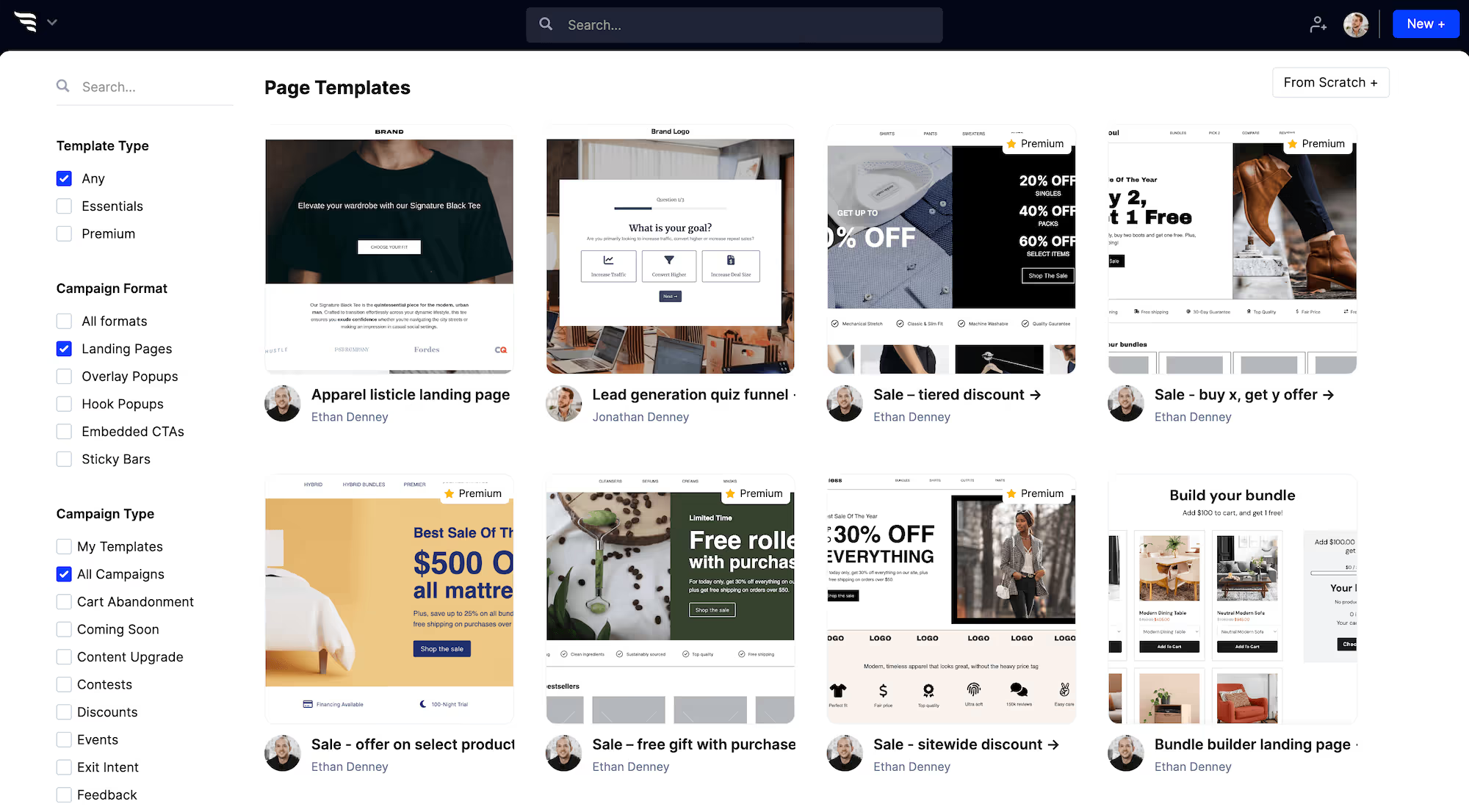
When creating a new campaign in ConvertFlow, choose the "landing pages" campaign format.
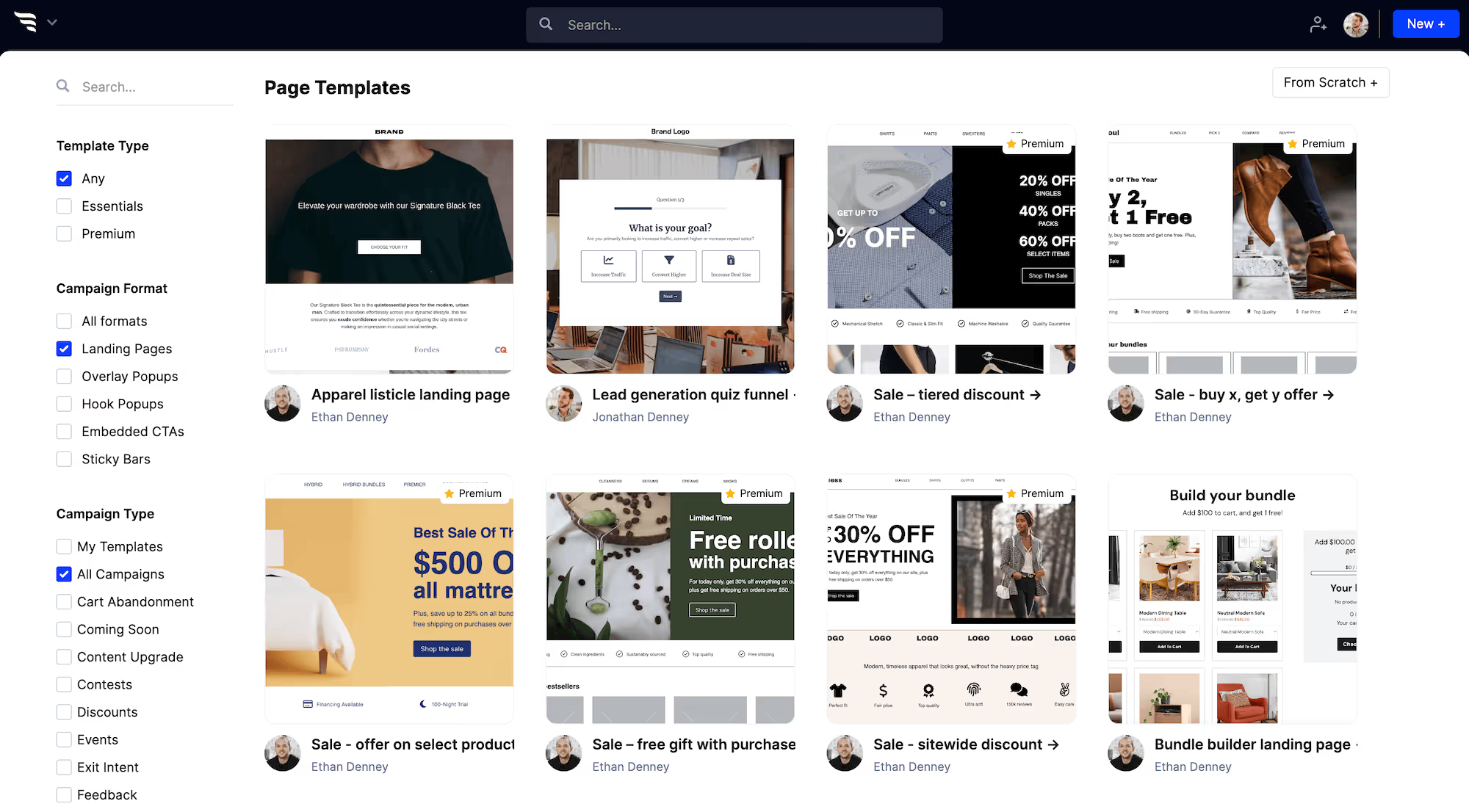
You'll then see lots of Postscript landing page templates to choose from.
Now, choose the template that's closest to your desired campaign. Preview it and then create a campaign using that template, or create from scratch.
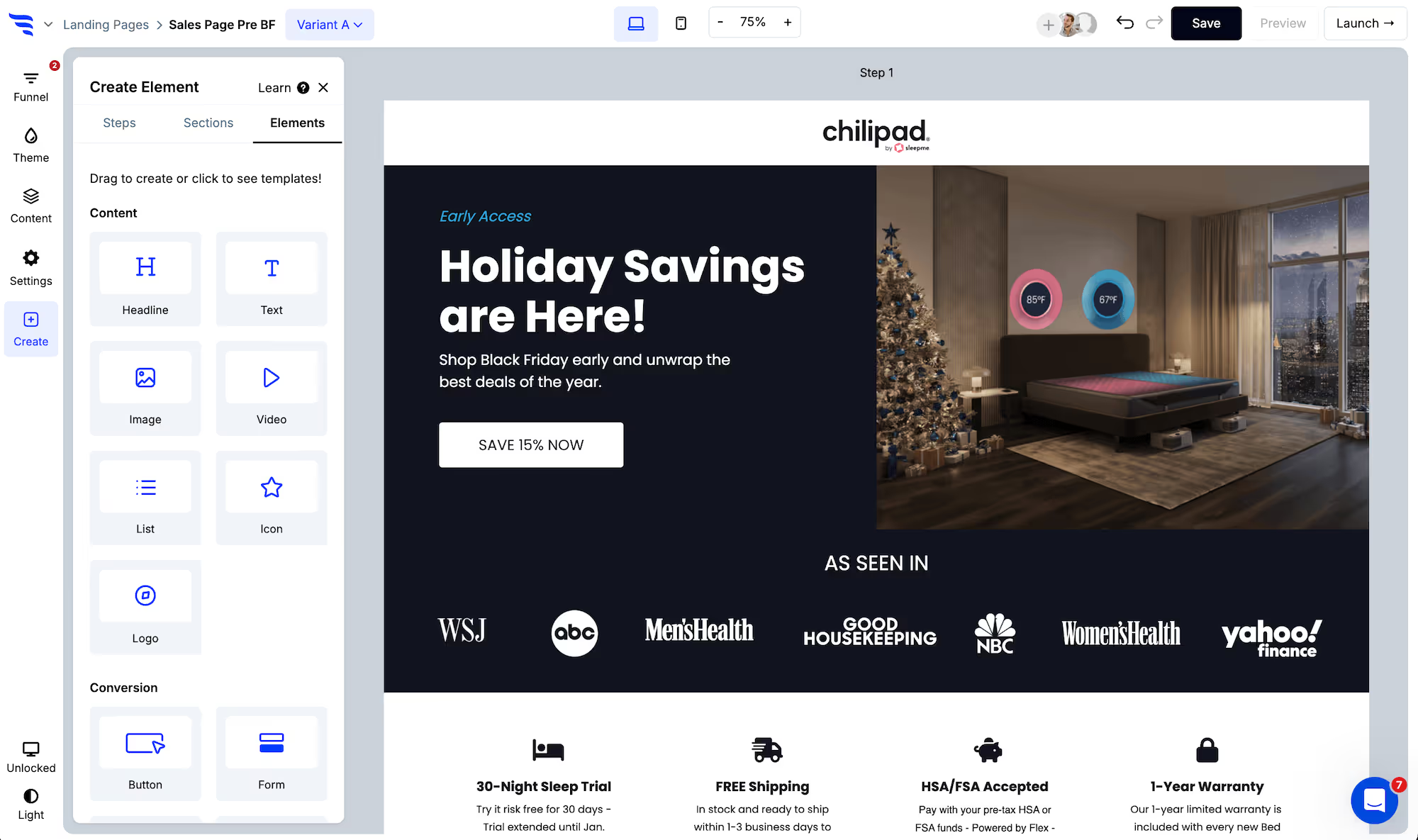
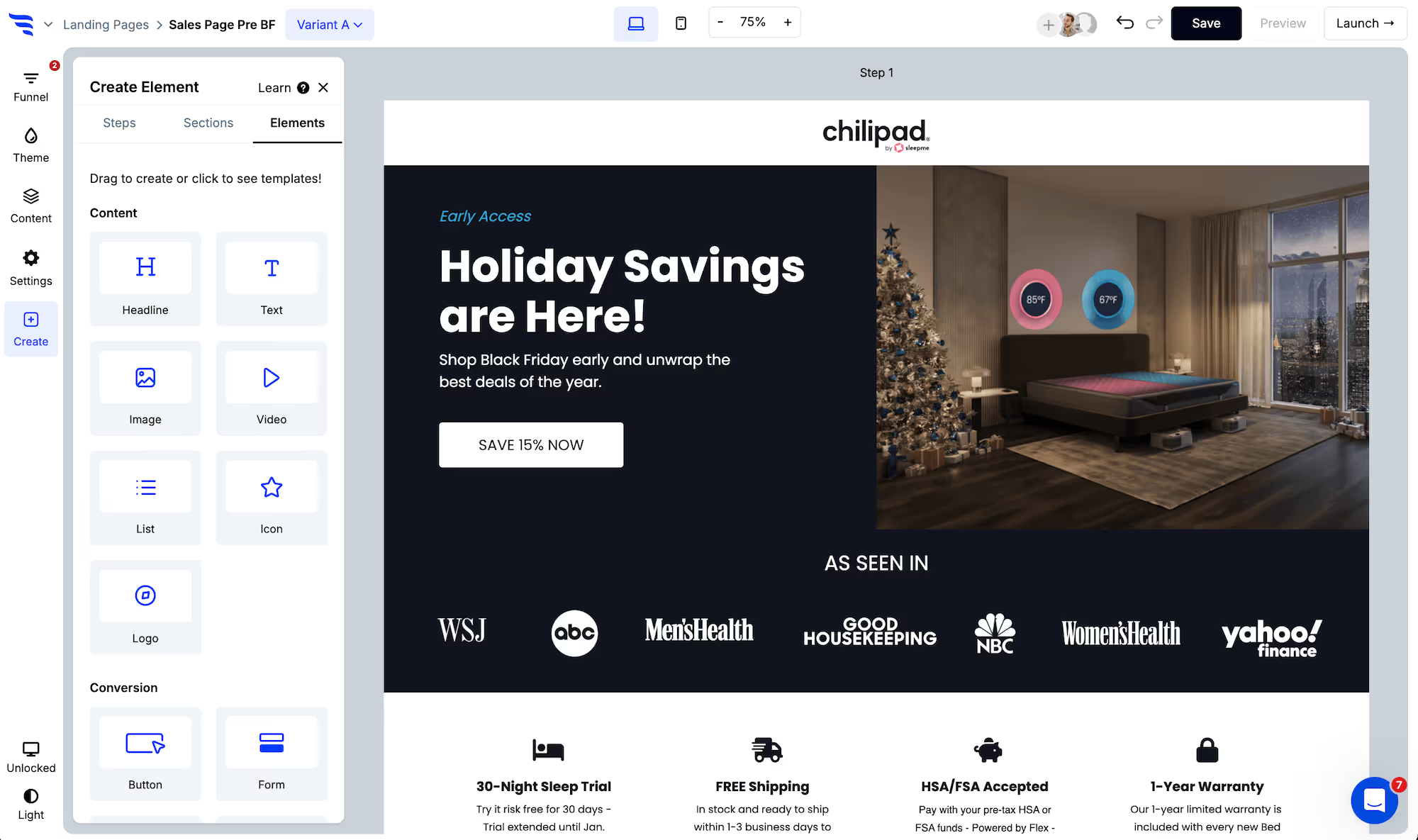
Once you've created your Postscript landing page, you'll be taken to the funnel builder. Here you can quickly customize the Postscript landing page template and preview your changes, before launching it.
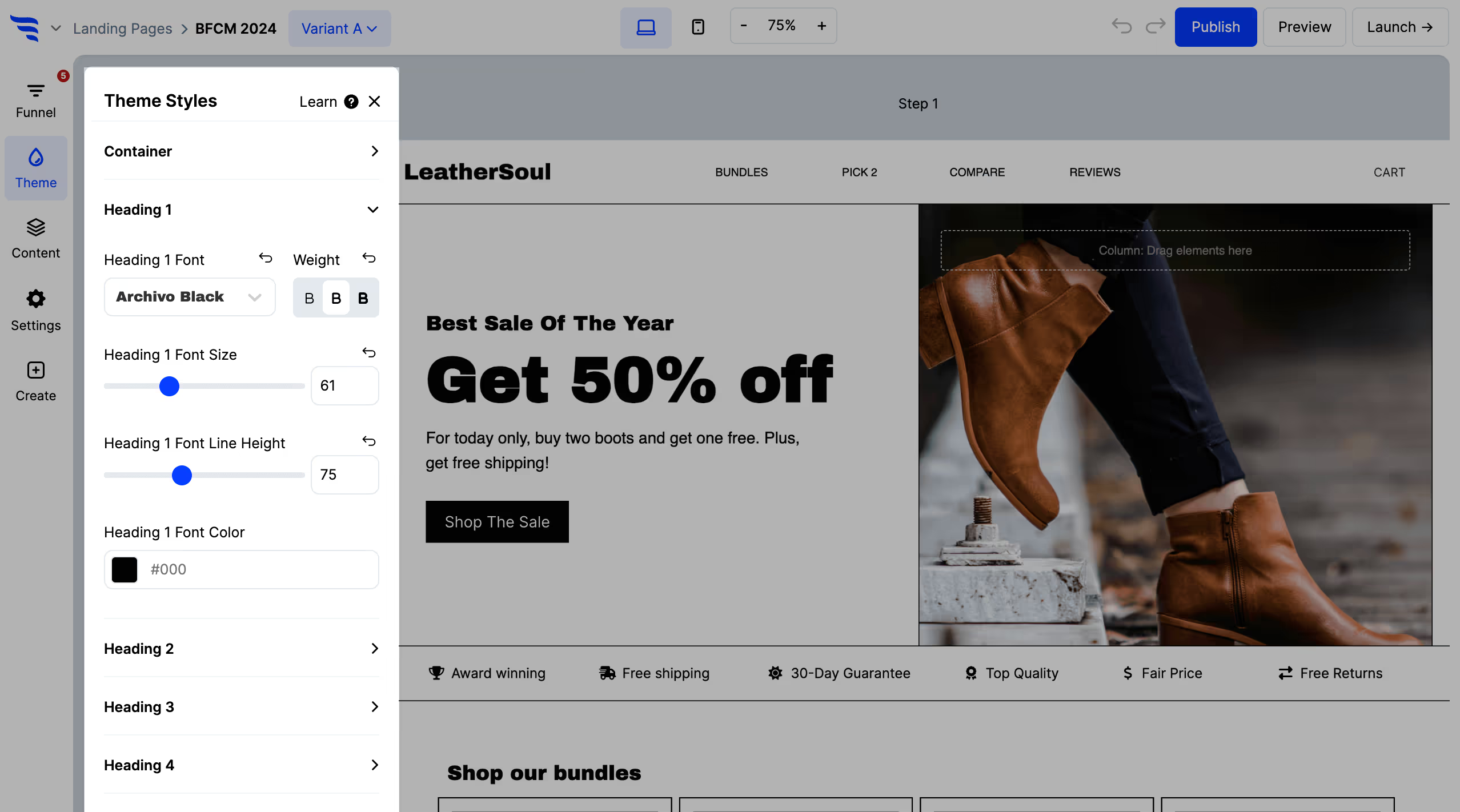
Style the Postscript landing page theme
Use the theme settings to customize the theme styles for headlines, buttons, etc.
Edit the Postscript landing page content
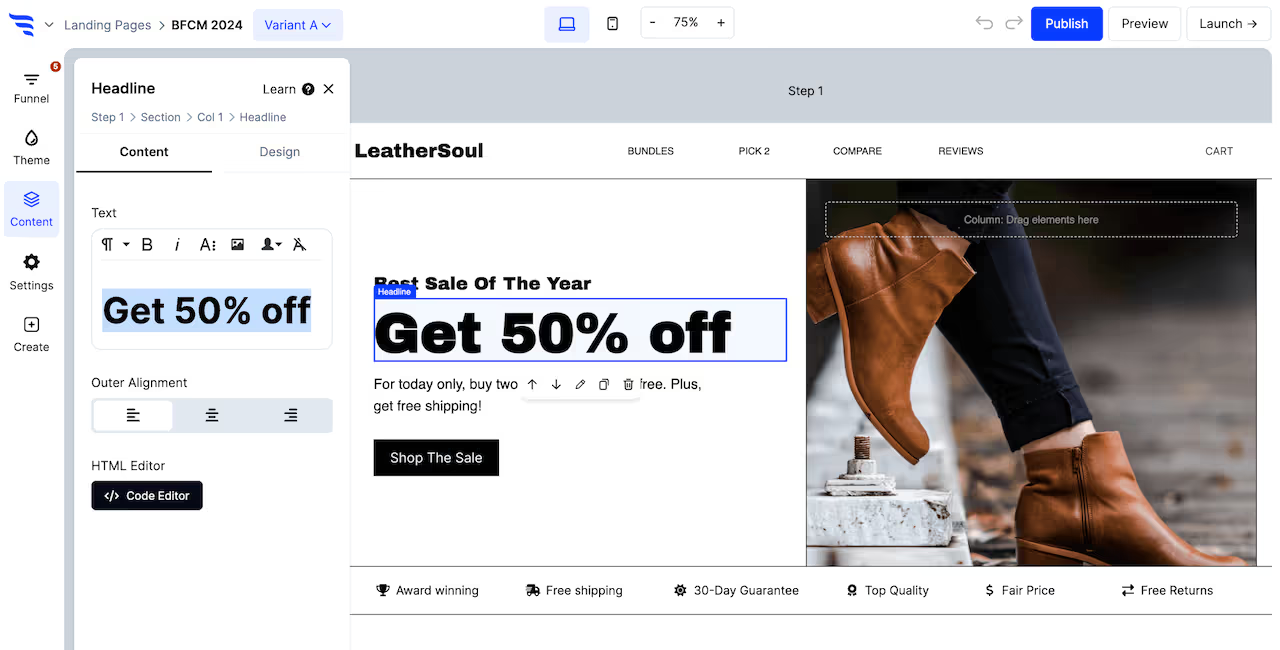
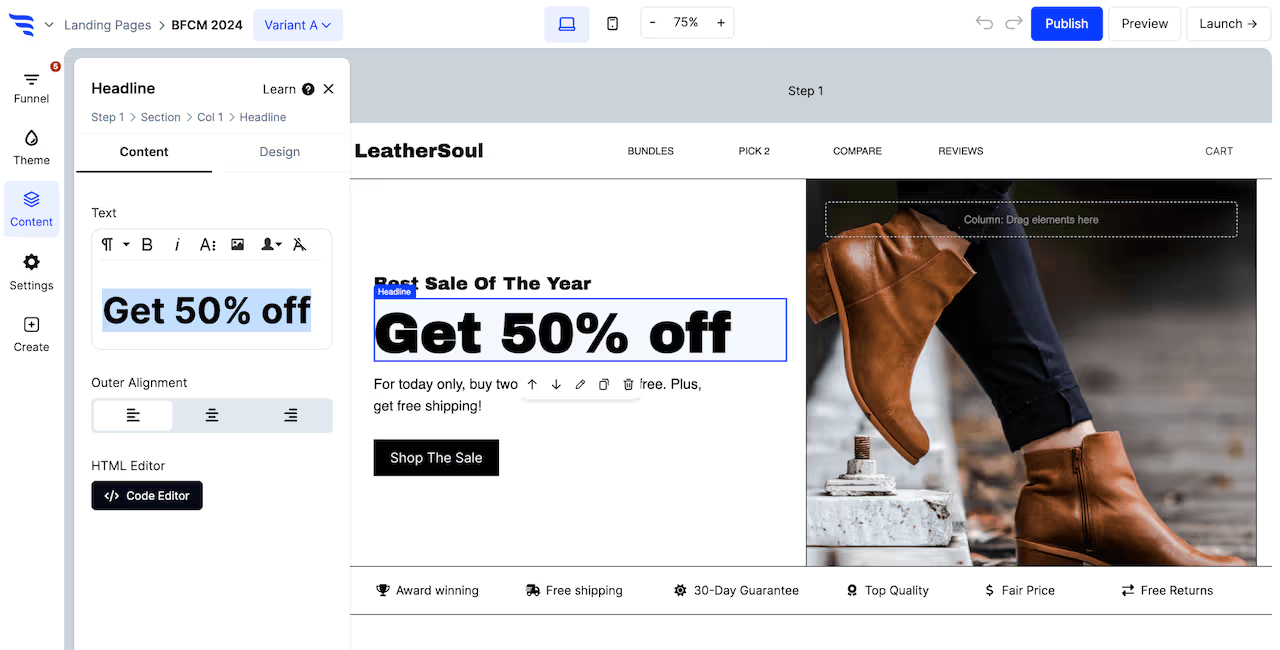
Click any element, or use the layer manager, to edit content on your Postscript landing page.
For text elements, you'll find a text editor in the builder panel. Or, you can double-click text elements to edit content within the builder canvas of the Postscript landing page.
Then, use the design tab to fine-tune each element's design.
Configure any conversion elements on the Postscript landing page
Conversion elements are buttons, forms, quizzes, and product elements.
Customize content
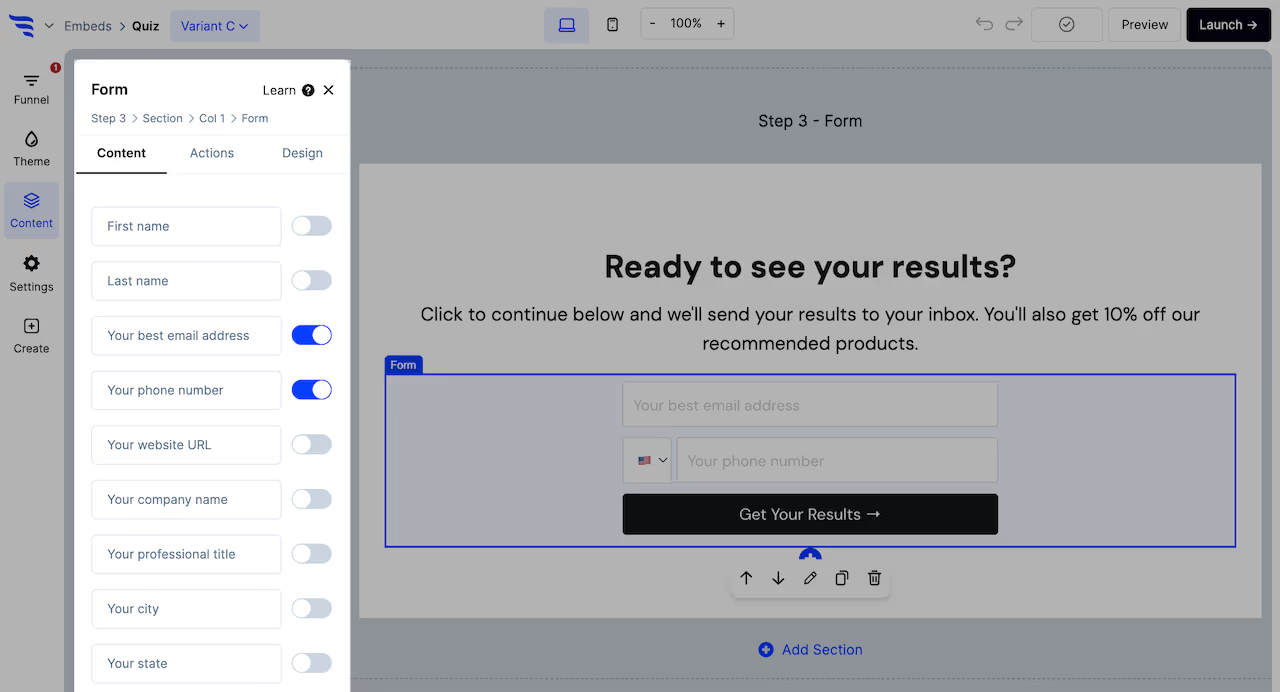
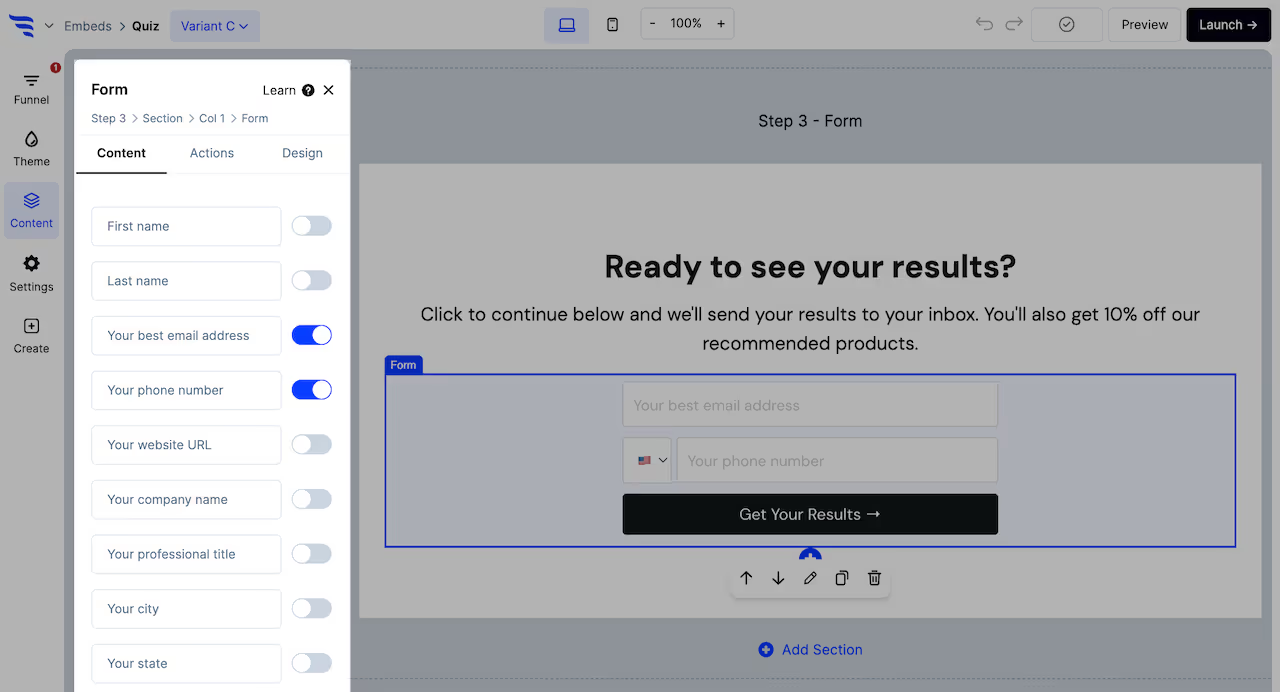
For each conversion element on the Postscript landing page, you'll want to customize their content:
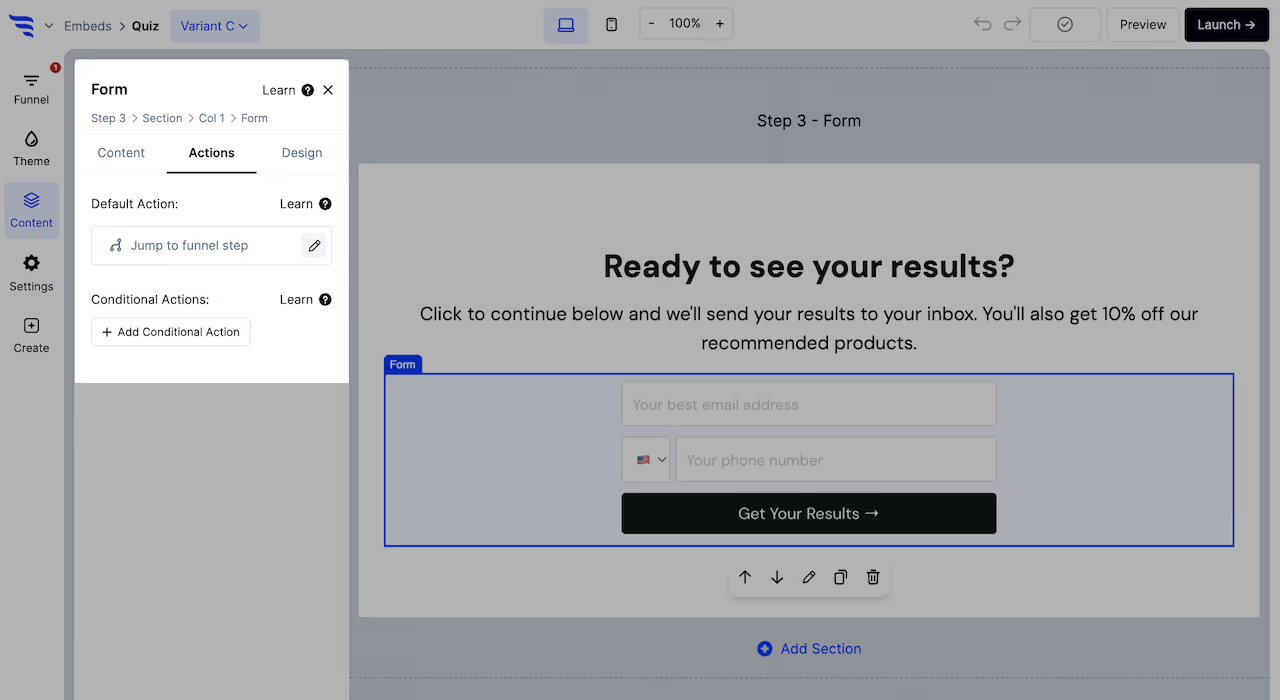
Each conversion element on the Postscript landing page has a default action you'll need to configure.
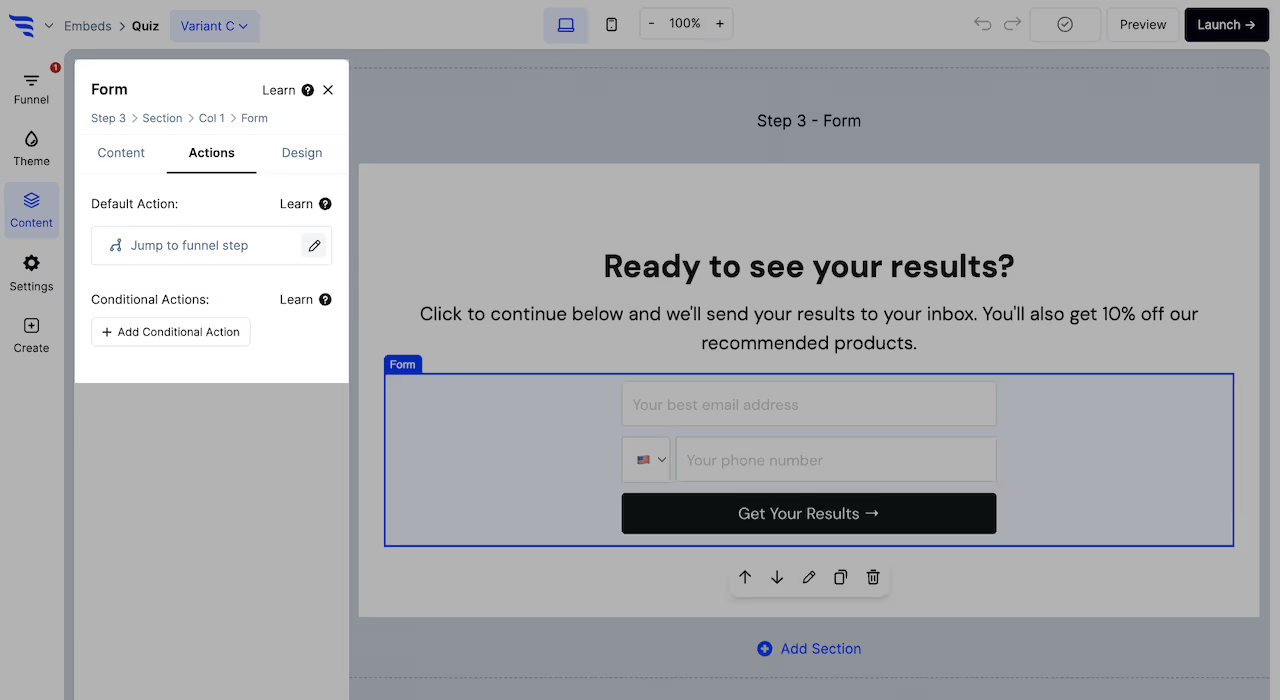
Click to the Actions tab to set the default action. Buttons, forms, quizzes, and surveys can be configured to jump to another funnel step, redirect to a URL, redirect to cart, display a popup campaign, etc.
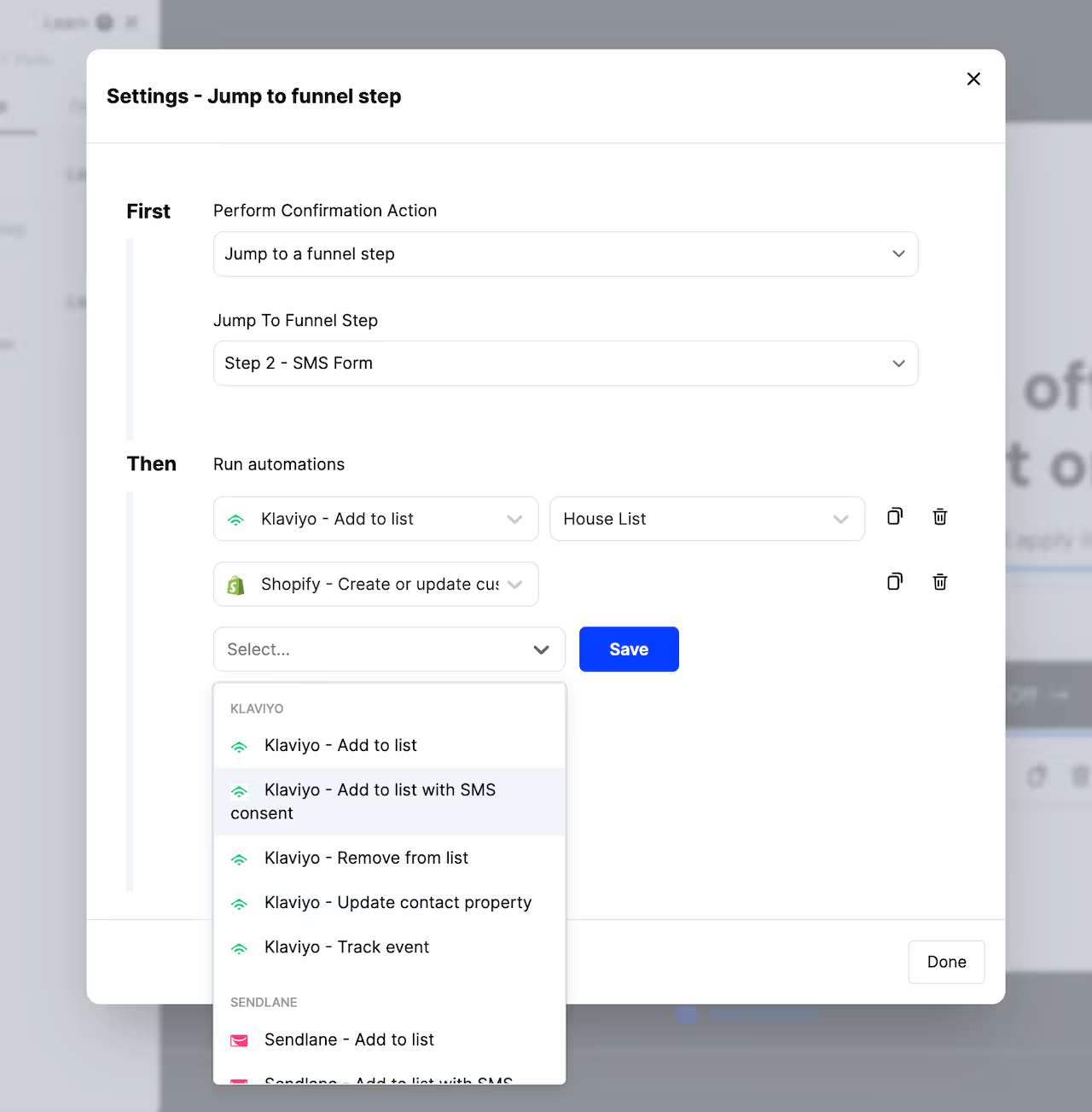
Here you can also add automations to run in the background, such as adding contacts to a list in your email providers.
From the Actions tab, you can also add conditional actions to your Postscript landing page's conversion elements.
Use these to define scenarios using conditions, where a different confirmation action is displayed and additional automations trigger, such as jumping to a different funnel step and applying an additional CRM tag based on a quiz answer combination.
Many templates will use product elements to showcase products.
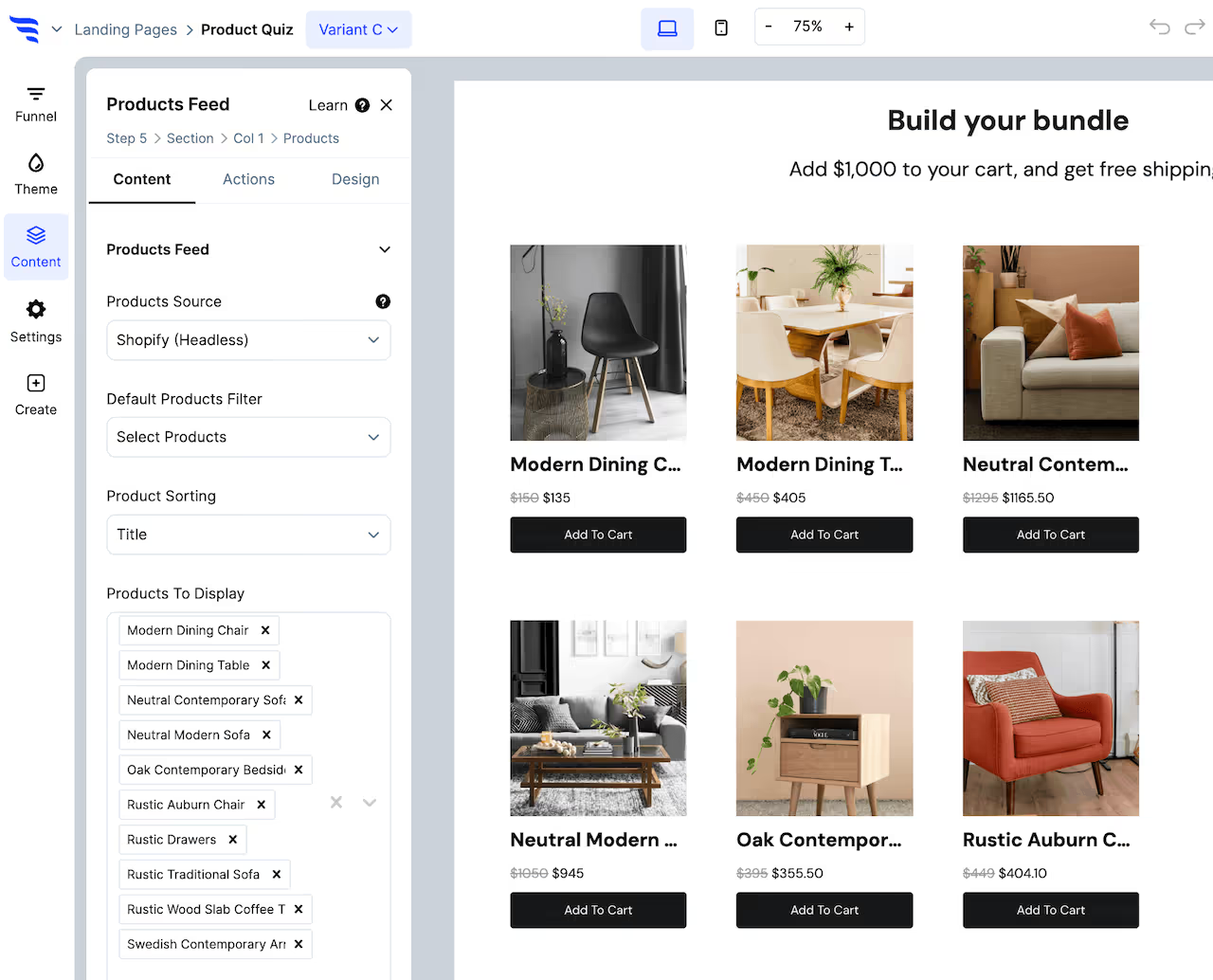
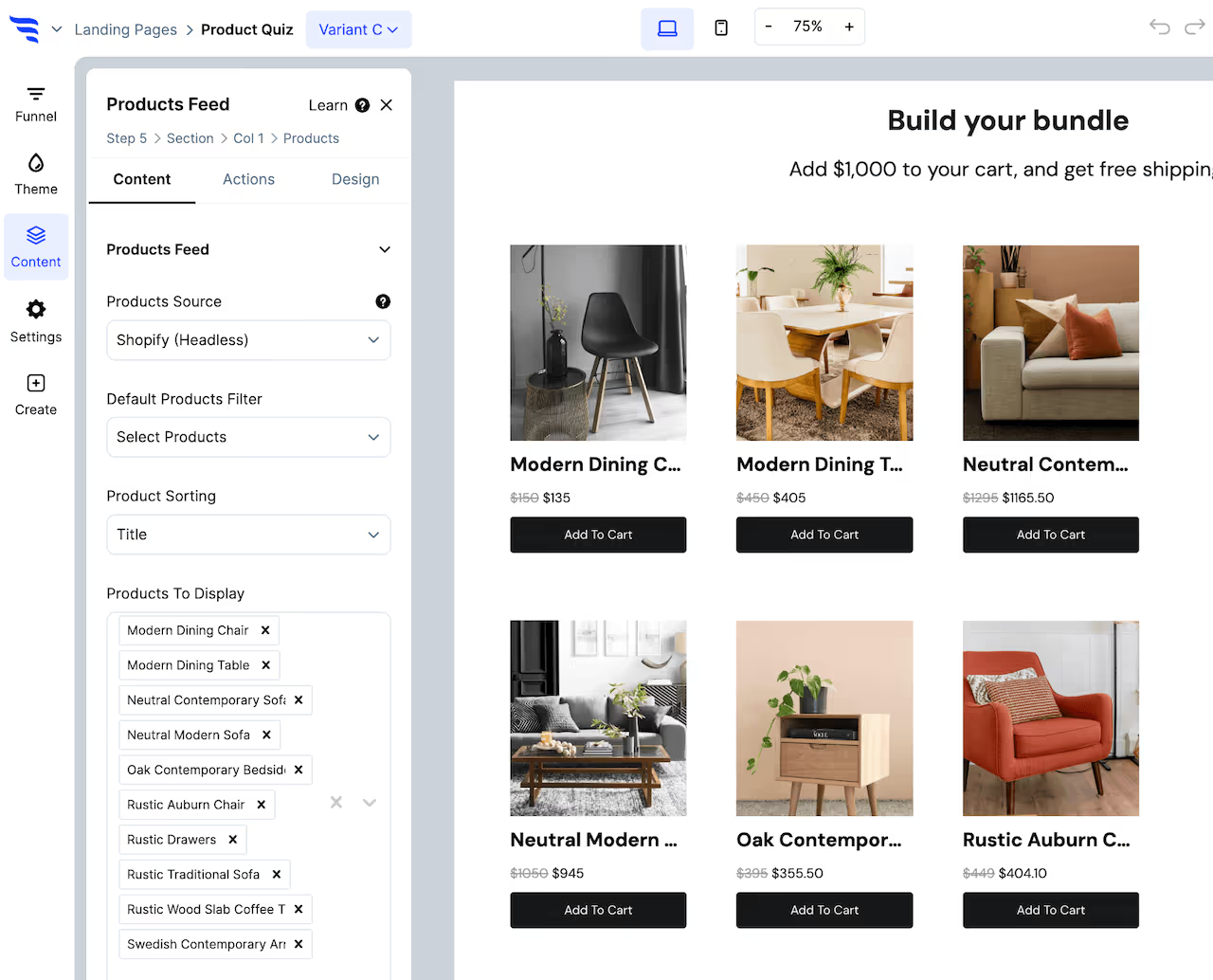
Configure product filters Select product elements, and you'll be able to configure the products to showcase in the settings to the left.
Choose a products source (example: Shopify), then which products to display. Product feed elements will have settings to configure a products filter, such as products in a certain collection.
Product hero elements have 1 product that shows, so you can select it from the dropdown.
Each type of product element allows for adding conditional product recommendations, which let you use conditions to showcase the right products, based on conditions such as quiz answers, products in the cart, etc.
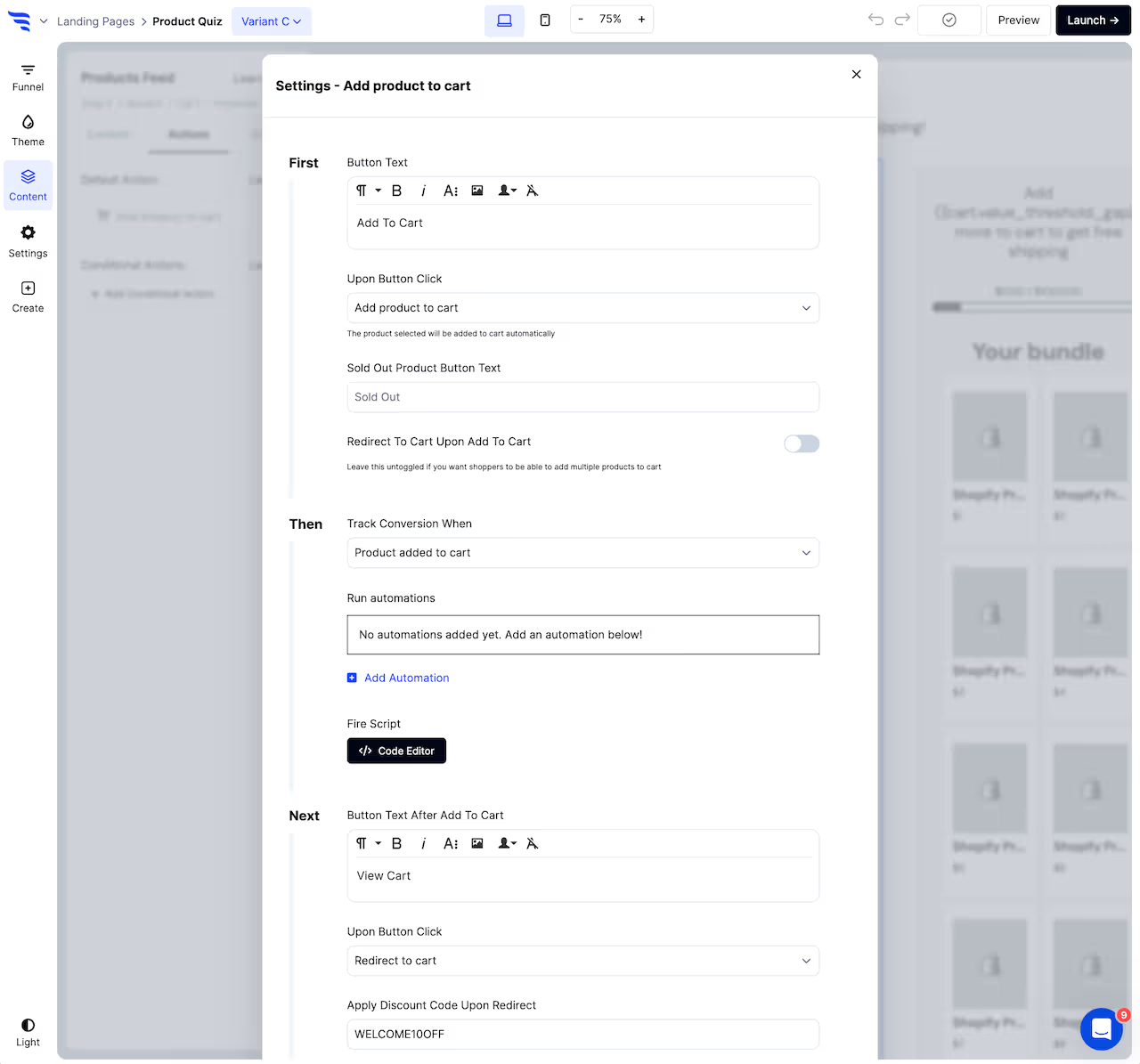
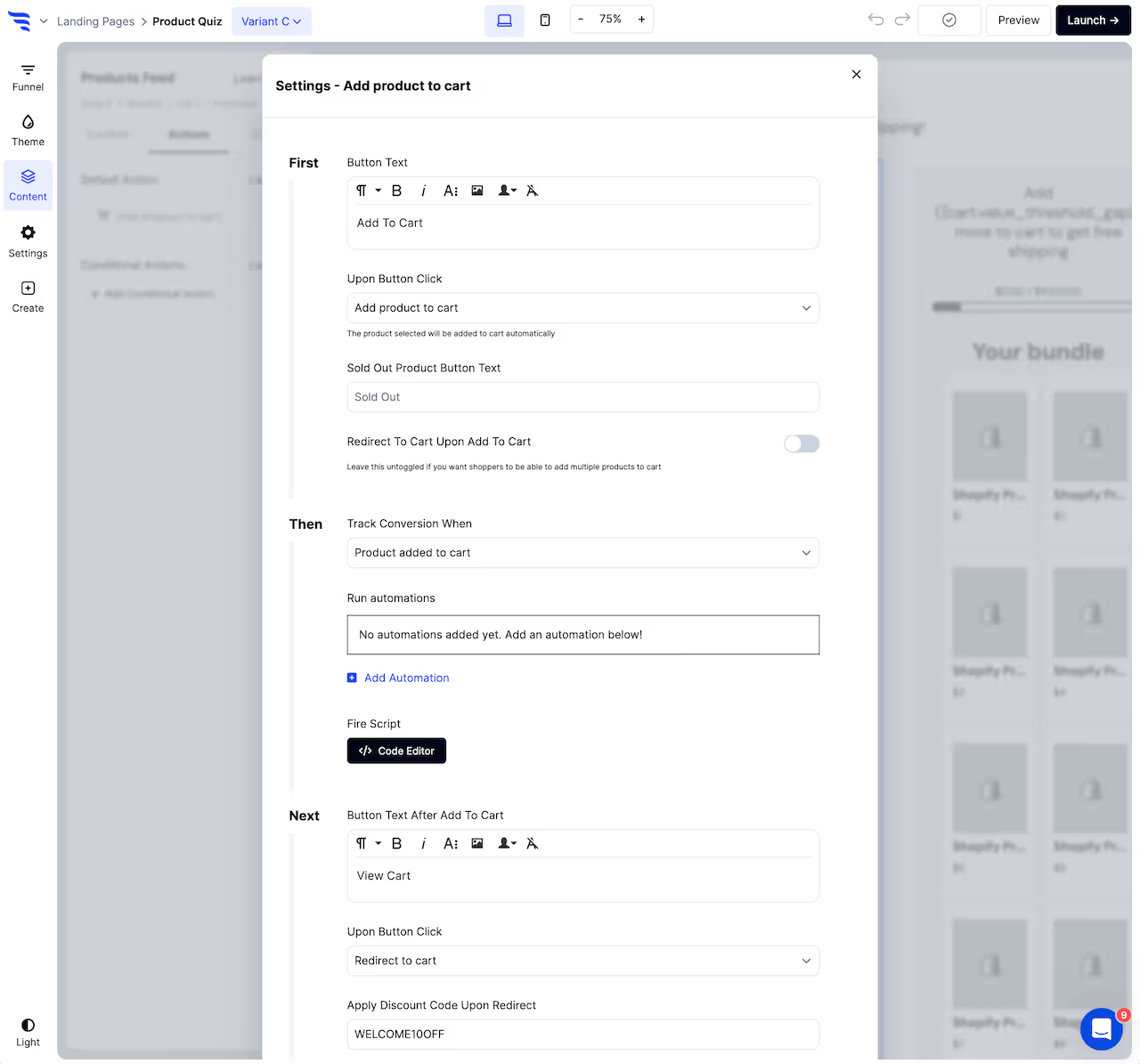
Set product button actions From the Actions tab, you can configure the first button text and the click action, to either redirect to the selected product or add to cart.
If adding the product to cart, you can optionally configure the 2nd button text and what happens upon the 2nd button click, such as whether this 2nd click redirects shoppers to their cart, checkout, another funnel step, a URL, etc.
Previewing your Postscript landing page
Once you're done customizing the template, click to preview the Postscript landing page.
You'll then be able to preview and test out your Postscript landing page in a safe test environment.
Testing your Postscript landing page doesn't count towards campaign stats, and it doesn't trigger automations in your integrations.
Launch your Postscript landing page
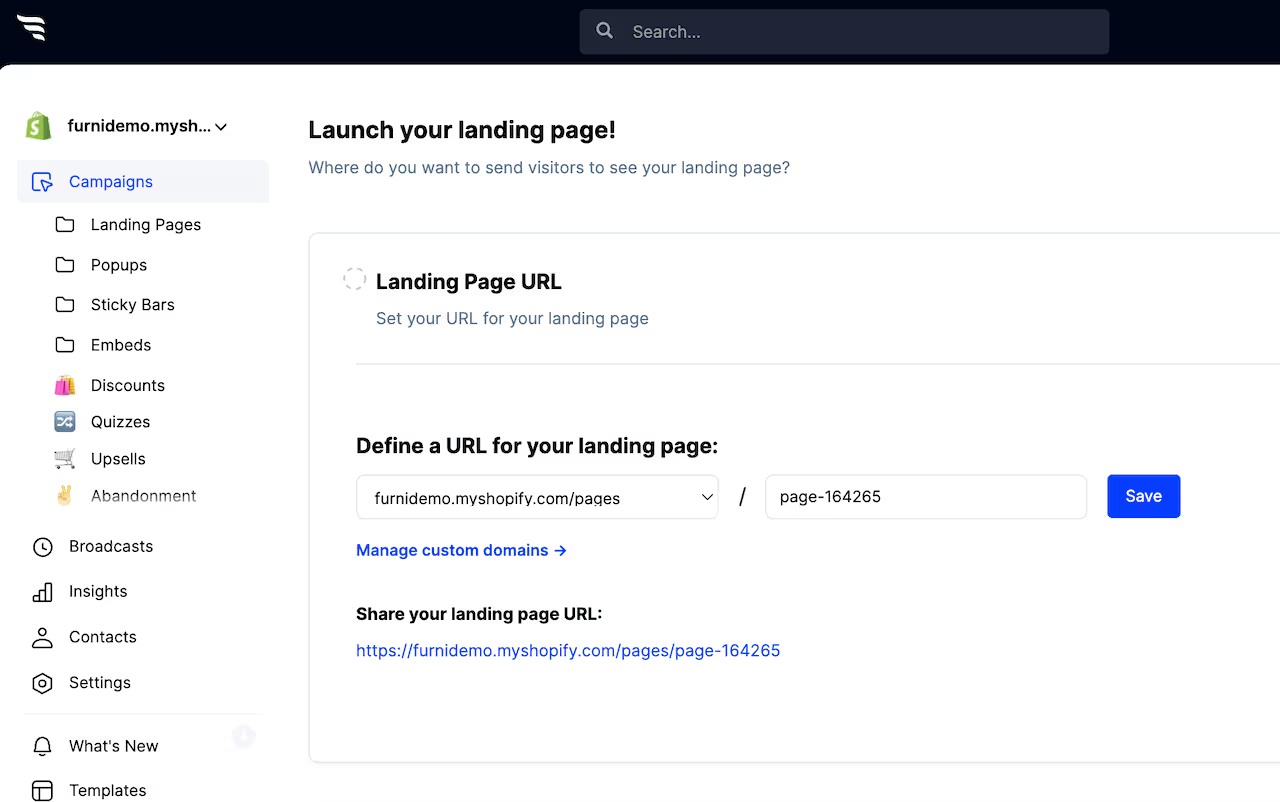
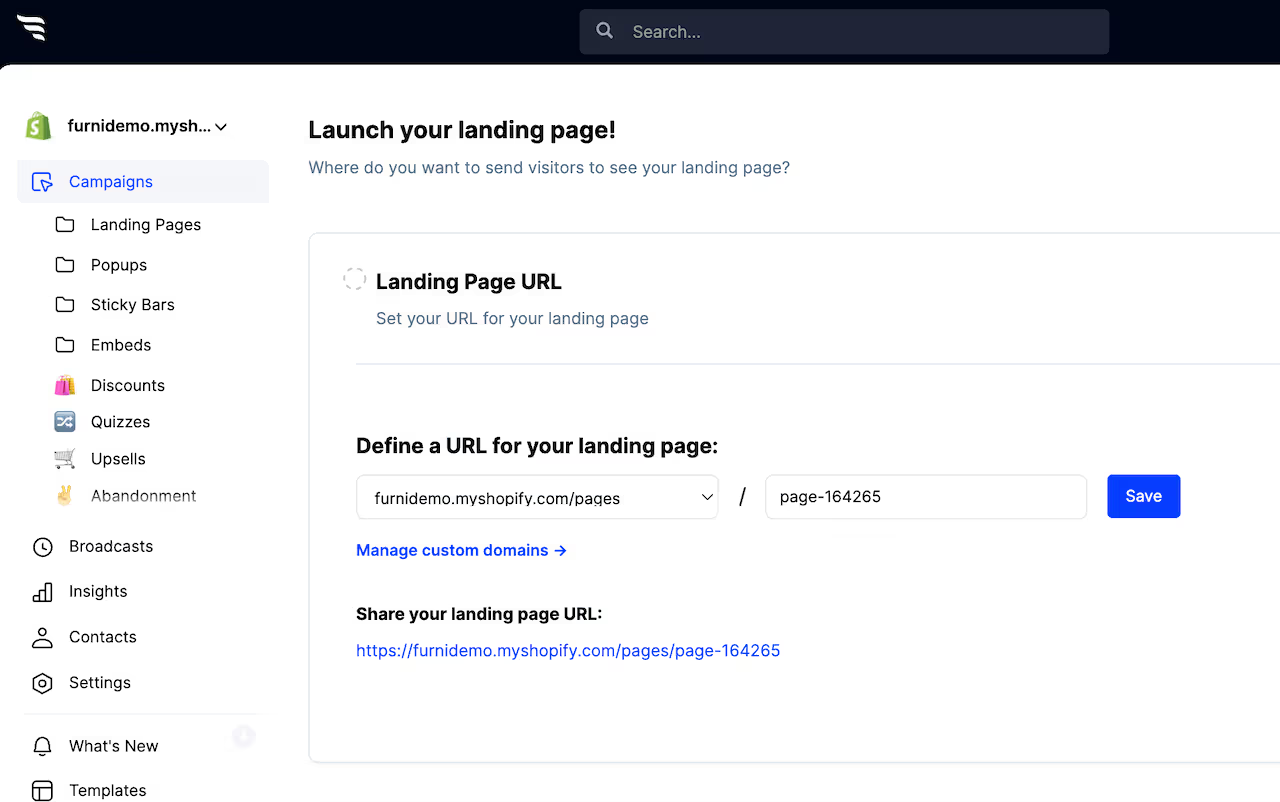
Next, click "Launch" to choose which domain and URL you want your Postscript landing page to be hosted on.
Choosing a domain
You can either choose to have your Postscript landing page displayed on:
• Your website's reserved subdomain on convertflowpages.com • Any custom domain you've added in your settings • As a page on your Shopify store domain
Page settings and metadata
If you want to control the Postscript landing page's meta title, description, and more, scroll below and you'll be able to manage your Postscript landing page's metadata.
By default, your Postscript landing pages won't be indexable by search engines. You can optionally enable indexing if you want your Postscript landing page to be found on search engines.
Meta titles aren't just used by search engines, they're used in link previews on social media, in messengers, and more.
If you need to differentiate the Postscript landing page title and description for search engines and for social media, you can control the "open graph" meta titles, descriptions, and preview images, which will be used for social feeds and messengers, but not search engines.
Why build Postscript landing pages in ConvertFlow
Postscript gives you popup forms, but no landing pages. That's a real gap for SMS, because a phone number is a bigger ask than an email address and a popup rarely has room to earn it.
A dedicated page does. It has space to explain what you'll text and how often, which is exactly the reassurance someone needs before handing over a number — and it gives you a single URL for ads, bio links or a QR code on a package insert.
Connect Postscript to ConvertFlow
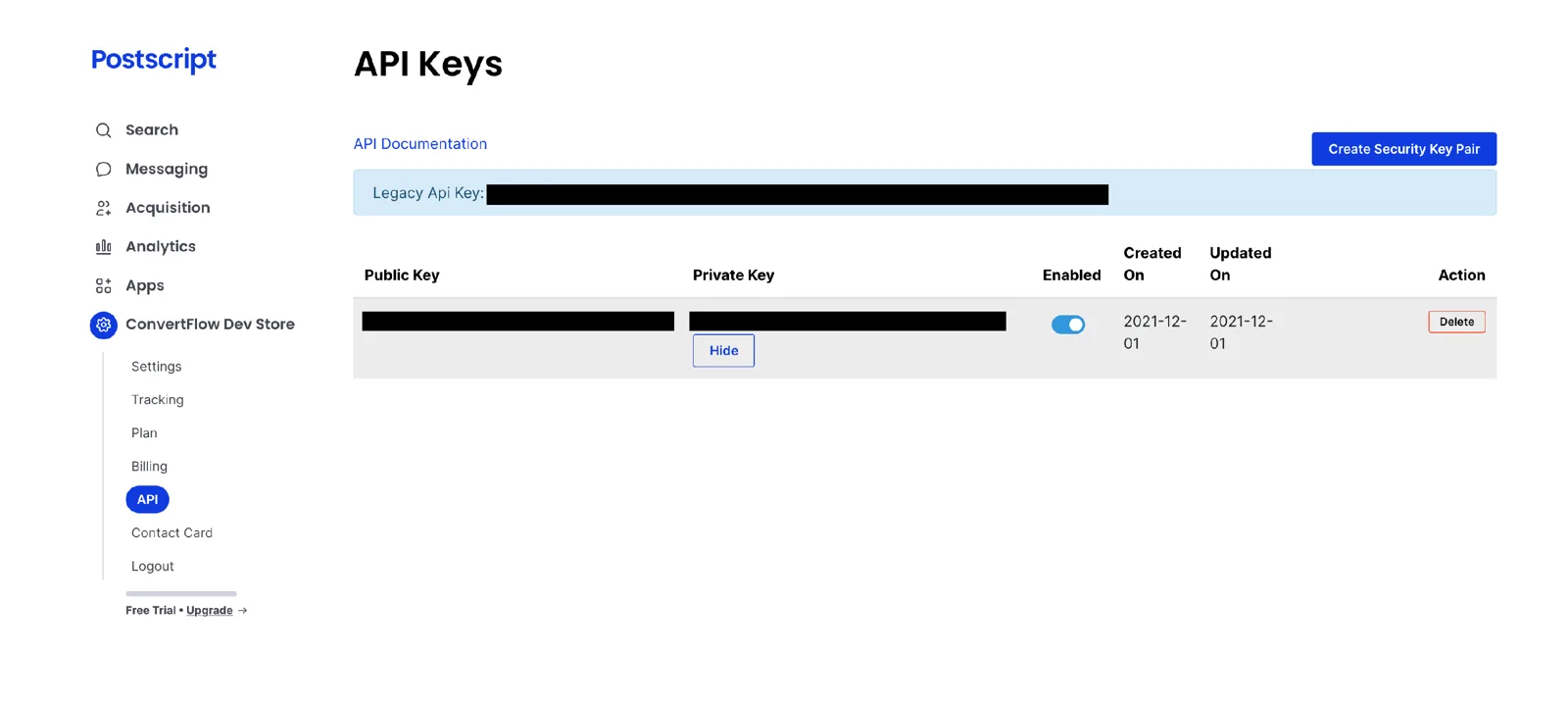
In Postscript, go to the API keys page, create an API key for ConvertFlow and copy it.
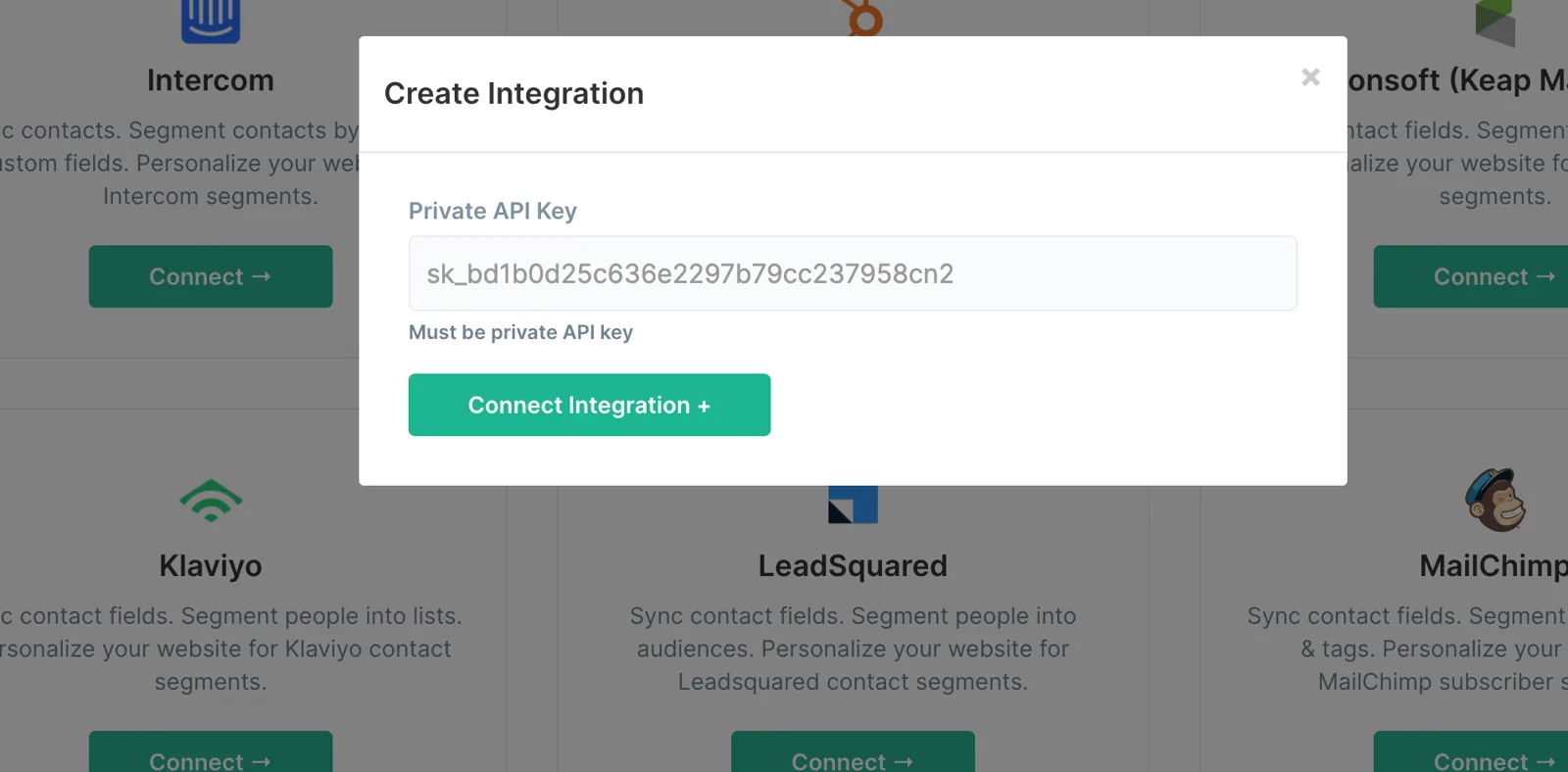
Paste the private API key into ConvertFlow's Integrations area.
ConvertFlow then pulls in your Postscript keywords, so page submissions can subscribe people to the right campaign.
How to create the best Postscript landing pages
When creating a new campaign in ConvertFlow, choose the "landing pages" campaign format.
You'll then see landing page templates to choose from. Pick the one closest to your campaign, preview it, and create from that template — or build from scratch.
Say what you'll actually send
Use the page's copy to set expectations: what kind of texts, roughly how often, and how to stop. This isn't only a compliance point — it's the difference between someone giving you a number and someone closing the tab.
Click any element, or use the layer manager, to edit content. For text elements you'll find an editor in the builder panel, or double-click text in the canvas.
Use the theme settings to customize headline, button and container styles so the page matches your brand.
Add the capture form
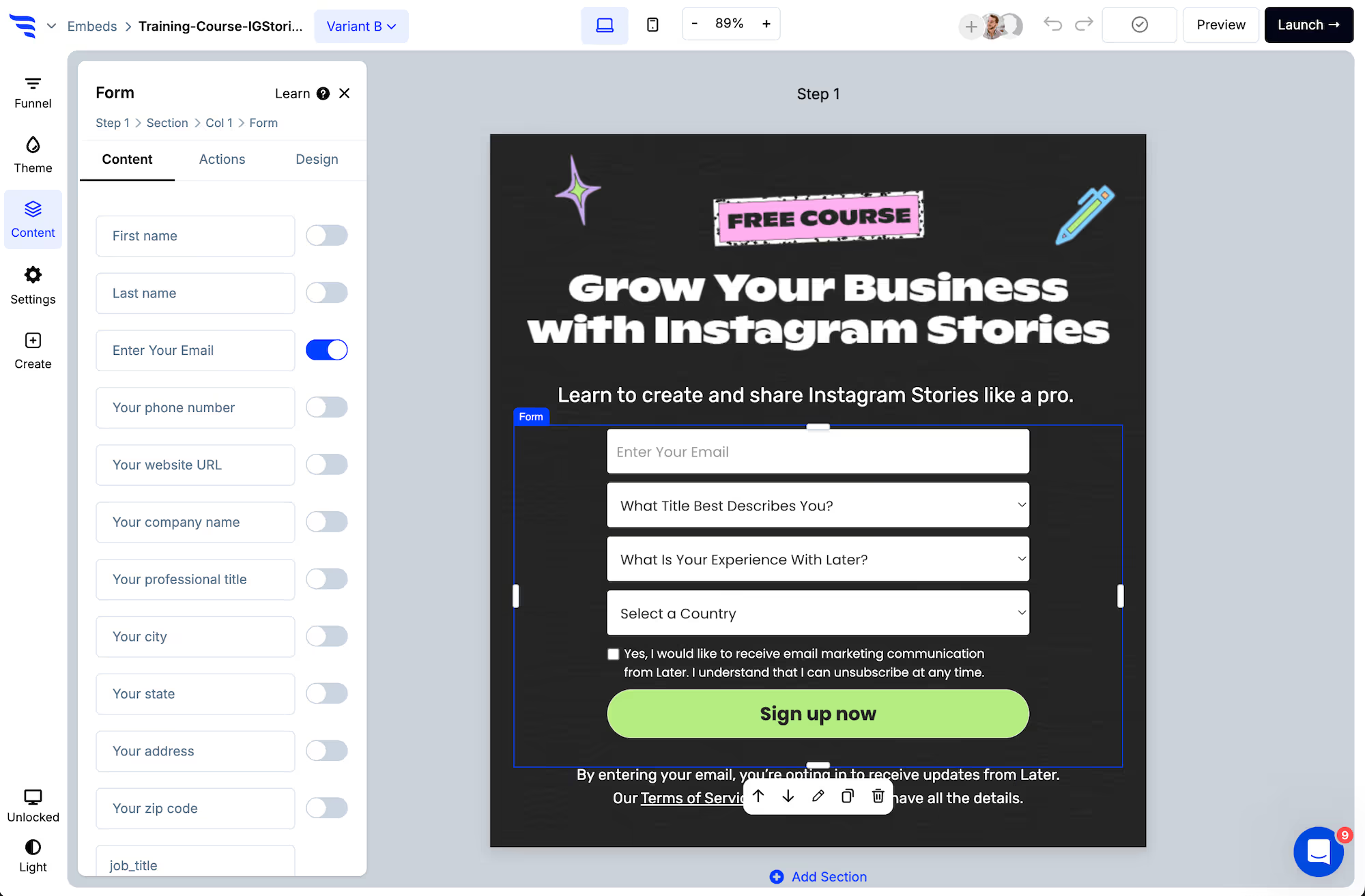
Add a form or quiz element and switch on the phone field. Phone and email address map to Postscript automatically.
Below the preset fields, use the dedicated SMS consent checkbox with your required disclosures. SMS opt-in has to be explicit — a generic privacy checkbox is not equivalent. Requirements differ by region and change over time, so confirm your wording with Postscript or your own counsel.
Turn on phone verification, which formats numbers to the E.164 standard Postscript expects.
Map fields to Postscript message tags
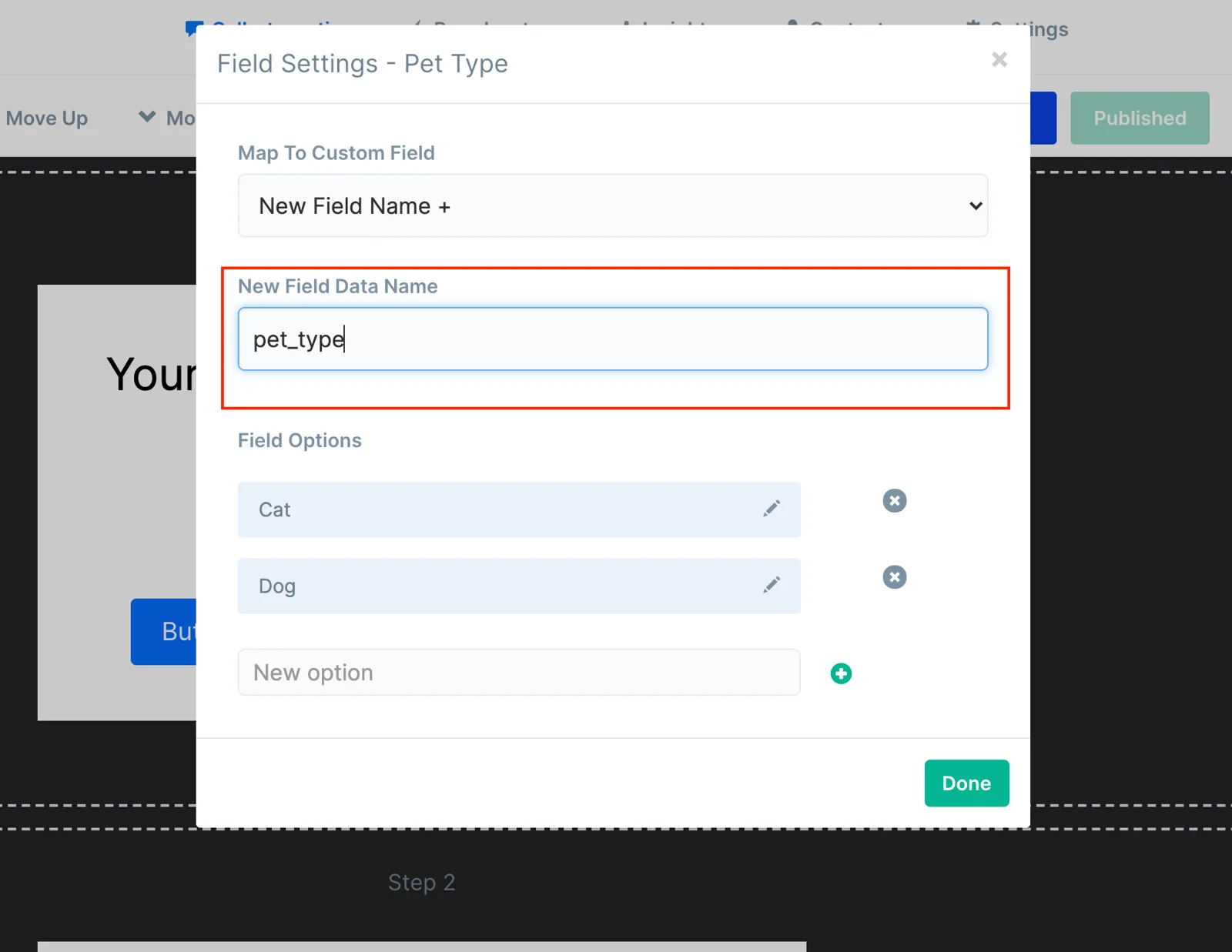
Custom fields take a written data name, and the value lands in a Postscript message tag — the merge fields you use inside your texts.
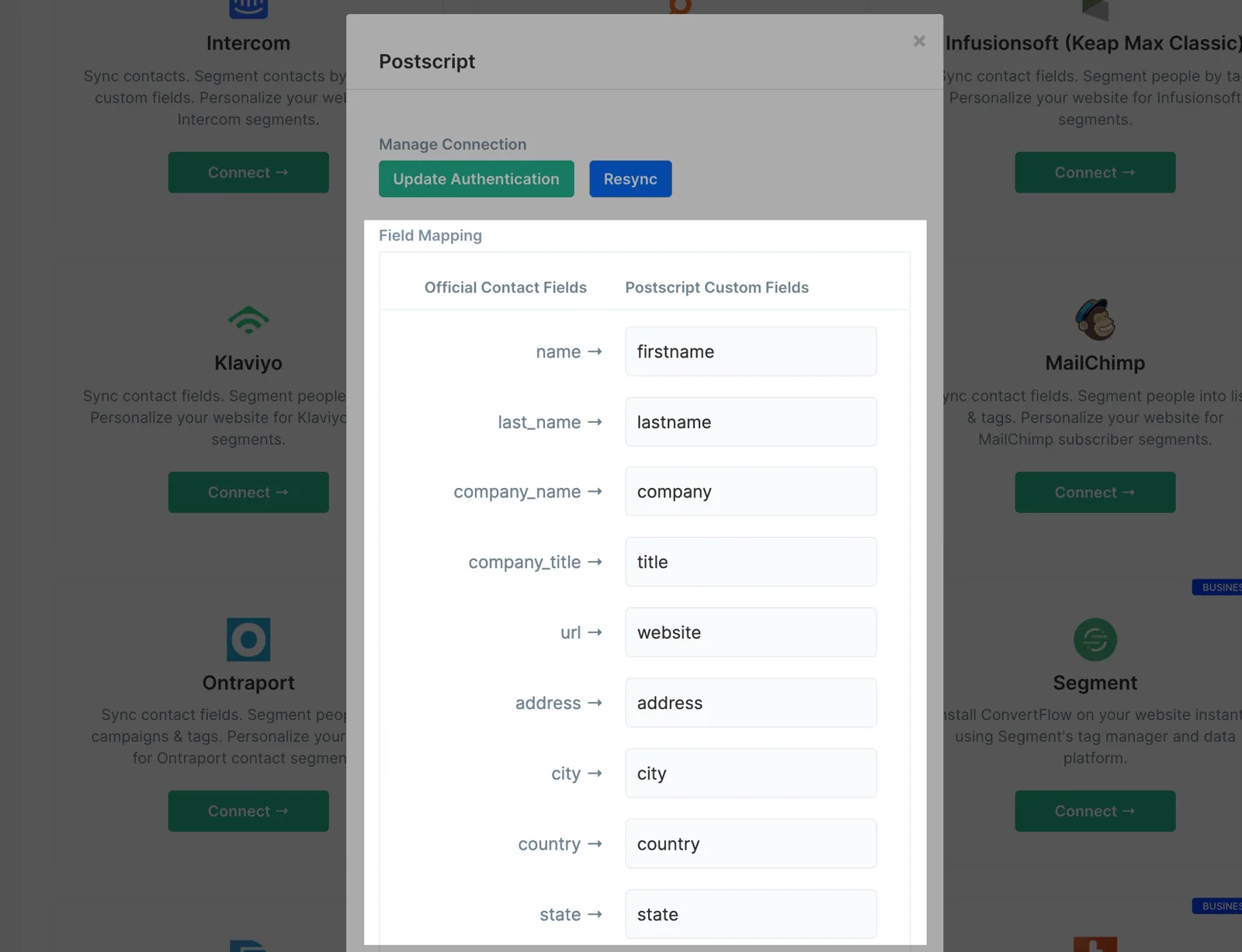
For ConvertFlow's preset contact fields, use the Fields button on your Integrations page and enter each tag's data name. UTM parameters can be captured too, so you can see which campaign produced each subscriber.
Subscribe them to a keyword
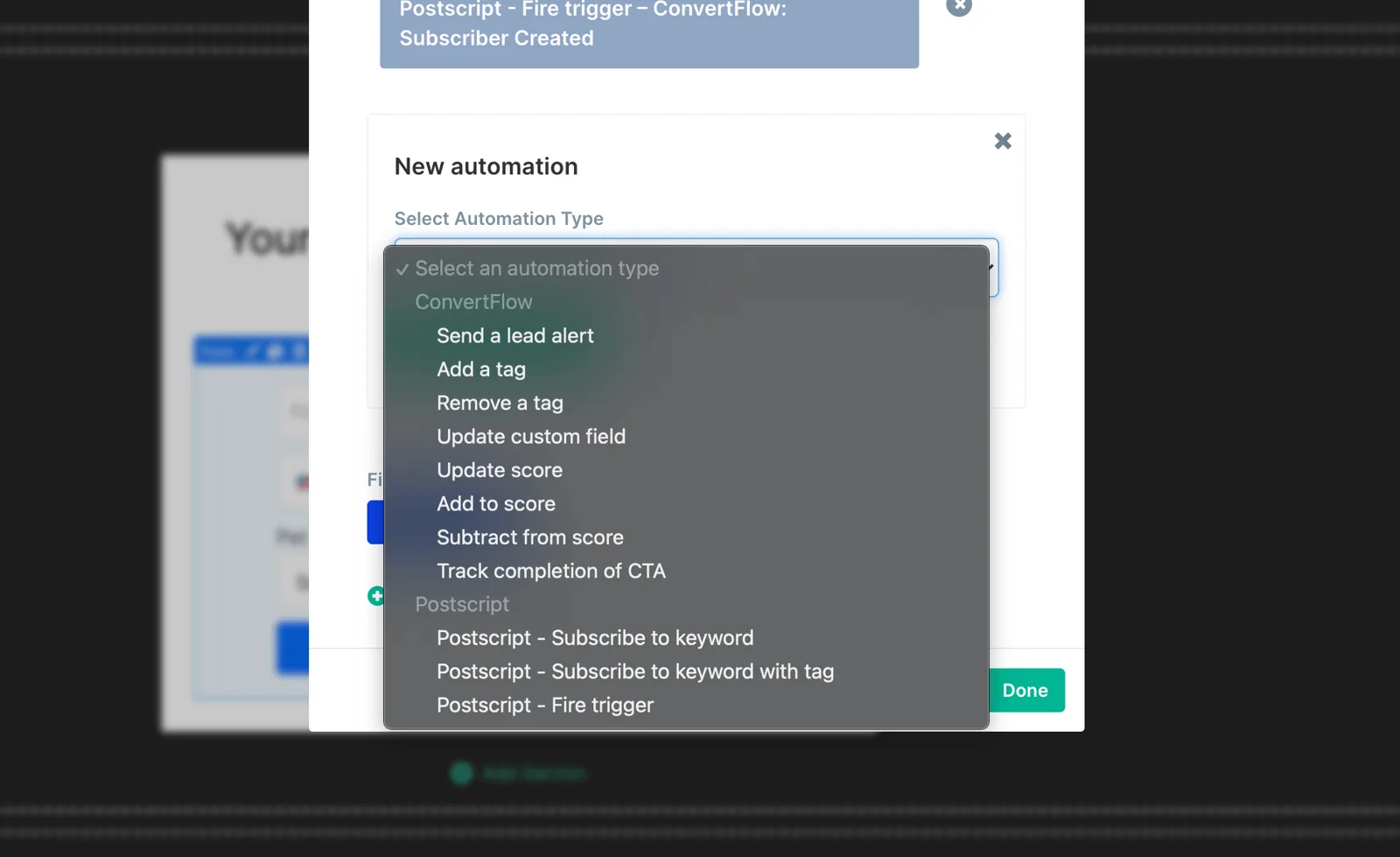
Each conversion element has a default action — jump to another funnel step, redirect to a URL, redirect to cart, or display a popup. Alongside it, add Postscript automations: subscribe to a keyword, subscribe to a keyword with a tag, or track an event.
If the page is running for a specific campaign, give it its own keyword. That way the SMS programme someone enters matches the ad or insert that brought them, and you can measure each source separately in Postscript.
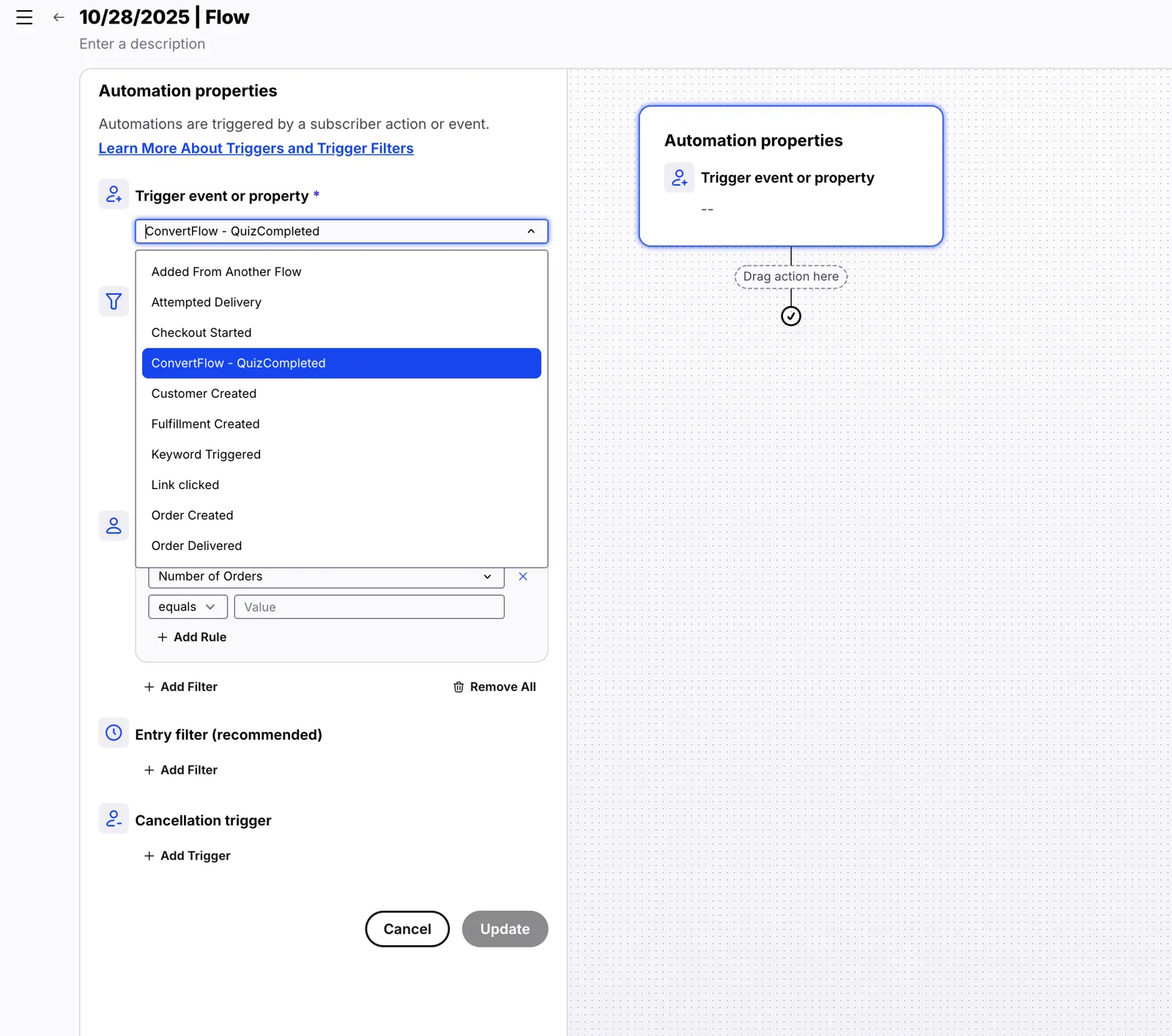
Pro tip: to use ConvertFlow's field data as merge tags in your texts, fire the "ConvertFlow: Subscriber Created" trigger.
Customize product recommendations
Many templates use product elements to showcase products. Select them and configure which products to show in the settings to the left.
Postscript is built for Shopify, so the Shopify products source is the usual choice — with add-to-cart directly from the page.
Preview and launch
Preview and test the page in a safe environment. Testing doesn't count towards campaign stats and doesn't trigger automations — so a test submission won't create a Postscript subscriber or send a text you'd be billed for.
Then click "Launch" to choose the domain and URL — your reserved convertflowpages.com subdomain, any custom domain you've added, or a page on a Shopify store domain.
Keep the URL short if it's going on a package insert or QR code — people do type these in.
Measure and split-test
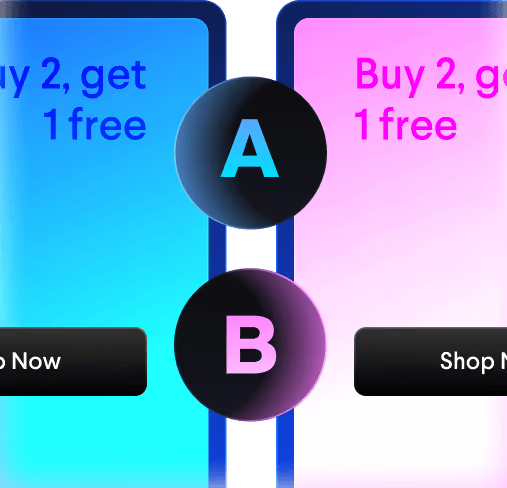
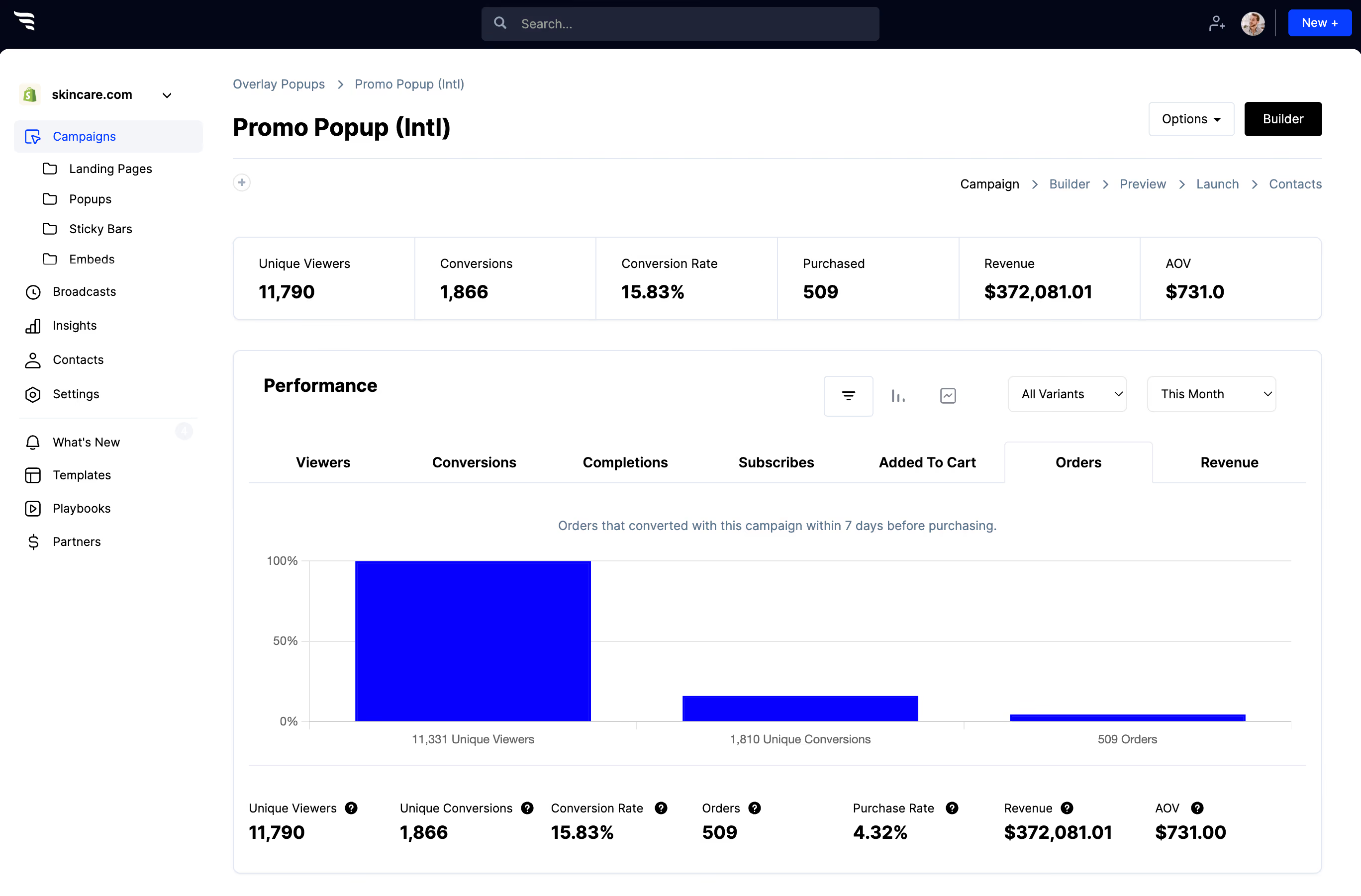
Split traffic between page variants and read the funnel report — views, submissions, and the orders and revenue attributed to each variant.
For SMS, test the reassurance copy as much as the headline. How often you say you'll text moves opt-in rate more than most people expect.
Frequently asked questions
Have questions? We've got answers to the top questions listed below.
Does Postscript have a landing page builder?
How do landing page submissions reach Postscript?
Why use a landing page rather than a popup for SMS?
ConvertFlow is easy for beginners, powerful for pros
Fast & easy for busy entrepreneurs, while powerful for marketing pros & agencies. ConvertFlow gives you the power to quickly launch funnels for any product, brand or offer
Build with freedom
Add as much content as you want with drag-and-drop elements
Designed for mobile
Effortlessly create the perfect experience for mobile & desktop
Pre-built sections
We've done 99% of the design work for you. Build swiftly by adding pre-built sections
Funnel steps
Guide shoppers from visit to checkout through multiple funnel steps
Sell products
Connect an ecommerce platform like Shopify, display your products, and drive shoppers to purchase from your funnels
Publish in a click
Publish your pages and campaigns to your own domain, or directly to Shopify, Wordpress, or any other CMS
Automate actions
Sync contact fields, map custom fields, track events & trigger actions in your tools
Funnel logic
Personalize product recommendations and next funnel steps using quiz answers & logic
Targeted audiences
Personalize on-site offers for targeted audiences based on visit history, cart activity, custom fields, and contact segments in your CRM
Split-tests
Experiment and run split-tests to find your best performing offers
Remix with AI
Chat with Remix AI to build your next funnel using 400+ funnel templates
Multi-site
Manage funnels for multiple websites or clients. Invite team members and clients to collaborate
Thousands of fast-growing brands and 30,000+ websites use ConvertFlow's funnel builder to launch landing pages and multi-step funnels. See real results below.
Nik Friedman-Tebockhorst
VP of Solutions, McGaw.io
"Easy for the team to build, test, and iterate"
"ConvertFlow stood out because it was easy for the team to build, test, and iterate on CTAs and landing pages, while offering out-of-the-box integration with their CDP, marketing automation platform, analytics, and Shopify. In our experience you can activate growth much faster with tools that can integrate easily with the rest of your stack, and ConvertFlow checked all of our boxes."
Chachi Flores
Head of Ecommerce, Peacock Alley
"ConvertFlow enabled Peacock Alley to unlock advanced personalization and conversion optimization, driving a +32% increase in AOV"
"What excites me most is that we've barely scratched the surface of this platform's capabilities. ConvertFlow will remain an invaluable partner as we scale our luxury bedding and bath business throughout 2026 and beyond."
Jack L.
Product Manager
"Its quick and easy to create new components for your website. "
"You can learn a lot about the lead funnel of your business by quickly creating simple A/B test and optimisations. One of the main benefits is the ease of integration to your site. The customer support is great and the dev team are extremely fast are finding solutions to technical issues."
Undrdog
Shopify Store
"Helps us connect the dots between Shopify, Klaviyo and custom campaigns like quizzes, surveys, etc."
In its core you have the CDP which helps us connect the dots between Shopify, Klaviyo and custom campaigns like quizzes, surveys, etc. On the other hand, you have this front-end builder with some good landing page and popup templates to start from... I believe ConvertFlow will be the next big thing in the development of Shopify ecosystem
Frank N.
Lifecycle Marketer
"ConvertFlow is one of the most powerful and capable pop-ups, surveys, and landing page tools out there"
"ConvertFlow is one of the most powerful and capable pop-ups, surveys, and landing page tools out there. It provides a lot of customizations, which is hugely helpful in tailoring it to the way you want it to behave. We use it for our Shopify stores for different countries and in different languages. It can always provide us the flexibility to customize it based on what we need. And the built-in A/B test capability just makes running tests so much easier and enables the marketing team to make changes on the fly based on real-time metrics without creating a workload for the web developers."
Jacob Forrest
Owner, simple-shot.com
"Our short list of must-have apps: Shopify, Klaviyo, and ConvertFlow"
"Truly outstanding support. Lightning fast. More features than you can imagine. Fair pricing. Top-notch Klaviyo integration (with events!). We created a popup on literally day one that has been a consistent 35% add to cart boost since the day we made it."
Chris B.
Enterprise Sales
"ConvertFlow Funnels Drove Millions in Revenue for Us"
"I started using ConvertFlow to create lead gen funnels to help us generate more pipeline. Our deals are large, in the millions per account, our ICP is complex and we serve multiple scopes. ConvertFlow has given me the freedom to A/B test and create funnels that can get the correct ICP to the correct scope. Our ConvertFlow funnel experiments have generated millions in closed revenue for us. We’re very happy."
Kate Schiemer
Director of Marketing, Chilipad by Sleep.me
"41%+ increase in AOV"
“In peak Q4, the pressure to scale revenue is high, and one of the most effective ways to do that is by optimizing your existing funnel. That’s where our team focused our efforts, collaboratively enhancing the Chilipad Holiday Bundle funnel with a multi-step approach designed to educate potential customers on the value of our niche—but essential—product and its best-value offering: the Chilipad Bundle... the results speak for themselves: a 41%+ increase in AOV.”
Pieta M.
Brand Director, lula.co.za
"Great tool for landing pages and AB testing. Support has been fantastic."
"Intuitive - The learning curve has been minimal. I have been able to create good-looking and functional landing pages without referring too often to the tutorials. The integrations are great, it works with most of our marketing stack and the support has been fantastic. Every issue I have had has been resolved within minutes."
Jean-François K.
Head of Marketing
"Our go-to tool for building landing pages and designing test funnels"
"ConvertFlow solves the problem of quickly and effectively building landing pages and funnels without needing extensive development resources. It allows us to rapidly test and validate different business models for our startups, saving us time and money."
Bradley A.
Product manager
"Fantastic tool for non technical users"
"Really easy to get set up and going. Integration with Segment was easy as well."
Ojith B.
Website Designer
"Perfect product for creating custom funnels"
"ConvertFlow is a great product to create custom funnels and surveys. Really customisable when it comes to the UI and also responsiveness."
Laura M.
Director
"It is very intuitive, easy to use and integrates so well with our sites."
"ConvertFlow provides an easy way to create conversions and get users to pages without the need for a developer."
Verified Reviewer
Administrator in Media Production
"One of our main go-to tools in our Martech stack"
“Simple to use, lots of good templates ready to be modified for different use cases. We use ConvertFlow to create user engagement surveys, landing pages, CTAs and exit intent pop-ups.”
Jacob S.
Consultant
"The holy grail of lead capture"
"I need to embed some forms, use exit pop-ups (that I could launch across a whole site, not 1 page at a time), landing pages, and I get the most conversions using multi-step logic-based forms... Finding Convertflow was a dream come true for a marketer. It works flawlessly. On top of that, it integrates extremely well with my CRM and is bringing me referral data I didn't even expect."
Verified Reviewer
Administrator in Computer Software
"The best tool for easy retargeting marketing!"
“With ConvertFlow I can easily create a landing page or form, embed it in a web page, track customer behavior, and generate leads.”
Sharon Ports
CEO, Contour Image
"Great design and service"
"I like the design of my popups for my website and the landing pages I've made. They looked professional and were happy to make something on my own look so professional. I always get a response within 24 hours, too."
Nick Stasinopoulis
Consultant
"Full range of solutions"
“We are using landing pages to have better conversion rates and exit intent to engage visitors for feedback. It has a full range of solutions you can leverage to engage and convert visitors.”
Josué M.
Digital Marketer
“Easy to launch and monitor my campaigns”
“It was easy to launch and monitor my campaign. Their support is very good and they have good tutorials. Compared to other platforms, ConvertFlow is easy and inexpensive to get lead generation insights, attribution and conversion comparison.”
Kiel Olver
Founder, Propel
"Super powerful landing page tool"
"ConvertFlow allows marketing teams to create conversion opportunities like modal, corner, quizzes and email sign ups. It also has a super powerful landing page tool builder that rivals all the big names with more functions at a lower monthly price.”
Ljubcho G.
Content Marketer
"Landing Page tool on steroids"
"It's easy to use, and I like the drag-and-drop feature and the easy process of creating creative landing pages that convert."
Iris Dings
Head of Content, Sendcloud
"Extensive tool to convert website visitors"
"I like the targeting options and the diversity of the tool. You can create any type of widget or even build a full page. So for different campaigns, we're always able to set-up a widget that will drive conversion rates. Next to that, the direct integration with Hubspot works very well for us."
Geoffrey H.
Growth Manager
“Has templates for all kinds of CTAs”
“Convertflow is easy to use and set up. It has templates for making all kinds of CTAs. Works great to generate Landing Pages. Integrates with Segment as well as Zapier. Good for personalization.”
Chris J.
Digital Demand Generation Manager
“Allows for lots of customizability”
“I've really enjoyed using ConvertFlow. It is a great lead capture software and you can quickly spin up many lead capture forms and A/B test them. I really like ConvertFlow's drag and drop builder. It allows someone with little design experience to quickly build landing pages, popups, and many other lead capture tools. It also allows for lots of customizability because you can add code snippets to the header and footer.”
Andres Gutierrez
Marketing Director, Property People Group
"Flexible Tool for Marketers"
“I like the fact that you can 100% customize landing pages without limitations and connect the CTA to your CRM where it can be set to perform many tasks.”
Jeroen Van Der Mark
Founder - FIT.nl
"55% more email subscribers"
"When we started to use simple ConvertFlow CTAs on our content pages, we got 55% more subscribers to our mailing list!"
Jacob S.
Independent consultant, Mid-Market (51-1000 emp.)
"The holy grail of lead capture"
"Finding Convertflow was a dream come true for a marketer. It works flawlessly. On top of that, it integrates extremely well with my CRM and is bringing me referral data I didn't even expect."
Ljubcho G.
Content Marketer, Abusix
"Landing Page tool on steroids"
"It's easy to use, and I like the drag-and-drop feature and the easy process of creating creative landing pages that convert..."
Launch your Postscript landing page
Getting started takes just a minute and you can build your next funnel for free.










%20(1).avif)






.svg)
