


Playbook summary
Match each client with the right therapist and get the first session on the calendar. A visitor answers eight questions about the support they’re looking for, gives their contact details to see their match, sees a recap of therapy type, country, and goals, then lands on one match page with a therapist profile, pricing, your live calendar, and FAQs.
- Industry:Services
- Metrics affected:Booked Sessions; Lead Capture; Show Rate
- Campaign type:QuizzesLanding Pages
Tools you'll need
- Funnel builder: ConvertFlow
- Scheduling tool: SimplePractice, TherapyNotes, Calendly, Acuity, or equivalent (not in the template; embed it on the match step)
- ESP or CRM: the one your practice uses for client communication (not in the template; connect it on the contact step). If your practice is covered by HIPAA, every tool needs a signed Business Associate Agreement
Quick setup
- Content: 8 questions (therapy type, country, gender, age, relationship status, religion, goals, open note) inside one quiz element
- Call-to-action: See your therapist match, then choose a time for the first session
- Targeting: Dedicated landing-page URL for Google Business Profile, directory listings, nav, and email
Use this template to match each client with the right therapist and get the first session on the calendar. A visitor answers eight questions about the support they’re looking for, gives their name and email (and optionally a phone number for a text when their match is ready), sees a recap of their therapy type, country, and goals, then lands on one match page with a therapist profile, pricing, your live calendar, and FAQs.
That path is the booking funnel. A “contact us” form, a “we’ll call you back within 48 hours” page, or a bare calendar link with no quiz in front of it is not.
Online therapy platforms like BetterHelp and Talkspace open with a matching quiz because choosing a therapist from a grid of bios is hard, and someone looking for help has often put it off for months. The quiz turns “I should probably talk to someone” into a named therapist and a time on the calendar.
Based on their answers, you match a therapist and show the right calendar, with CRM fields saved on submit. A contact gate sits before the match so you keep the lead even when the calendar step is abandoned.
Performance benchmark
A typical service website contact form converts 3–5% of visitors (based on Ruler Analytics’ and First Page Sage’s 2026 benchmarks). Generic website pages, rather than dedicated landing pages, run closer to 1.7–1.9% on form submissions.
Based on ConvertFlow’s September 2026 Lead Generation Quiz Funnel Benchmark, sampled across 1,063 ConvertFlow lead generation quiz funnel campaigns, quiz funnels delivered as landing pages capture a lead from 11.28% of visitors on average. Across all landing page and embed formats, 23.84% of visitors engage with the quiz and 7.85% finish as a captured lead. Roughly 1 in 4 visitors will start the quiz, and about a third of those who start will hand over contact info.
This template is a landing page, so measure it against the 11.28% figure. It adds a match page and a calendar, so track booked first sessions and show rate on top of lead capture; the benchmark does not measure bookings.
Core principles
Prioritize a booking, not a browse: The quiz exists to get a visitor from “I might need to talk to someone” to a time on a therapist’s calendar. This template ships 8 questions inside one quiz element, then one match, then one calendar. Do not add campaign steps to “make room” for questions.
Ask only what changes the match: Every question in this template exists to route the client: therapy type picks the service, country picks a licensed therapist, gender, age, relationship status, and religion let you match preferences like faith-based or LGBTQ+-affirming care, and goals pick a specialty. If your practice doesn’t use an answer to match, remove the question. Clinical intake happens after booking, in your practice-management system.
Capture the lead before you reveal the match: The contact gate comes after the last question and before “Your match is ready!” A visitor who bails at the calendar is still a contact with therapy type, country, and goals attached. If the gate moves after the calendar, every abandoned booking is gone.
Eliminate dead ends: After the match, the visitor picks a time. The calendar is the offer. A “we’ll be in touch” page with no calendar is a dead end, and in therapy a dead end often means the person doesn’t reach out again.
Execution strategy
Lead with reassurance: Step 1 is a landing intro: “A therapist who actually fits. Tell us what you’re working through. We match you with a licensed therapist within 24 hours — message, video, or phone, on your schedule.” Button: Find my therapist. Add a line under the button: “If you’re in crisis, call or text 988 (Suicide & Crisis Lifeline) or call 911.”
The funnel is 6 campaign steps:
- Intro (one step): headline, subhead, Find my therapist button, brand image
- Quiz (one step, 8 questions inside one quiz element, with a “Question X/8” progress bar)
- Contact gate: “Provide some details to see your match. Your responses are confidential and protected. We use them only to find the right therapist for you.” First name, email, consent. Button: See My Match
- SMS: “Want a text reminder? We’ll text you as soon as your therapist match is ready.” Phone with country code and SMS consent. Button: Yes, Text Me. Link: No Thanks
- Match ready (one step): “Your match is ready!” Personalized line, recap of therapy type, country, and therapy goals. Button: See My Match
- Match (one step): therapist card, pricing CTA, calendar using the scheduler element, FAQs
Map answers to the right therapist and calendar: Country (and state, for US practices) decides which therapists can legally see the client. Therapy type decides the service. Goals decide the specialty. Use conditional schedulers and conditional rows so the therapist card and calendar match the answers.
Use quiz answers for routing, and keep messages discreet: Send answers into your CRM so reminder and abandoned-booking flows send the right therapist and calendar. Keep therapy goals out of subject lines, SMS text, and email previews; messages show up on lock screens and shared devices.
Pro tips
Make “confidential and protected” true. The contact step promises confidentiality. Keep Meta, Google, and other ad pixels and session-recording scripts off every step of this funnel, and don’t send quiz answers to ad platforms. In 2023 the FTC ordered BetterHelp to pay $7.8 million for sharing users’ mental health information with advertisers after promising to keep it private.
Treat answers as health information. If your practice is a HIPAA covered entity, the funnel builder, scheduler, and ESP or CRM all need a signed Business Associate Agreement before launch. Don’t store the open-text answer from question 8 in your marketing ESP; route it to your practice-management system or leave it in ConvertFlow only.
Show a real therapist. The demo match card shows a name, license number, years of experience, and a match percentage. Replace it with real therapists, using conditional rows per therapy type or country, and only show a match percentage if your matching actually calculates one.
Plan the teen path. When someone picks “Teen (for my child),” the person taking the quiz is the parent or guardian. Adjust the age question for that path and follow your state’s consent rules for minors.
Keep the CTAs benefit-driven. Template buttons are “Find my therapist”, “See My Match”, “Yes, Text Me”, and “Get Started”. Do not change them to “Submit” or “Next”.
Launch as a dedicated landing-page URL so Google Business Profile, directory listings, nav, and your ESP can all point at one matching quiz. Popups and embeds come after this URL works.
Quick setup
1. Start with the Therapy Appointment Booking Quiz template
Do not build from a blank canvas. Use our quiz funnel template for this.
Open the template, click Use This Template, keep the 6-step structure. Remix the logo, colors, brand images, and copy. The campaign is a landing page. It is not a popup and it is not one step per question.

What you should see in the builder: 6 steps. Step 2 holds one quiz element with 8 questions. If you see yourself adding steps for each question, stop.
2. Set up the quiz questions
The 8 questions in this template, in order, all live in one quiz element. Single-select questions auto-advance; dropdown, multi-select, and text questions show Continue. Suggested custom fields: therapy_type, country, gender, age, relationship_status, religious, therapy_goals, intake_note.

1. What type of therapy are you looking for? Single-select: Individual (for myself) / Couples (for myself and my partner) / Teen (for my child)

2. Which country are you in? Dropdown: United States / Canada / United Kingdom / Australia / Germany / France / Spain / Other

3. What is your gender identity? Single-select: Woman / Man / Other / Prefer not to say

4. How old are you? Dropdown: 18 to 92

5. What is your relationship status? Single-select: Single / In a relationship / Divorced / Widowed / Other

6. Do you consider yourself to be religious? Single-select: Yes / No

7. What are your goals for therapy? Multi-select: Reduce anxiety / Manage depression / Improve relationships / Cope with trauma / Process grief / Build self-esteem / Manage stress / Navigate a life transition / Something else

8. What brings you here today? Open text, optional: “Share as much or as little as you’d like — this helps us match you with the right therapist.”
Swap the labels for your services and the countries or states you’re licensed in. Keep question 1 about therapy type and question 2 about location, since those decide which therapists and calendars are eligible. Map each question to its custom field so answers land in ConvertFlow and in your CRM.
3. Connect your ESP or CRM on the contact step

Go to step 3 (the contact gate). Select the form. Actions: connect your ESP or CRM if it isn’t already, and confirm it’s covered by a BAA if you’re a covered entity. Then add automations:
- Add to list or audience (a bookings list, not your newsletter)
- Write therapy type, country, and goals to custom fields or contact properties
- Track a quiz-completed or booking-started event
Form in the template: first name, email, email consent, Accept privacy policy and terms of service. Headline: Provide some details to see your match. Button: See My Match.
If this step is skipped, the trial is not activated. Activation is ESP connected plus at least one billable action (list, field, or event). Preview will not fire automations. That is expected. The connection still has to exist.
4. Connect SMS on the SMS step

Step 4 asks for a phone number with country code and an SMS consent checkbox. Headline: Want a text reminder? Button: Yes, Text Me. Link: No Thanks. Add an automation to subscribe the phone to your reminder list, and reword the consent text for appointment reminders rather than marketing.
5. Set the match-ready step

Step 5 in this template is one screen:
- Headline: Your match is ready!
- Personalized line: “{first name}, based on your answers, we’ve found a therapist who’s the right fit for you.” Set a fallback first name (for example “there”)
- Recap: Therapy type, Country, Therapy goals
- Button: See My Match
Only 3 of the 8 answers recap. Keep gender, age, relationship status, religion, and the open note off this screen.
6. Build the match page and embed your calendar

Step 6 is one scroll:
- Eyebrow: YOUR THERAPIST MATCH. Headline: We found a great fit. Subhead: Based on your goals and preferences, we matched you with a licensed therapist who specializes in your needs
- Therapist card: photo, name and credential, license number, years of experience, match percentage (demo: Dr. Reyna Albright, LMFT). Note: “Your first session can be scheduled within the next 48 hours. You can switch therapists anytime, free of charge.”
- Buttons: See more matches / Get Started - $65/wk (use your real pricing, or link to your insurance information)
- Calendar: “Schedule an appointment. Find a time on our calendar below.” using the scheduler element
- FAQs: How are you matched with a therapist? / Can I switch therapists? / Can I retake the quiz?
Add your scheduling link: select the scheduler element and paste your scheduling link. Common providers (Calendly, HubSpot, GoHighLevel, and others) are natively supported, with conversion tracking handled for you. Toggle prefill so known fields like name and email carry into the booking widget.
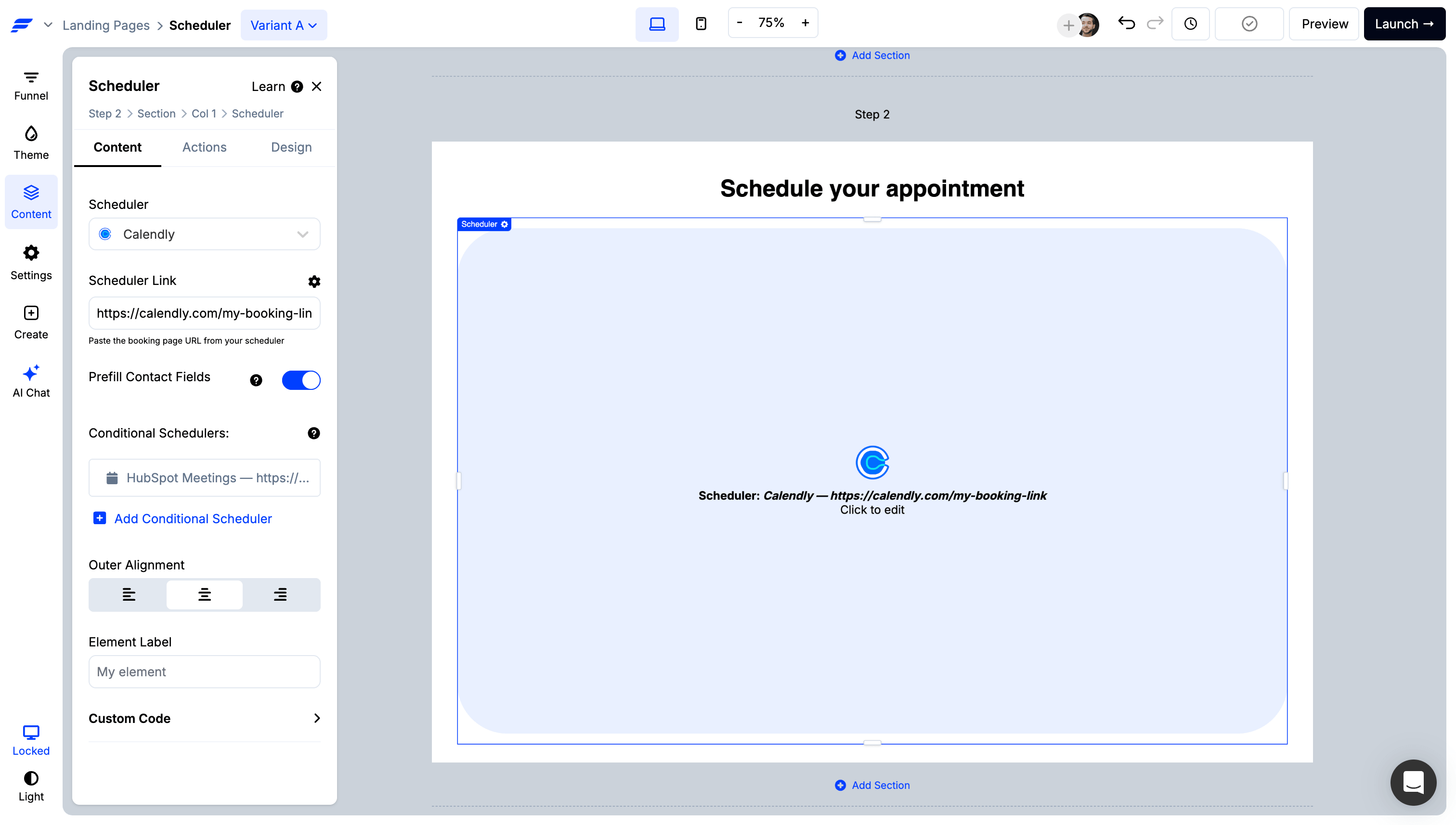
Show the right calendar for each match: add a conditional scheduler to change the scheduling link based on the client’s answers, for example one calendar per country or state, or per therapy type. Set your general intake calendar as the default so no one sees a blank step.

Run automations on booking: when a session is booked, the scheduler can fire automations in your integrations, like tagging the contact as booked or alerting your intake team, so abandoned-booking reminders stop.

Your scheduling tool’s own confirmation handles the “you’re booked” moment, and ConvertFlow tracks the booking for funnel reporting.
7. Launch the URL, then preview the full path
Set the landing page domain and path. Save. Preview the whole funnel: intro, questions 1 through 8, contact gate, SMS, match ready, match page.
.avif)
Confirm:
- 6 campaign steps
- The recap shows therapy type, country, and goals with the labels you want, and nothing more sensitive
- First name merges into the match-ready line, with a fallback when empty
- Forms submit (automations won’t run in preview), and No Thanks skips SMS
- The therapist card shows a real therapist for each path
- The right calendar shows for each country and therapy type, with a working default
- Pricing on the Get Started button is real
- The crisis line appears on the intro and match page
- No ad pixels or session-recording scripts fire on any step
- No thank-you dead end
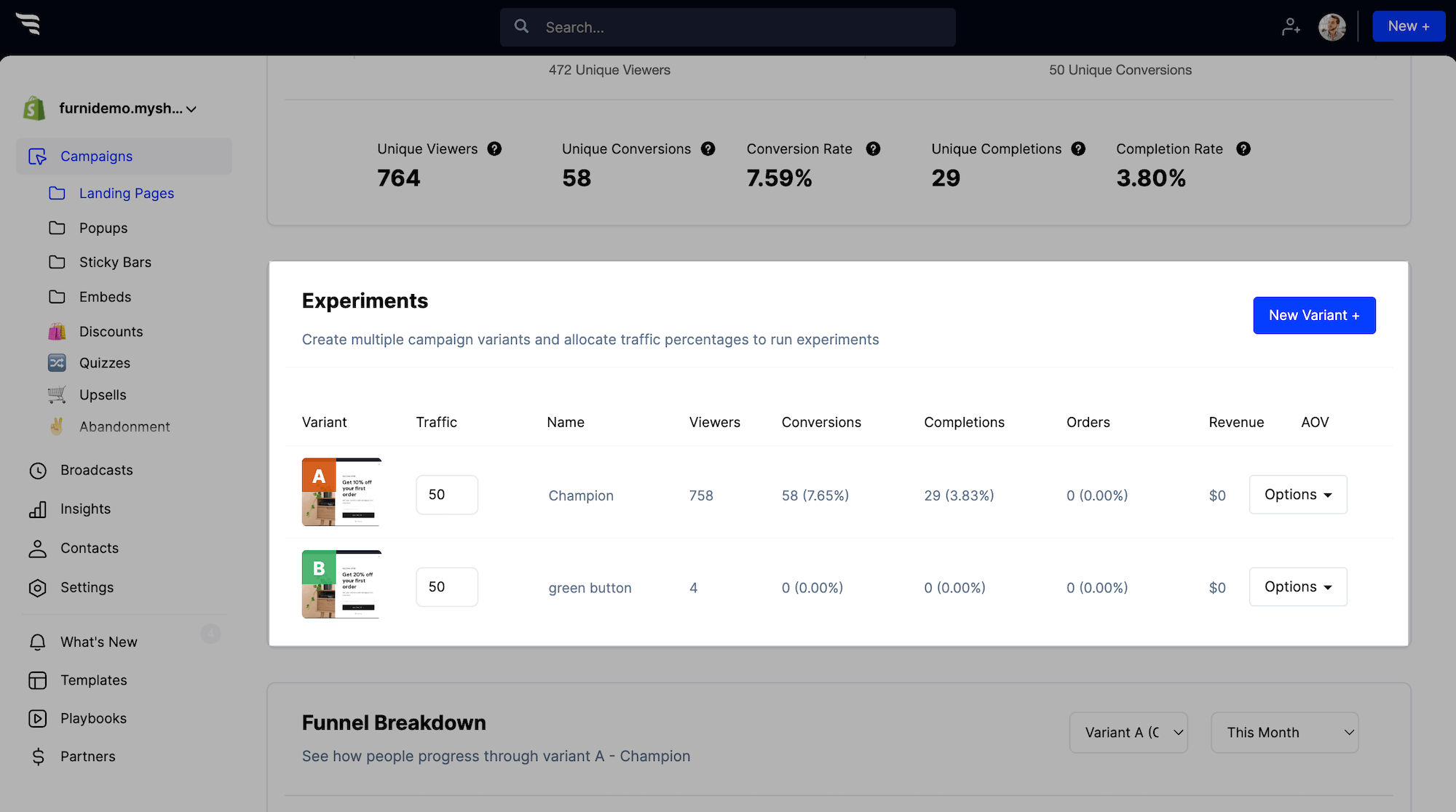
Then activate. In the dashboard, watch completion, answer mix, contacts captured, and sessions booked. Add discreet abandoned-booking and no-show reminder flows in your ESP off the quiz-completed event, and split-test question count and gate position once you have bookings.





.svg)
