Install ConvertFlow on your Shopify store instantly. Target visitors by cart data and more.
Connect For FreeEvery Shopify theme ships with a contact page, and for a lot of stores that's the end of the conversation. It works: someone fills it in, the message arrives in your inbox.
The reasons stores replace it are usually practical rather than cosmetic — no spam protection, no routing, and nothing recorded anywhere you can act on.
Shopify's theme contact form gives you name, email, phone and message, sent to your store email. It's genuinely fine for low volume.
Where stores outgrow it:
If your contact form gets a handful of messages a week and they're all the same kind, the built-in one is the right answer. Below is what to do when it isn't.
Create a campaign — a landing page for a dedicated contact page, or an embed to sit inside your existing one — and add a form element.

Toggle on the contact fields you want.

This is the single change that makes the biggest difference, and the one the built-in form makes hardest.
Click Add Field, set the type to dropdown, and give it your categories — order status, returns, wholesale, press, something else.

Once enquiries are categorised, everything downstream gets easier — routing, tagging, and knowing what your support load actually consists of.
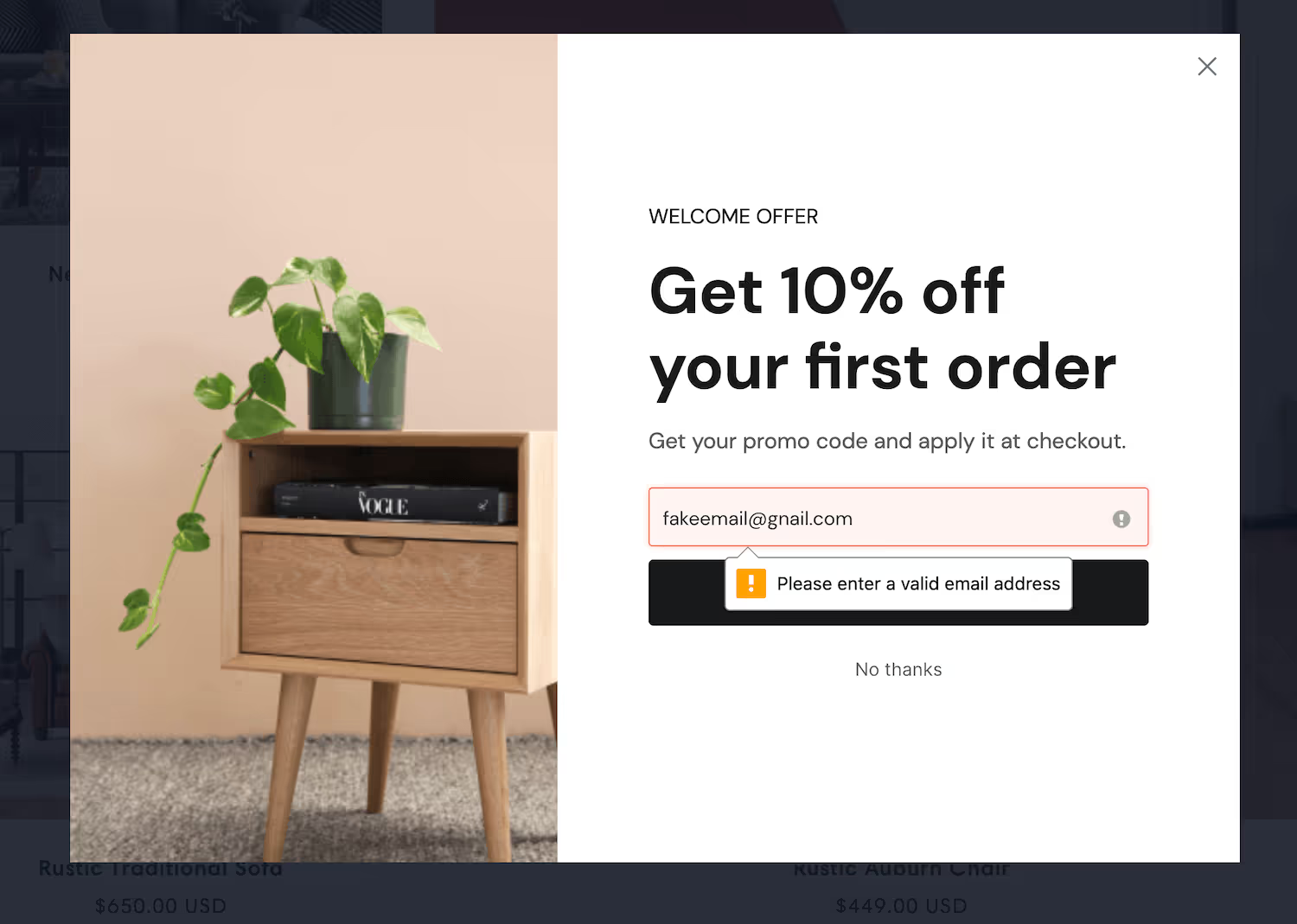
On a contact form this saves a specific frustration: someone mistypes their address, you reply, it bounces, and you have no way to reach a customer who thinks you ignored them.

Set the theme first so every element inherits it, then adjust individual elements as needed.

The script installs on your store automatically, so the form can be embedded on your existing contact page without theme editing.
Select the form and click Manage Actions.

Add automations that send the contact to your helpdesk or email platform, then use conditional actions so the enquiry type decides what happens.

The pattern most stores land on: wholesale enquiries get tagged and routed somewhere a human sees them quickly; order-status questions get an immediate on-screen answer pointing at order tracking, which deflects a large share of them before they become tickets.
Use the confirmation step rather than a generic "thanks, we'll be in touch".
If someone selected "order status", show them the tracking link. If they selected "returns", show the returns policy. A meaningful share of contact form submissions are questions you've already answered somewhere on the site, and answering them at the point of asking is faster for the customer and cheaper for you.
.avif)
The answer distribution on your enquiry type dropdown is the useful output. It tells you what your support load actually consists of — which is usually different from what everyone assumes, and points straight at what to fix on the site.
To see templates and the full feature set, visit the Shopify form builder.
Create a free ConvertFlow account and integrate
Shopify
in minutes.
Install ConvertFlow on your Shopify store instantly. Target visitors by cart data and more.
Connect For Free










.svg)