Install ConvertFlow on your Shopify store instantly. Target visitors by cart data and more.
Connect For Free"Upsell app" covers three quite different moments in a Shopify order, and the apps that serve them barely overlap. Picking the wrong category is the most common reason an upsell app underperforms.
This guide covers the three moments, then how to build the on-site ones.
The offer appears on the order confirmation page, after payment has gone through. The shopper accepts with one click and it's added to the existing order.
This is a distinct technical category — these apps use Shopify's post-purchase checkout extension, and a general-purpose tool can't replicate it.
Best when: you want incremental AOV with zero risk to the original conversion. Nothing here can lose you the sale, because the sale already happened.
If that's your goal, install a dedicated post-purchase app. It's the right tool and this guide won't help you do it better.
The offer appears as the shopper adds an item or opens the cart — a complementary product, a bundle, a quantity break.
Best when: the upsell is genuinely related to what they're buying, and you want it in front of them while they're still shopping.
The risk: anything between add-to-cart and checkout can add friction to a conversion you'd otherwise have had. Worth measuring on total revenue, not upsell revenue.
Recommendations on product pages, collection pages, or inside a quiz result — raising order value by shaping what goes into the cart in the first place.
Best when: your catalogue has natural pairings, or the shopper needs help choosing between tiers.
Categories two and three are what's covered below.
Create a campaign, pick a popup format, and set the trigger.

Add to cart is the one that matters here — it fires the moment a product is added, detecting Shopify adds as well as ConvertFlow product elements.

Set suppression so a shopper adding three items doesn't get three upsell popups.

This is what makes the upsell live — product elements pull current pricing, images and variants, and targeting can read cart contents and cart value.
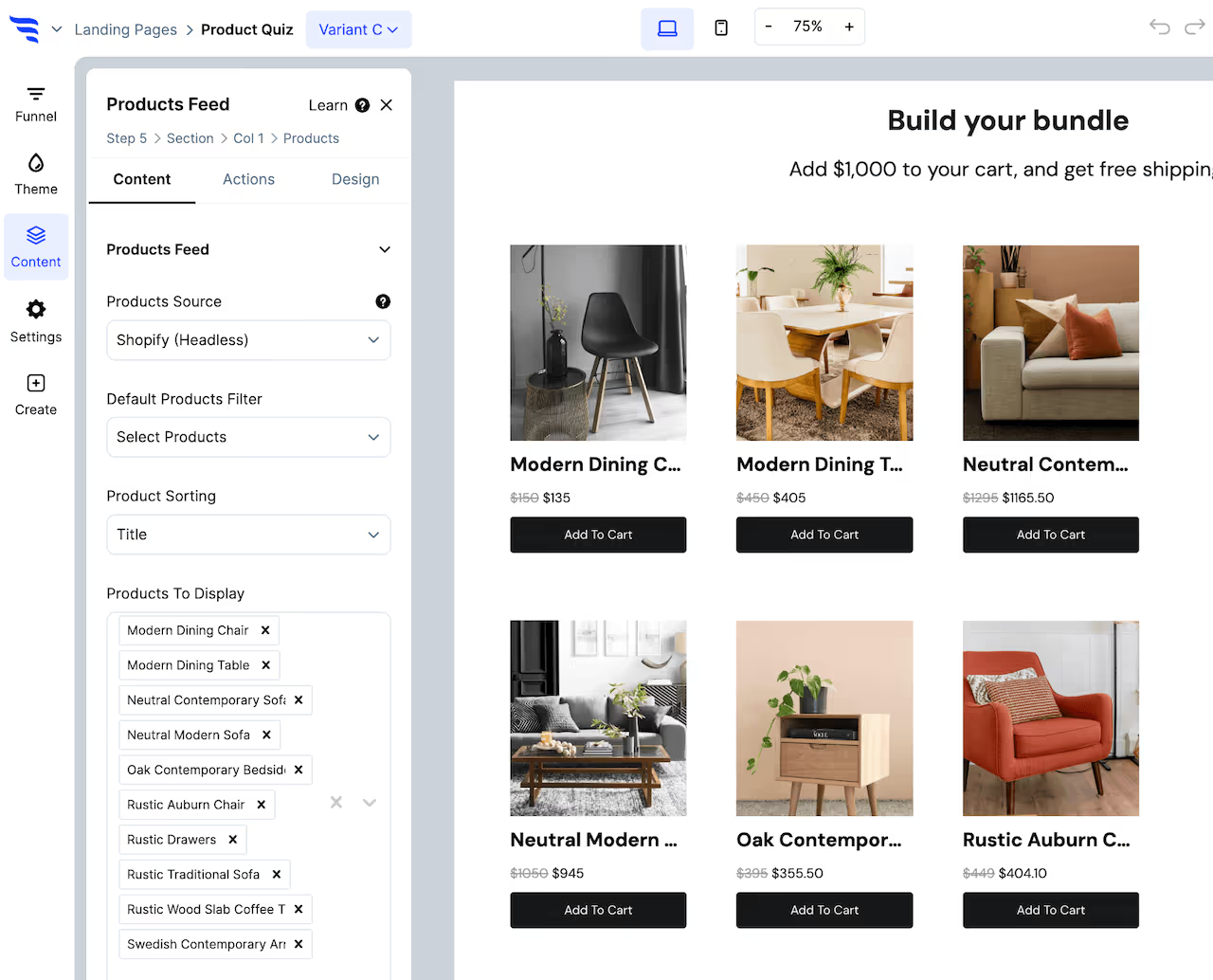
Add a product element and configure which products show.
.avif)
Set a discount percentage if the offer needs one, and point the button at add-to-cart so accepting takes one click rather than a trip to the product page.
This is where most upsells fail. A generic "you might also like" attached to every add-to-cart is noise.
.avif)
Make the recommendation depend on what's actually in the cart, so the offer is a genuine complement. And use cart value as a condition — a free-shipping threshold nudge behaves differently from a product upsell, and works best when it appears only to shoppers who are close to the threshold.

Set the theme so the upsell reads as part of the store. An upsell that looks like an interruption gets dismissed on reflex.

Target on cart contents, cart value and collection so the offer only appears where it makes sense.

.avif)
This is the number that matters and the one most easily fudged. Any pre-checkout upsell will show upsell revenue — the question is whether total revenue went up, or whether the interruption cost you conversions worth more than the upsells earned.
Run it as a proper split test against no upsell at all, at least once, before assuming it's working.
To see templates and the full feature set, visit the Shopify popup builder.
Create a free ConvertFlow account and integrate
Shopify
in minutes.
Install ConvertFlow on your Shopify store instantly. Target visitors by cart data and more.
Connect For Free









.svg)