


Playbook summary
Sell a personalized bundle, not a single product. A shopper answers five quick questions, unlocks 25% off their bundle with their email, sees a recap of their answers, then lands on one bundle page with a hero product, a free-gift progress bar, and three add-ons they can add in one click.
- Industry:Ecommerce
- Metrics affected:AOV; Order Rate; Revenue Per View
- Campaign type:QuizzesLanding Pages
Tools you'll need
- Funnel builder: ConvertFlow
- Ecommerce platform: Shopify (required; product elements show placeholders until it’s connected)
- ESP and SMS: Klaviyo, Attentive, Postscript, or equivalent (not in the template; connect it on the email and SMS steps)
Quick setup
- Content: 5 questions (goal, who it’s for, current setup, challenge, preferred method) inside one quiz element
- Call-to-action: Get 25% off the bundle, then add the whole bundle to cart in one click
- Targeting: Dedicated landing-page URL for ads, nav, welcome popups, and email
Use this template to sell a personalized bundle, not a single product. A shopper answers five quick questions, unlocks 25% off their bundle with their email (and optionally SMS), sees a recap of what they told you, then lands on one bundle page with a hero product, a free-gift progress bar, three add-ons they can add in one click, reviews, and FAQs.
That path is a personalized shopping funnel that delivers a bundle tailored for the shopper, with email and SMS follow ups personalized based on the quiz answers.
Top brands like Hims, Farmer’s Dog, AG1, and Branch Furniture have made quiz funnels their primary shopping experience. Hims builds a personalized prescription, Farmer’s Dog a meal plan, AG1 a supplement subscription, Branch a home office. Each quiz ends in a set of products picked for that shopper, not a single SKU. Browse more teardowns in the ConvertFlow funnel swipe file.
When someone takes a quiz, they self-identify their problem and preferences, so you can recommend a bundle built for them instead of asking them to assemble one from a catalog.
An email gate with a bundle discount sits before the results, so you keep the subscriber even when they don’t check out.
Performance benchmark
A typical Shopify store converts 1.4–2.6% of sessions into orders (based on Littledata’s and Shogun’s benchmarks).
Based on ConvertFlow’s September 2026 Product Quiz Funnel Benchmark, sampled across 2,120 ConvertFlow product quiz funnel campaigns, active Shopify product quiz funnels engage 44.2% of visitors, turn 5.2% of quiz viewers into orders, and earn $9.43 in attributed revenue per view on average. Orders placed through the quiz average $264.
Basket size matters. Directionally, stores with a $150+ AOV see a median 60.6% quiz engagement and $13.49 per view, while stores under $50 see 15.6% and $0.24. The more a shopper has to weigh, the more a guided bundle helps, so measure your funnel against your own AOV band.
ConvertFlow customers see it in their own numbers:
- May Lindstrom Skin lifted AOV 49% with personalized bundle offers from a quiz funnel
- Snyder’s Furniture lifted AOV 59% with a quiz funnel
- Pease Doors lifted AOV 38% with a product quiz funnel
- Haus Labs drove a 16% purchase rate with a quiz
Core principles
Sell the bundle, not the product: The quiz exists to end choice overload and replace it with a set. The hero is the lead item; the three add-ons around it complete the bundle. If every answer combination lands on the same SKUs, you haven’t built a bundle, you’ve built a filtered catalog.
Cap the bundle: One hero plus three add-ons. More options bring the choice overload back. Fewer, well-matched items make “Add All To Cart” an easy yes.
Make the offer the reason to subscribe: The template gates the bundle behind “Get 25% off your bundle.” The discount is the value exchange, and it’s applied to every product in the results. Keep the offer tied to the bundle, not to a generic first order.
Use the free gift to grow the bundle: The progress bar on the results step shows how far the shopper is from a free gift. Set the threshold so the full bundle clears it and the hero alone doesn’t. That’s what turns a single-product order into a bundle order.
Sync the field data to your ESP: Quiz answers write to Klaviyo custom fields automatically. Add the contact to a list and fire a quiz-completed event so flows can trigger off it.
Eliminate dead ends: After the bundle, the shopper adds to cart or checks out. A thank-you page with no products is a dead end.
Execution strategy
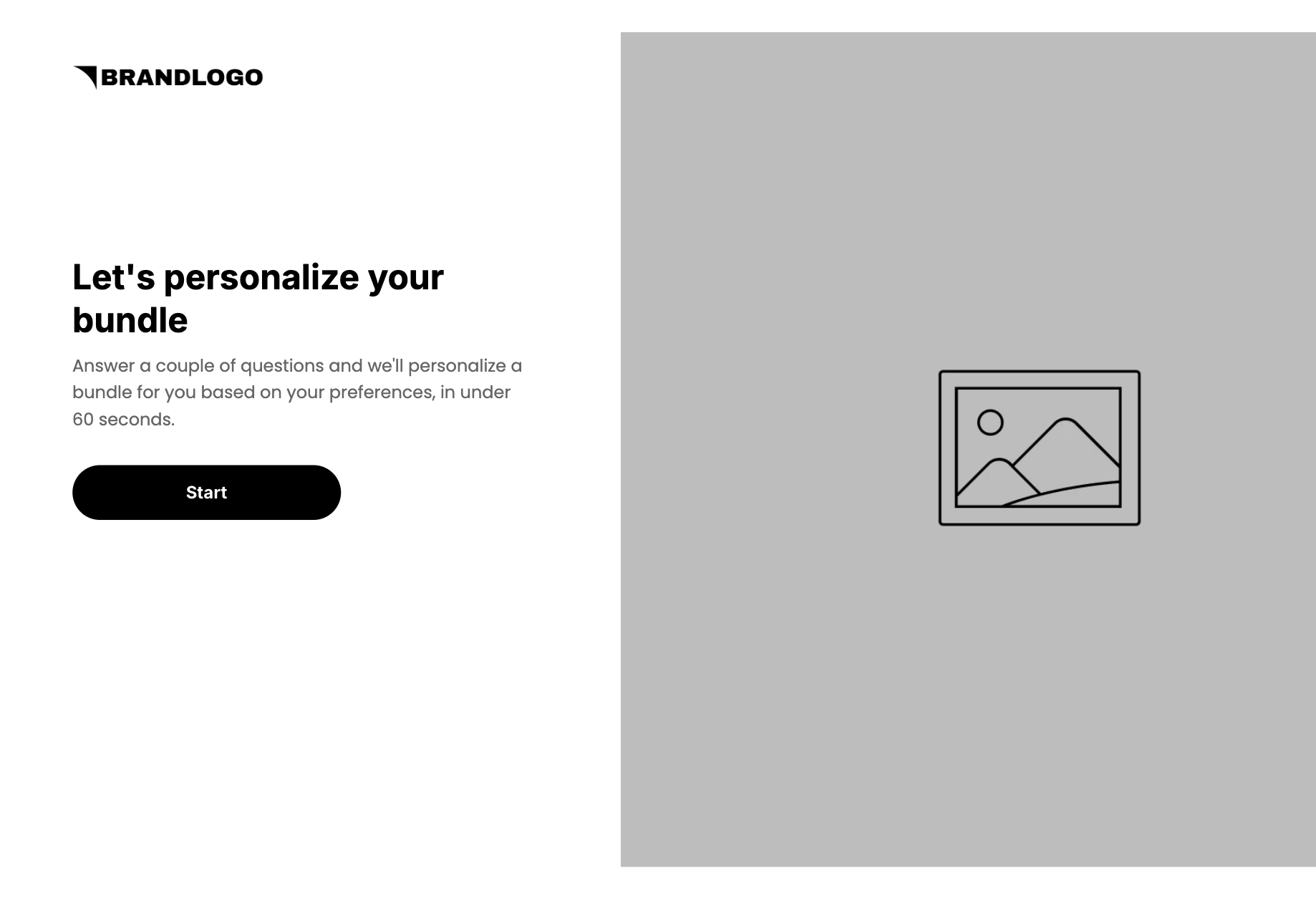
Promise a personalized bundle up front: Step 1 is the intro: “Let’s personalize your bundle. Answer a couple of questions and we’ll personalize a bundle for you based on your preferences, in under 60 seconds.” Button: Start.
Lead with the problem, not the product: The first question is “Which matters most to you right now?” with benefits as the answers, not SKU attributes. Shoppers can answer what they’re trying to fix. They usually can’t map that to a formula or a spec.
The funnel is 6 campaign steps:
- Intro (one step): headline, subhead, Start button, brand image
- Quiz (one step, 5 questions inside one quiz element, plus the loading screen): goal, who it’s for, current setup, biggest challenge, preferred method. Then “Personalizing your bundle. This takes a few seconds.”
- Email offer: “Get 25% off your bundle.” First name, email, consent. Button: Get 25% Off
- SMS: “Get SMS updates. Want your personalized bundle sent to your phone?” Phone, SMS consent. Buttons: Subscribe For Texts / No Thanks
- Bundle ready (one step): “Your bundle is ready!” Personalized line, recap of goal, shopping for, and preferred method. Button: See My Bundle
- Bundle (one scroll): hero with Add To Cart, trust ticks, free-gift progress bar with Checkout, 3 add-on products with Add All To Cart, reviews, FAQs
Map answers to bundles, not to products: Decide your bundles first, then map answer combinations to them. Goal and challenge usually pick the hero; preferred method and who it’s for pick the format and the add-ons. Use conditional product recommendations or the quiz auto-recommendation filter on the product hero and the products feed. For the fundamentals of mapping questions to products (mind maps, answer combinations, A/B/C mapping), see the original Product Recommendation Quiz playbook.
Let shoppers take the whole bundle in one click: “Add All To Cart” adds every add-on at once. Or point the hero at a bundle SKU so the whole set is one add.
Use quiz answers for follow-up: If they picked Stress & mood, the welcome flow leads with their stress & mood bundle and their 25% off, not a generic welcome. Link abandoned shoppers back to their quiz results from email and SMS. ConvertFlow skips them straight to their original bundle, even on a different device.
Pro tips
Keep the CTAs benefit-driven. Template buttons are “Start”, “Get 25% Off”, “Subscribe For Texts”, “See My Bundle”, “Add To Cart”, “Add All To Cart”, and “Checkout”. Keep that shape when you swap verticals. Don’t change them to “Submit” or “Sign up”.
Make the discount real at checkout. Every product shows a 25% OFF badge and a struck-through price. Connect a matching Shopify discount so the price in the cart is the price on the bundle page. If you change the offer, change the gate headline, button, and badges together.
Fix the recap labels. The bundle-ready step shows stored answer values (“stress_mood”, “self”, “capsules”). Recap values come from the quiz answers, so set readable values or recap labels before launch.
Set a real gift threshold. The bar reads “You’re $150.00 away from your free gift.” Size it to your bundle: above the hero’s price, at or below the full bundle.
Keep SMS optional. The SMS step has a “No Thanks” link so email-only subscribers still reach their bundle. Keep it, and keep the consent language.
Rewrite the sample reviews and FAQs. The three review cards (“The best ever”, “What I was looking for!”, “Best gift idea”) use placeholder names and video slots. Swap in real customer reviews about the bundle, and answer the three FAQs: How is my bundle personalized for me? / What is the return policy? / Can I make another personalized bundle?
Use higher AOV to fund bigger incentives. Bundles lock in the order value, which gives you room to spend more on ads, discount more for subscribers, or go bigger on Black Friday and Cyber Monday offers.
Launch as a dedicated landing-page URL so ads, nav, welcome popups, and Klaviyo can all point at one quiz. Popups and embeds come after this URL works.
Shopify and your ESP aren’t in the template. Connect both. Product elements show placeholders until Shopify is connected.
Quick setup
1. Start with the Product Bundle Quiz Funnel template
Don’t build from a blank canvas. Use our quiz funnel template for this.
Open the template, click Use This Template, keep the 6-step structure. Use AI to remix the logo, colors, the images, and copy.
2. Set up the quiz questions
The 5 questions in this template, in order. All live in one quiz element. Suggested custom fields: primary_goal, shopping_for, current_setup, biggest_challenge, preferred_method.
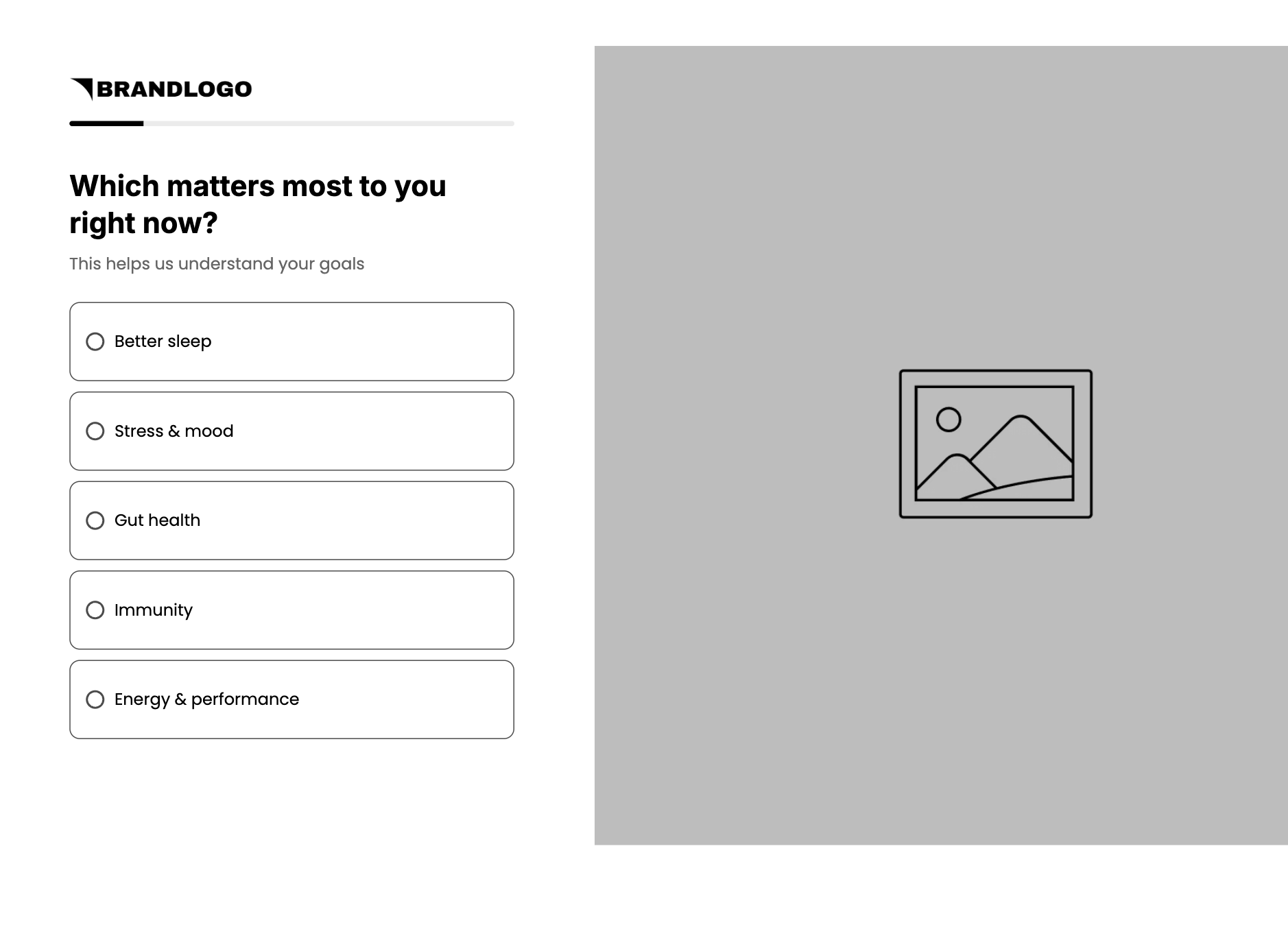
Which matters most to you right now? Subhead: This helps us understand your goals. Single-select: Better sleep / Stress & mood / Gut health / Immunity / Energy & performance
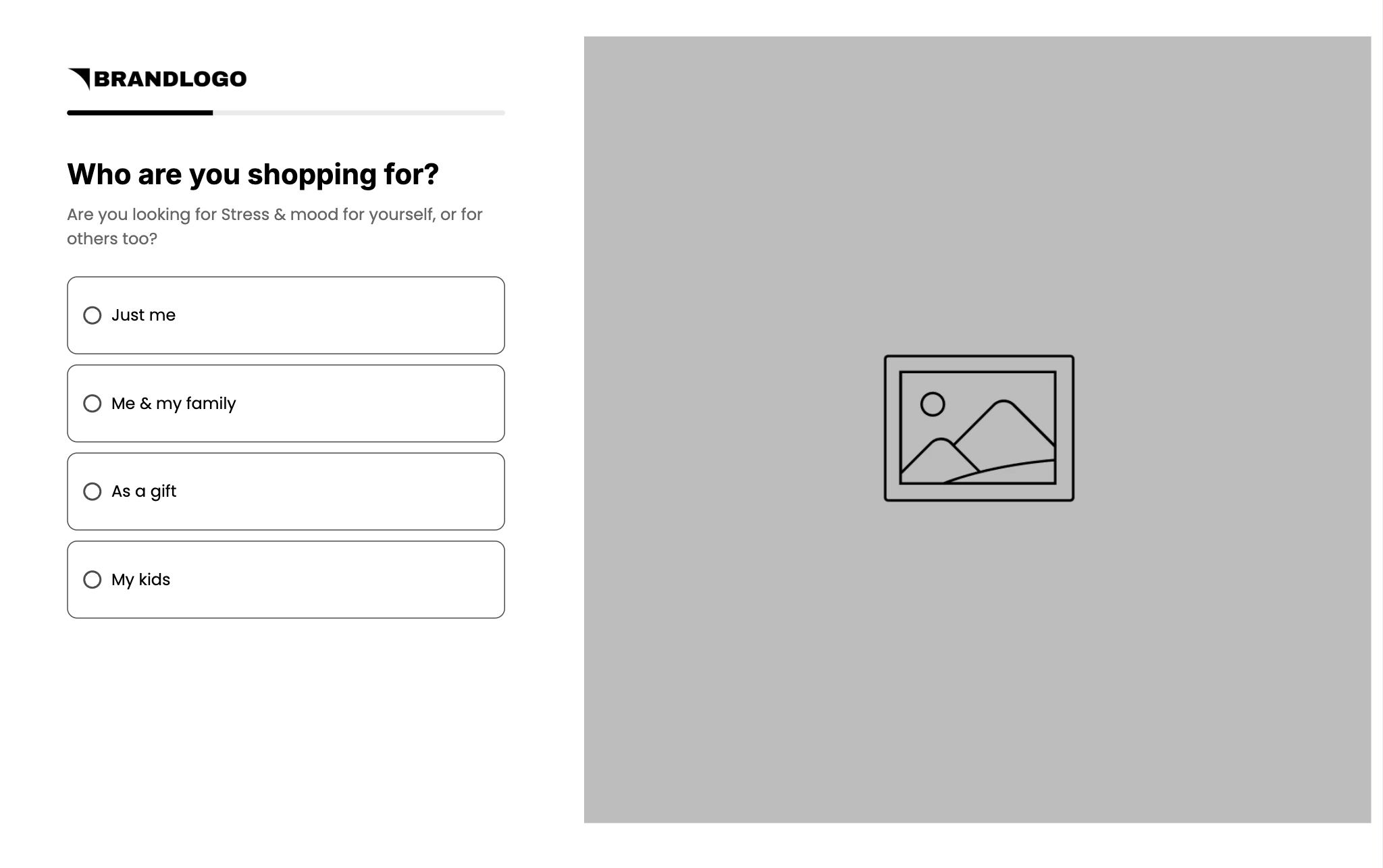
Who are you shopping for? Subhead merges question 1: “Are you looking for {goal} for yourself, or for others too?” Single-select: Just me / Me & my family / As a gift / My kids
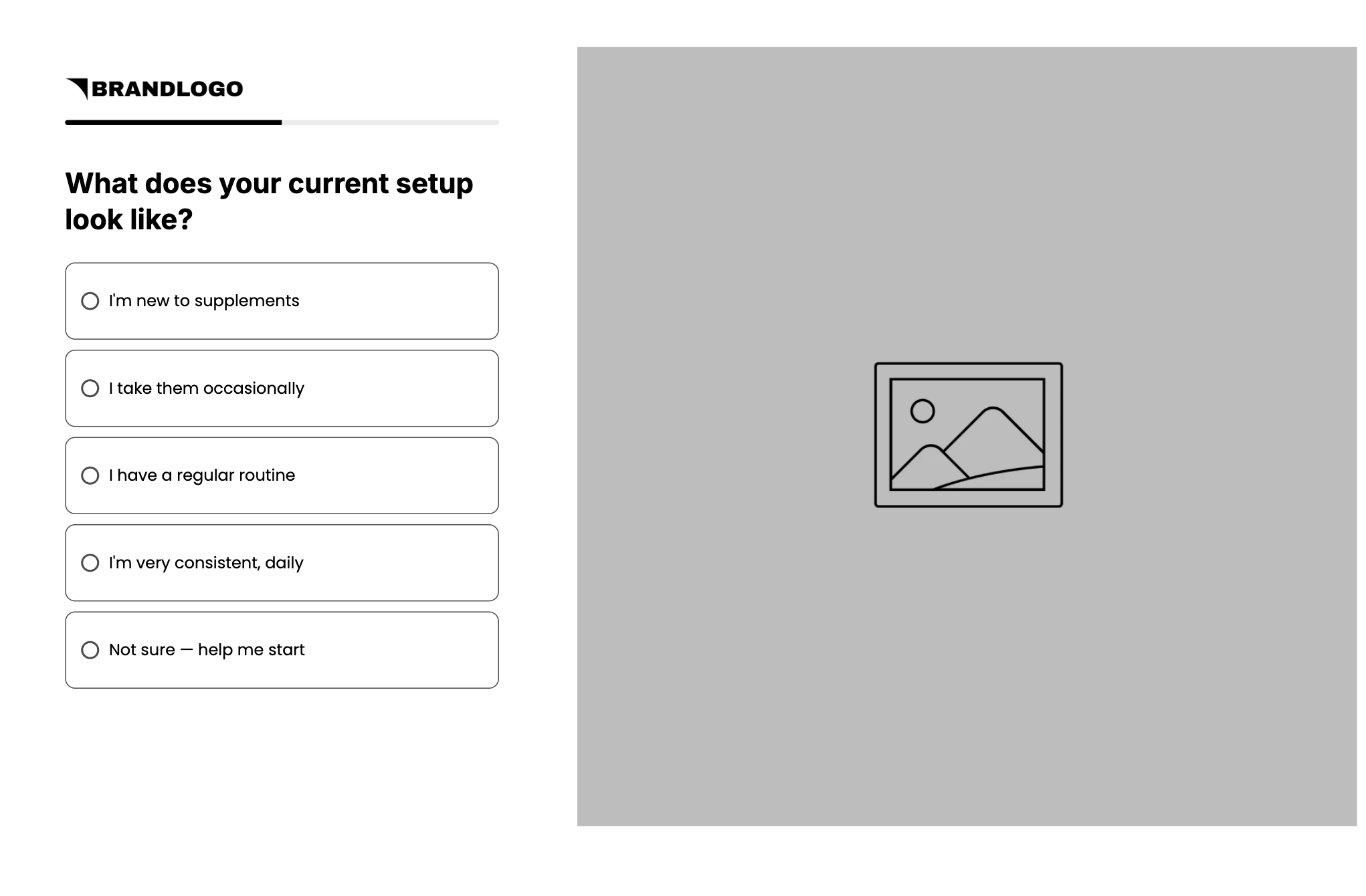
What does your current setup look like?
Example: I’m new to supplements / I take them occasionally / I have a regular routine / I’m very consistent, daily / Not sure — help me start
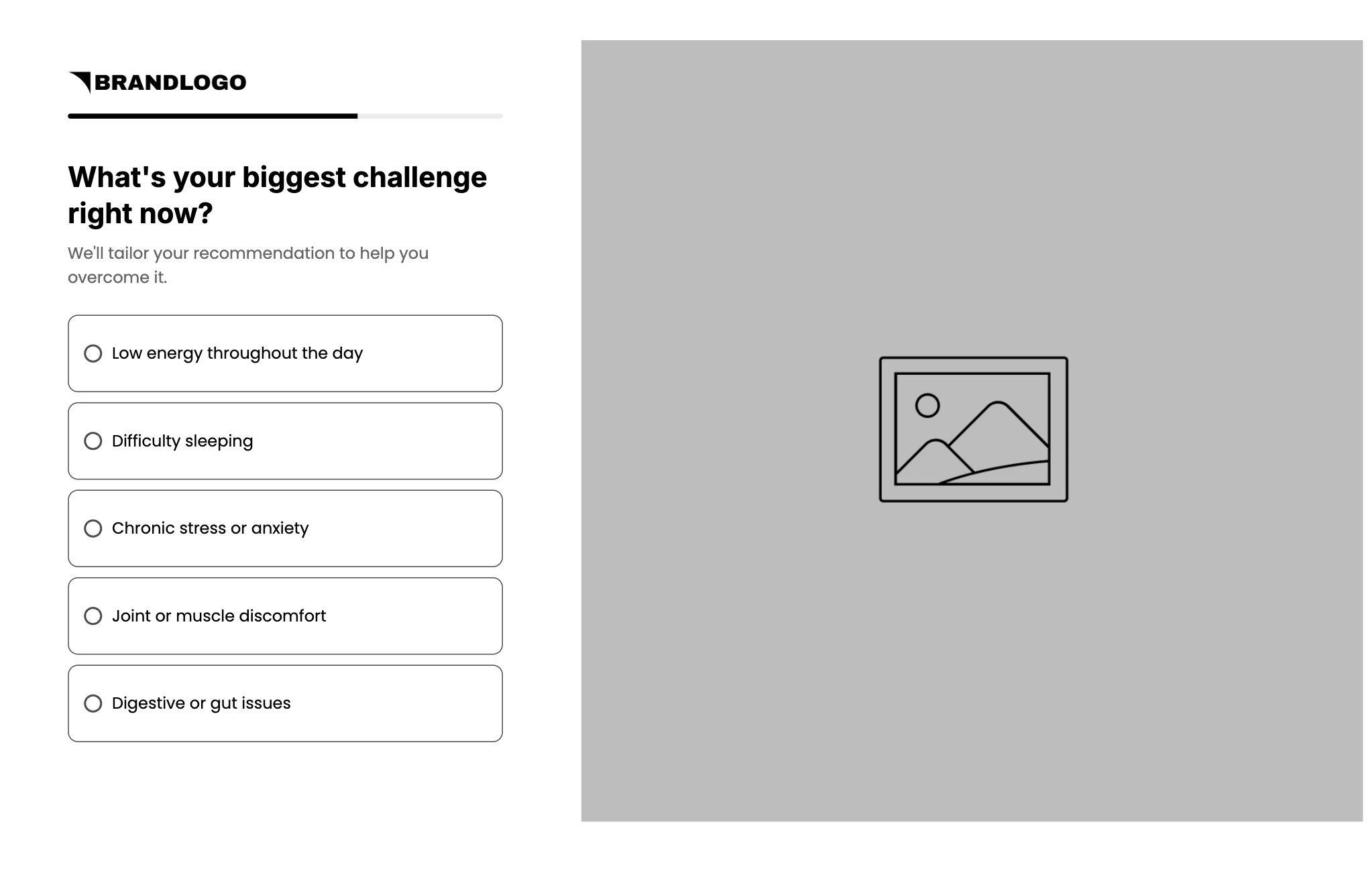
What’s your biggest challenge right now? Subhead: We’ll tailor your recommendation to help you overcome it.
Example: Low energy throughout the day / Difficulty sleeping / Chronic stress or anxiety / Joint or muscle discomfort / Digestive or gut issues
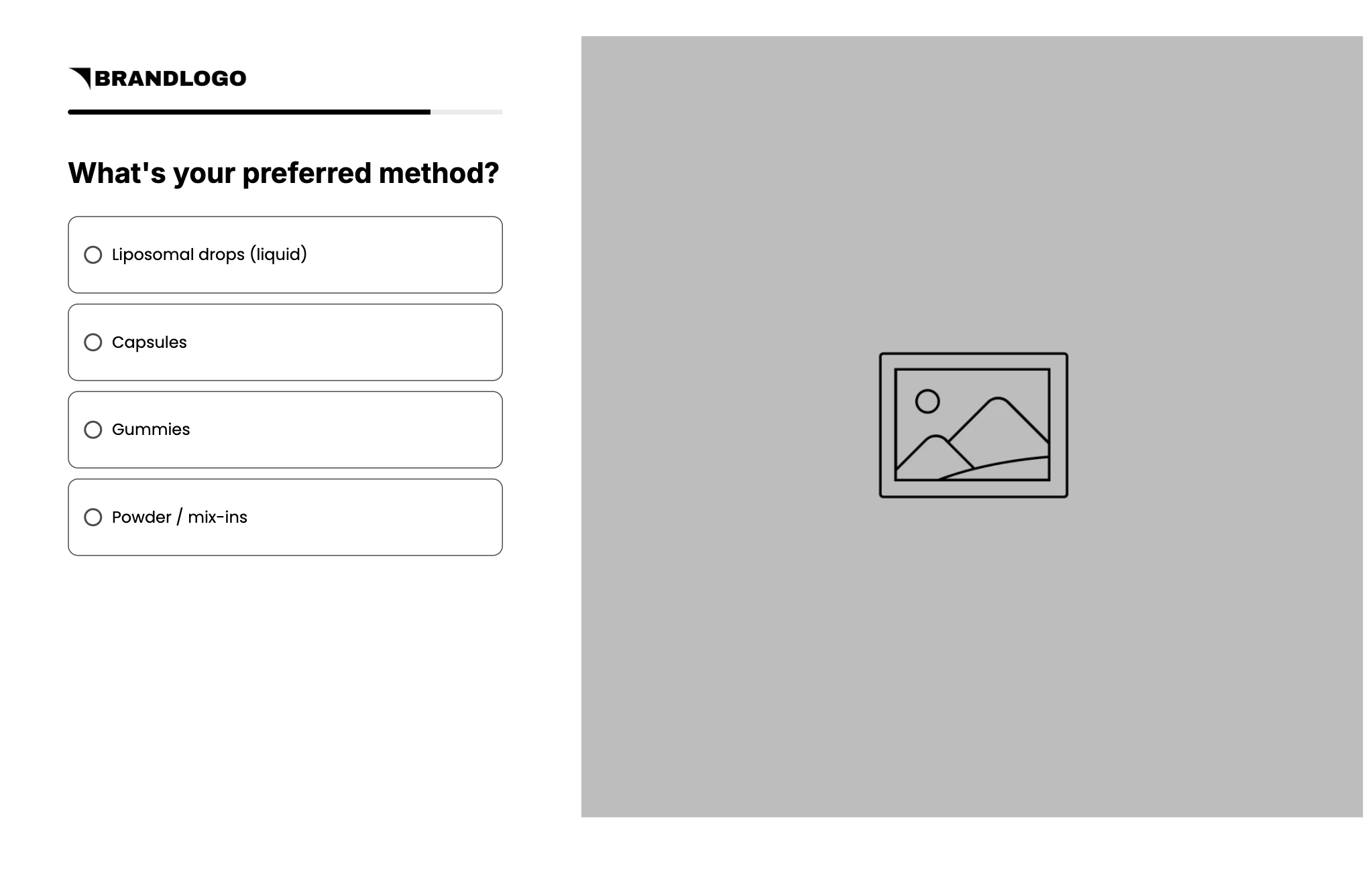
What’s your preferred method?
Example: Liposomal drops (liquid) / Capsules / Gummies / Powder / mix-ins
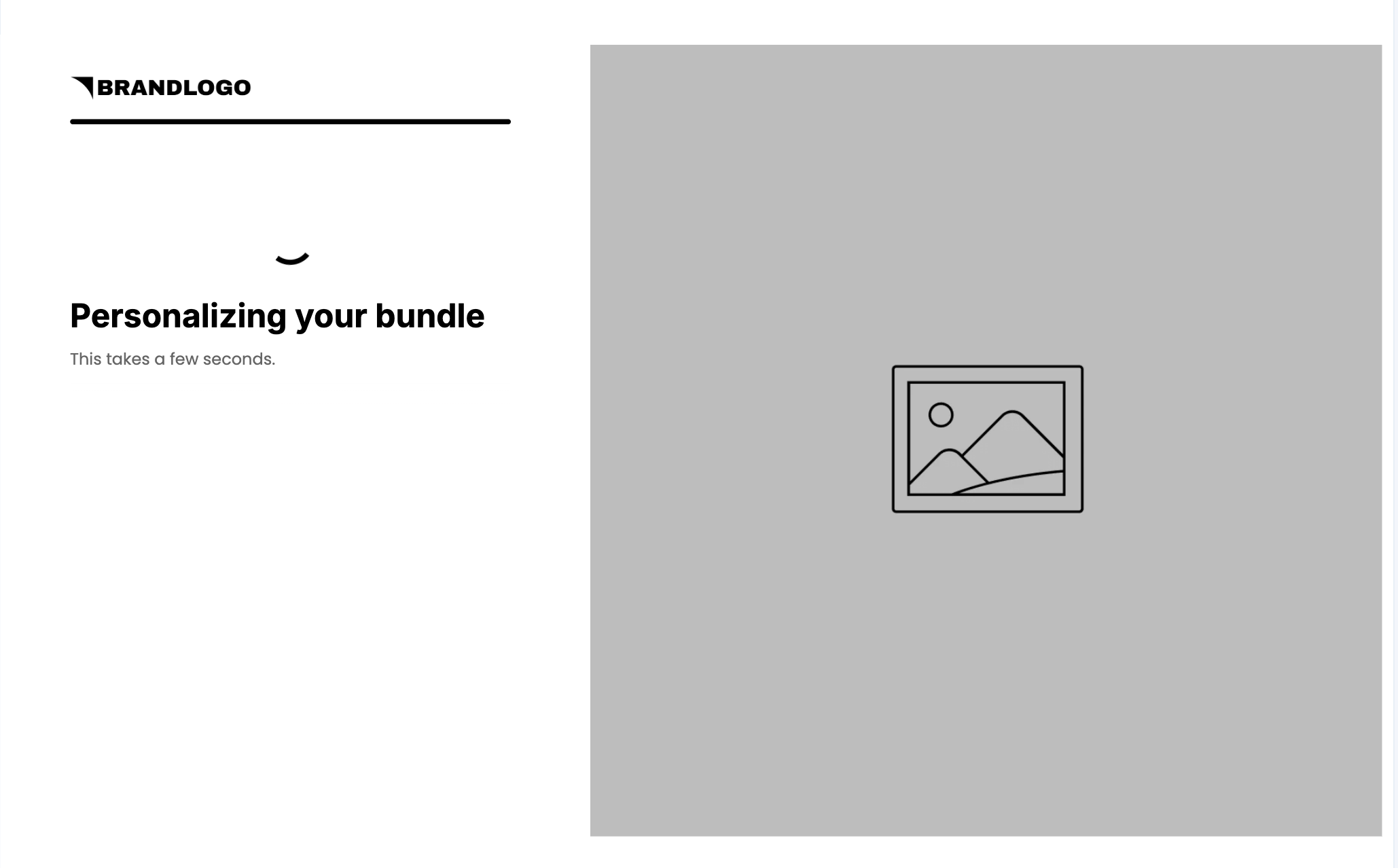
Loading screen after question 5: “Personalizing your bundle. This takes a few seconds.” Keep it. We'll either be creating a virtual bundle just for that shopper, or recommended a prebuilt bundle based on their answers.
Swap the labels for your catalog (ConvertFlow AI can help here), but keep question 1 about the shopper’s goal. Question 3 is your bundle-size signal: a shopper who’s new may want a starter bundle, one who’s consistent may want the full set. Map each question to its custom field so answers land in ConvertFlow and in your ESP.
Set readable answer values: double-click an answer to open its settings. Each answer has a label, which the shopper sees, and a value, which is stored in the custom field and shown in merge tags and the recap on step 5. The template stores values like “Stress” and “Self”. Change them to the words you want in the recap, your Klaviyo segments, and your product filters.
.avif)
3. Connect your ESP on the email offer step
Go to step 3 (the email offer). Select the form. Actions: connect Klaviyo or your ESP if it isn’t already. Then add automations:
- Add to list or audience (your quiz or main list)
- Write quiz answers to custom fields or profile properties
- Track a quiz-completed event
In the builder: select the form, open the Actions tab, click to add or manage integrations, find your ESP, and click Connect. Then scroll to Automations and click Add Automation, for example “Klaviyo – Add to list”.
.avif)
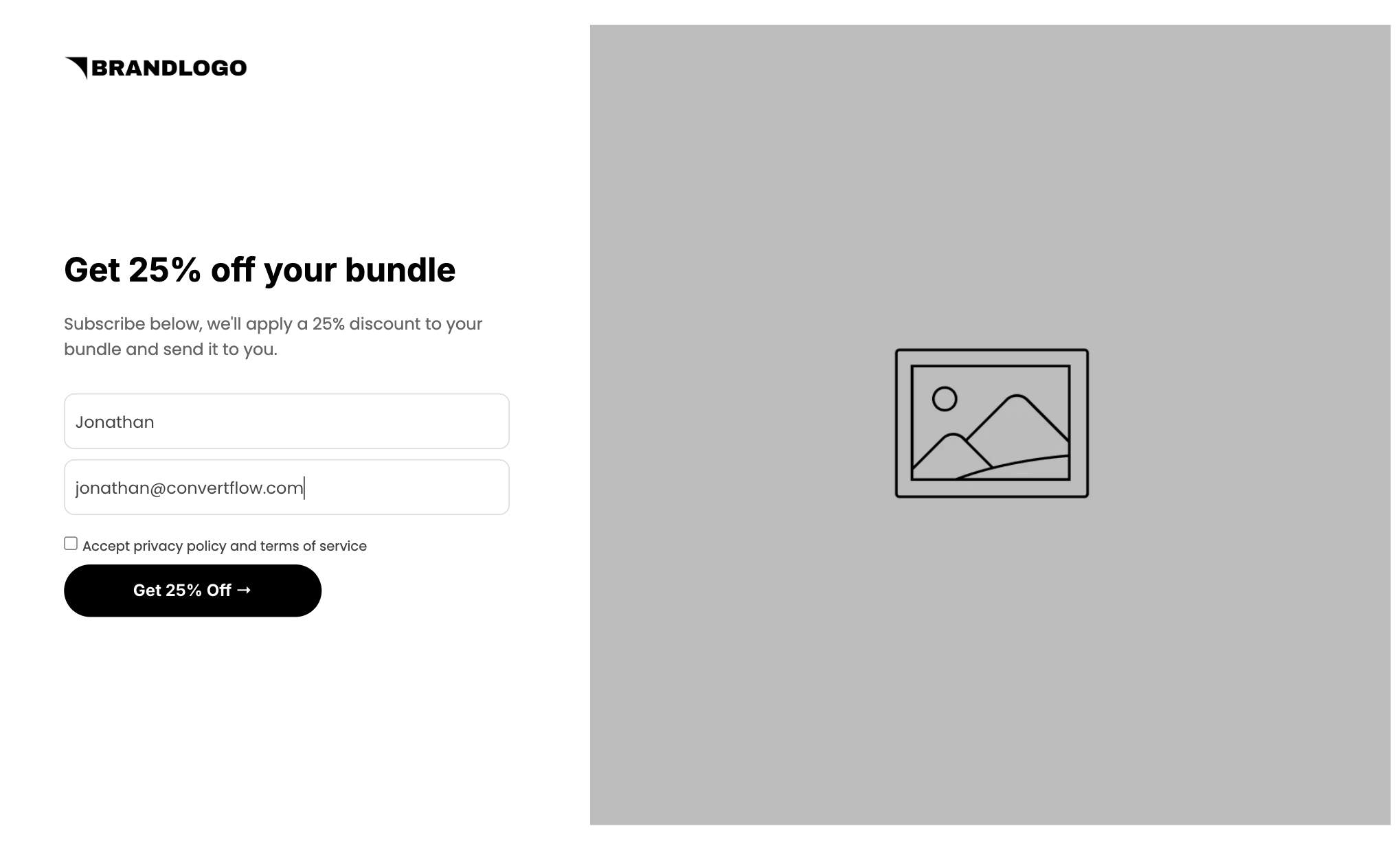
Form in the template: first name, email, Accept privacy policy and terms of service. Headline: Get 25% off your bundle. Subhead: Subscribe below, we’ll apply a 25% discount to your bundle and send it to you. Button: Get 25% Off.
4. Connect SMS on the SMS step
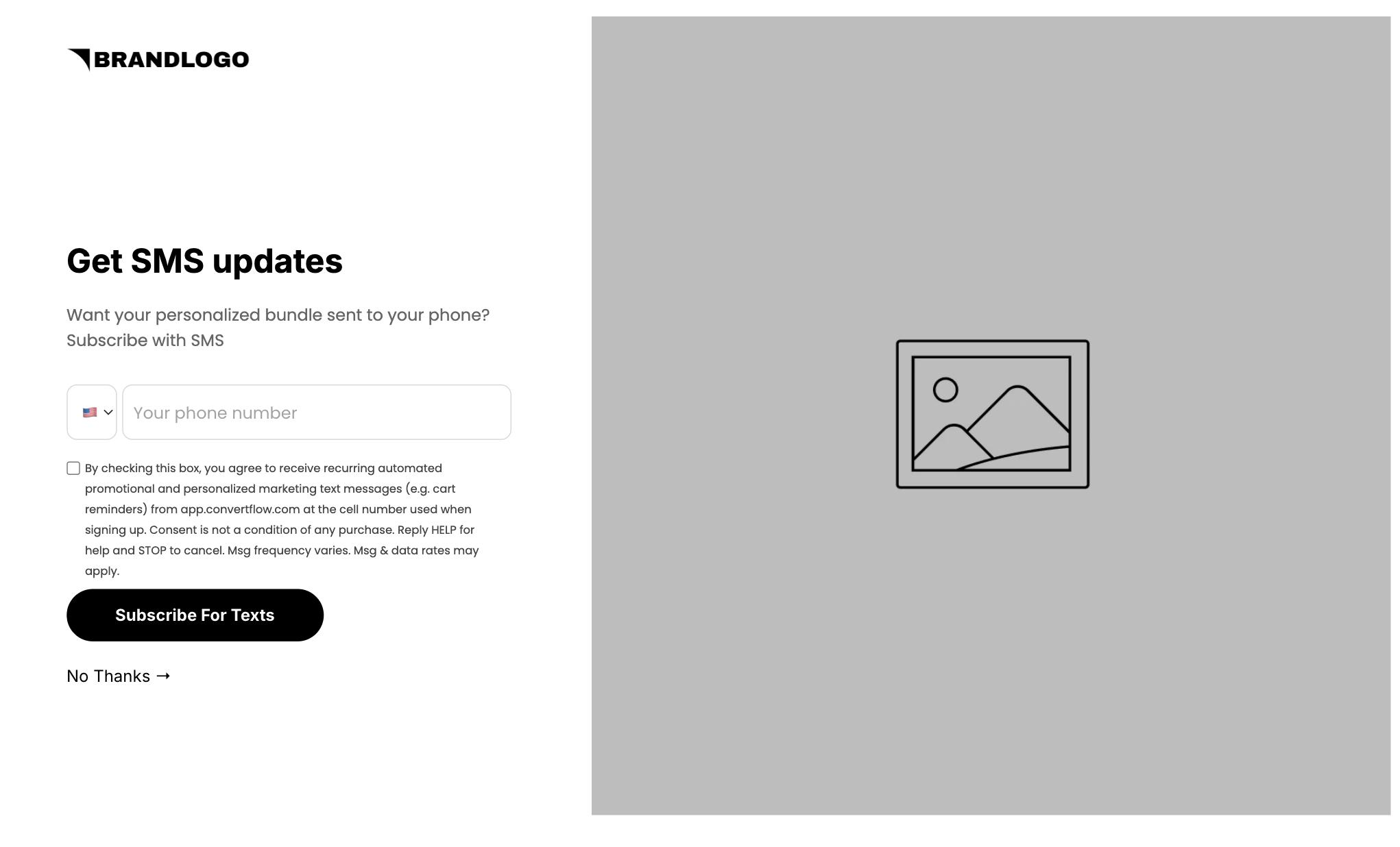
Step 4 asks for a phone number with country code and an SMS consent checkbox. Button: Subscribe For Texts. Link: No Thanks. Add an automation to subscribe the phone to your SMS list (Klaviyo SMS, Attentive, Postscript, or equivalent), and update the consent text with your brand name.
5. Set the bundle-ready step
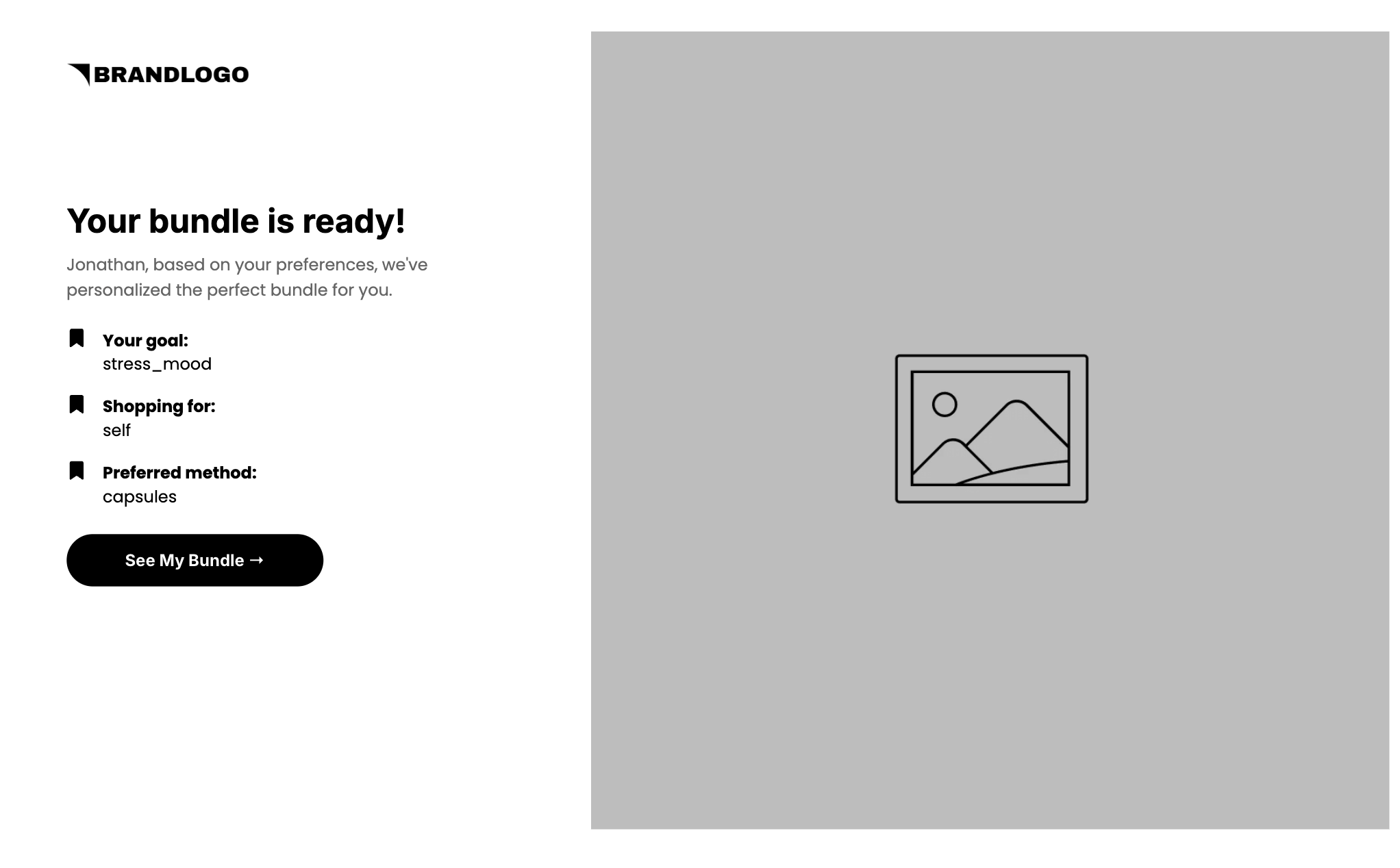
Step 5 in this template is one screen:
- Headline: Your bundle is ready!
- Personalized line: “{first name}, based on your preferences, we’ve personalized the perfect bundle for you.” Set a fallback first name (for example “friend”)
- Recap: Your goal, Shopping for, Preferred method
- Button: See My Bundle
Rewrite the copy for your brand and set readable recap values. The recap reads the stored answer values, so fix them on the answers in step 2 rather than on this screen. Keep the single button.
6. Connect Shopify and build the bundle
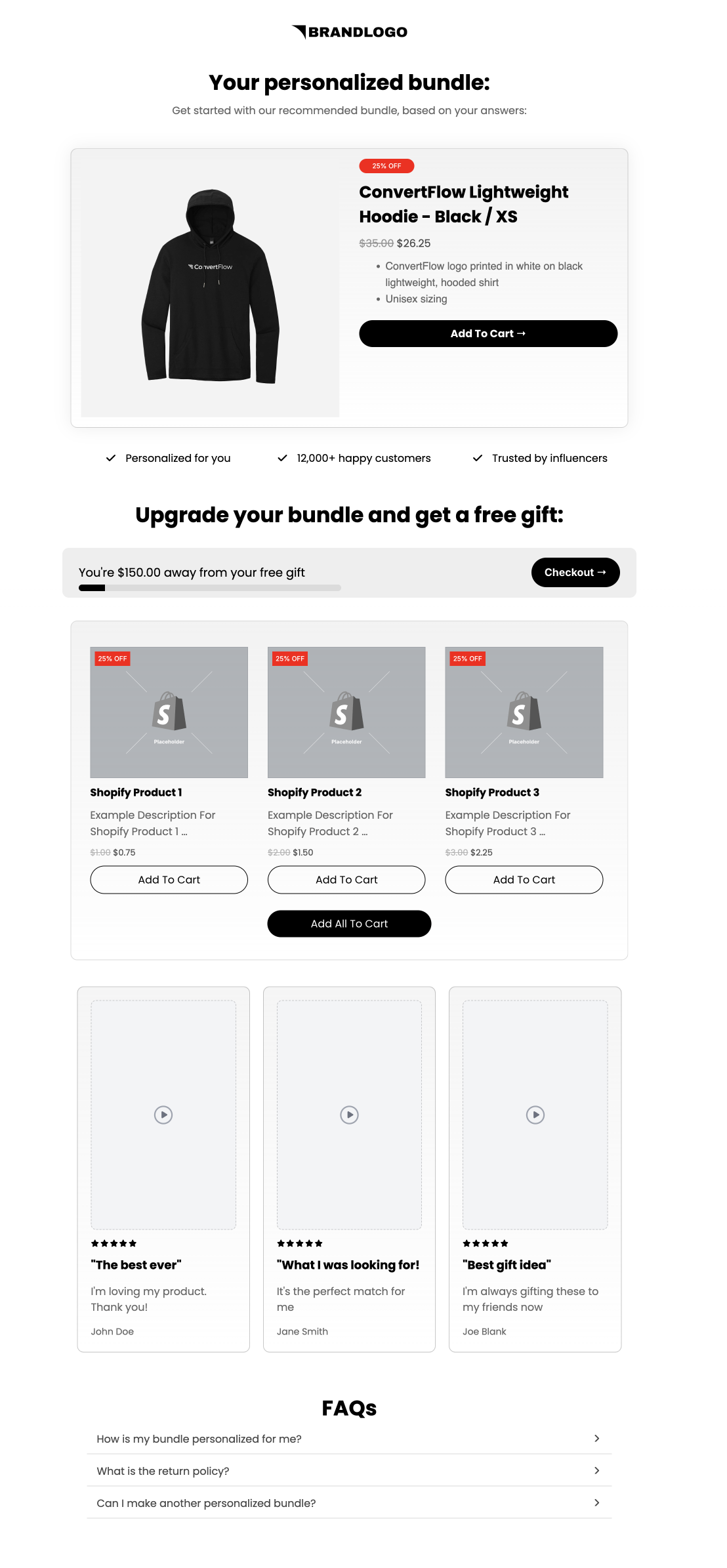
Connect Shopify under Integrations, then return to step 6. The bundle page is one scroll:
- Headline: Your personalized bundle. Subhead: Get started with our recommended bundle, based on your answers
- Hero: the product hero with a 25% OFF badge and Add To Cart. Point it at the lead product or a bundle SKU, with conditional recommendations so each answer combination gets its hero
- Trust ticks: Personalized for you / 12,000+ happy customers / Trusted by influencers (swap the number for a real one)
- Free gift: “Upgrade your bundle and get a free gift.” Progress bar with the amount left and a Checkout button. Set your threshold
- Add-ons: the products feed capped at 3, each with a 25% OFF badge and Add To Cart, plus Add All To Cart. Use conditional recommendations or the quiz auto-recommendation filter so answers pick the items
- 3 review cards and 3 FAQs (replace the samples)
How the bundle product settings work
Choose the product source: select the product hero or products feed, then pick the source. Use your connected Shopify store, or ConvertFlow custom products for a bundle SKU you’ve set up separately.
.avif)
Add conditional recommendations per bundle: click to add a conditional product recommendation, add conditions based on quiz answers (ALL or ANY must match), then set which products show for that condition, for example a Shopify collection per bundle. Do this on the hero and on the add-ons feed so both change together. No separate campaigns or steps are needed for each bundle.
.avif)
.avif)
Or let the quiz pick the products: the Quiz Auto Recommendation filter uses submitted answers and custom fields to filter your catalog automatically. Toggle ANY or ALL answers to set how strict the match is, and exclude questions that shouldn’t affect the bundle, like who they’re shopping for.
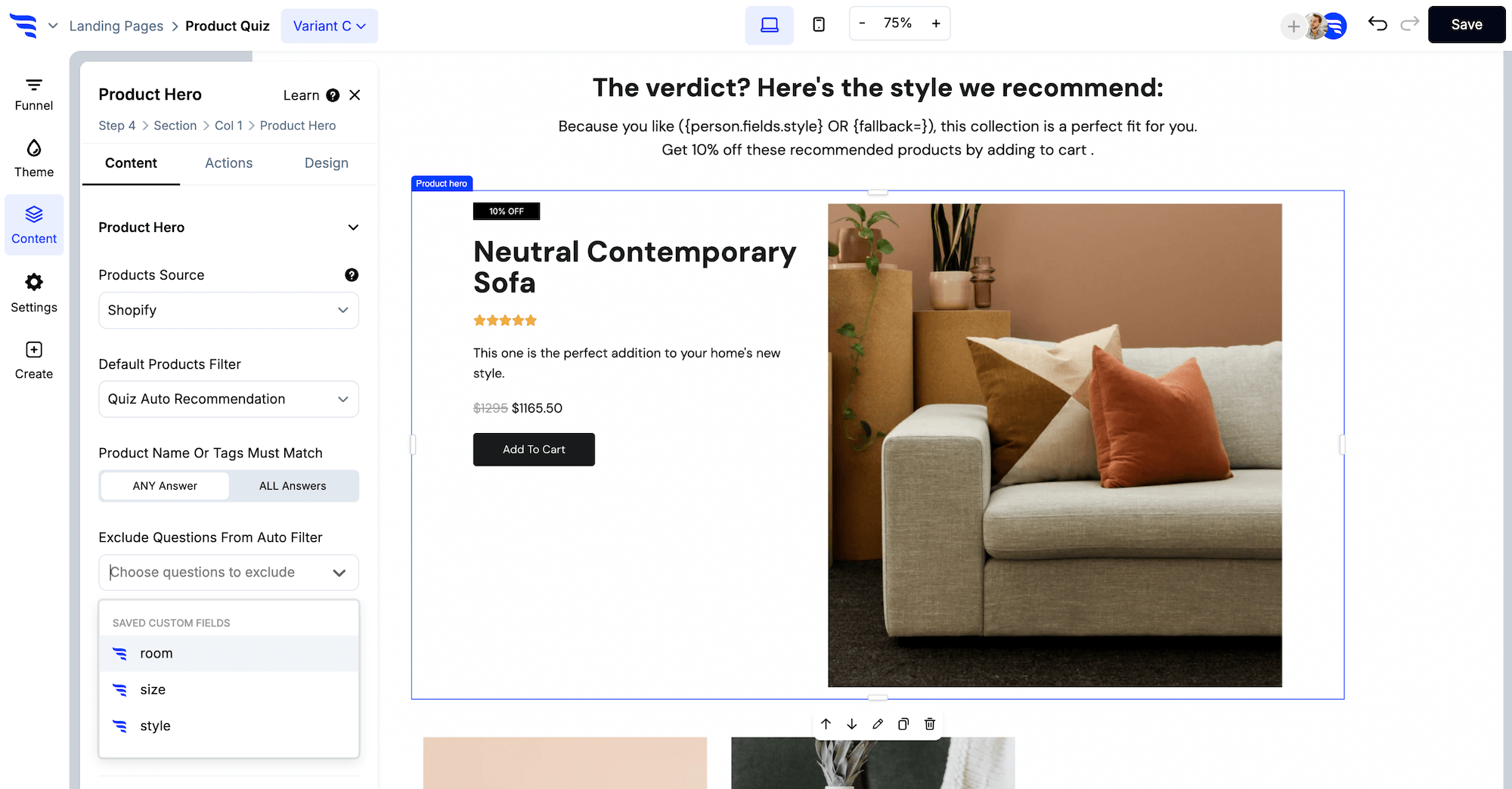
Or filter with merge tags: the Shopify products filter accepts quiz answer merge tags, such as {preferred_method} to only show capsules when the shopper picks capsules. Answer values need to match how your products or variants are named, and the AND/OR toggle sets whether a product must match every keyword or any.
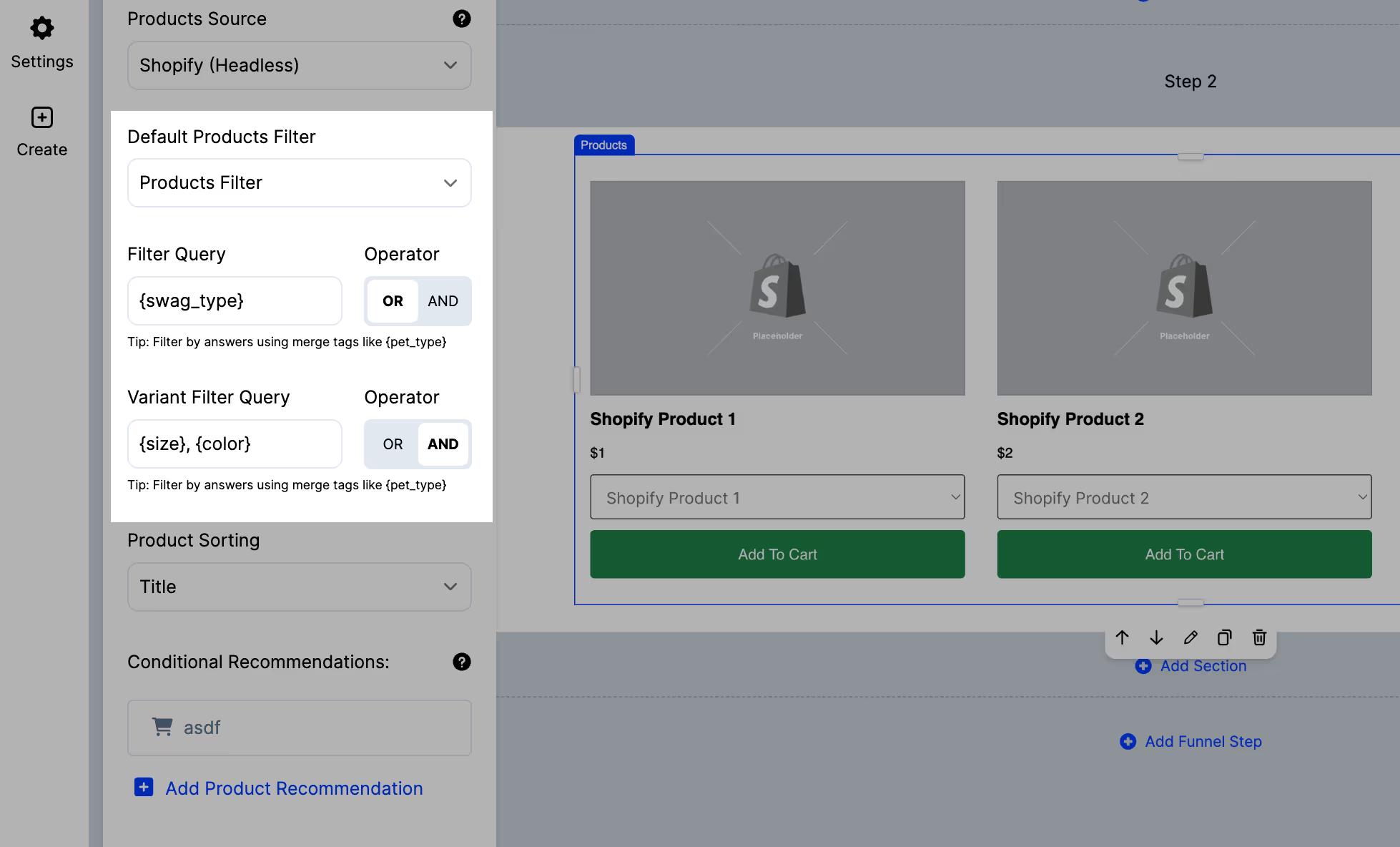
Cap the add-ons at 3: in the products feed’s design settings, set the maximum number of products to 3. The same panel controls grid or list layout, spacing, and button styles.
.avif)
Don’t split hero, gift bar, add-ons, and FAQs into separate steps. Keep it as one personalized sales page (we'll link back to it via email/SMS).
7. Launch the URL, then preview the full path
Set the landing page domain and path. Save. Preview the whole funnel: intro, questions 1 through 5, loading, email offer, SMS, bundle ready, bundle.
Confirm:
- 6 campaign steps
- First name merges into the bundle-ready line, with a fallback when empty
- Recap shows readable values, not stored keys
- Forms submit (automations won’t run in preview), and No Thanks skips SMS
- Real products show in the hero and add-ons, not placeholders
- Different answer combinations produce different bundles
- The 25% discount applies at checkout and matches the badges
- The free-gift threshold is set and the full bundle clears it
- Add To Cart, Add All To Cart, and Checkout all work
- No thank-you dead end
.avif)
Then activate. In the dashboard, watch completion, answer mix, attributed orders, and AOV against the benchmark for your AOV band. In Klaviyo, add a quiz-abandon flow that links back to the bundle. Split-test the offer, question count, and bundle size once you have orders.
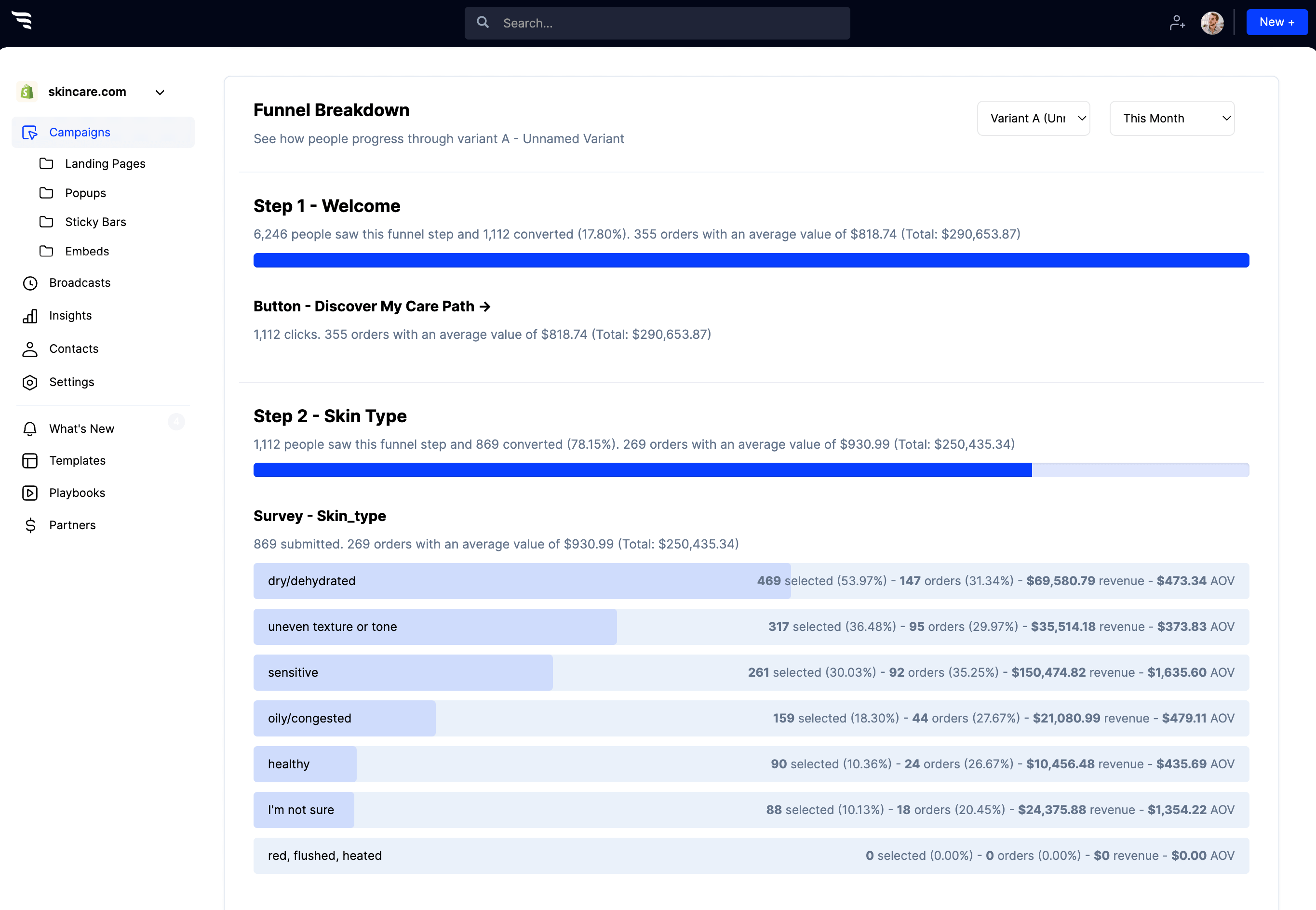
In the dashboard: you can see how many shoppers progress through each step, which answers they pick, and the orders, revenue, and AOV attributed to each answer. That tells you which bundles are pulling their weight.
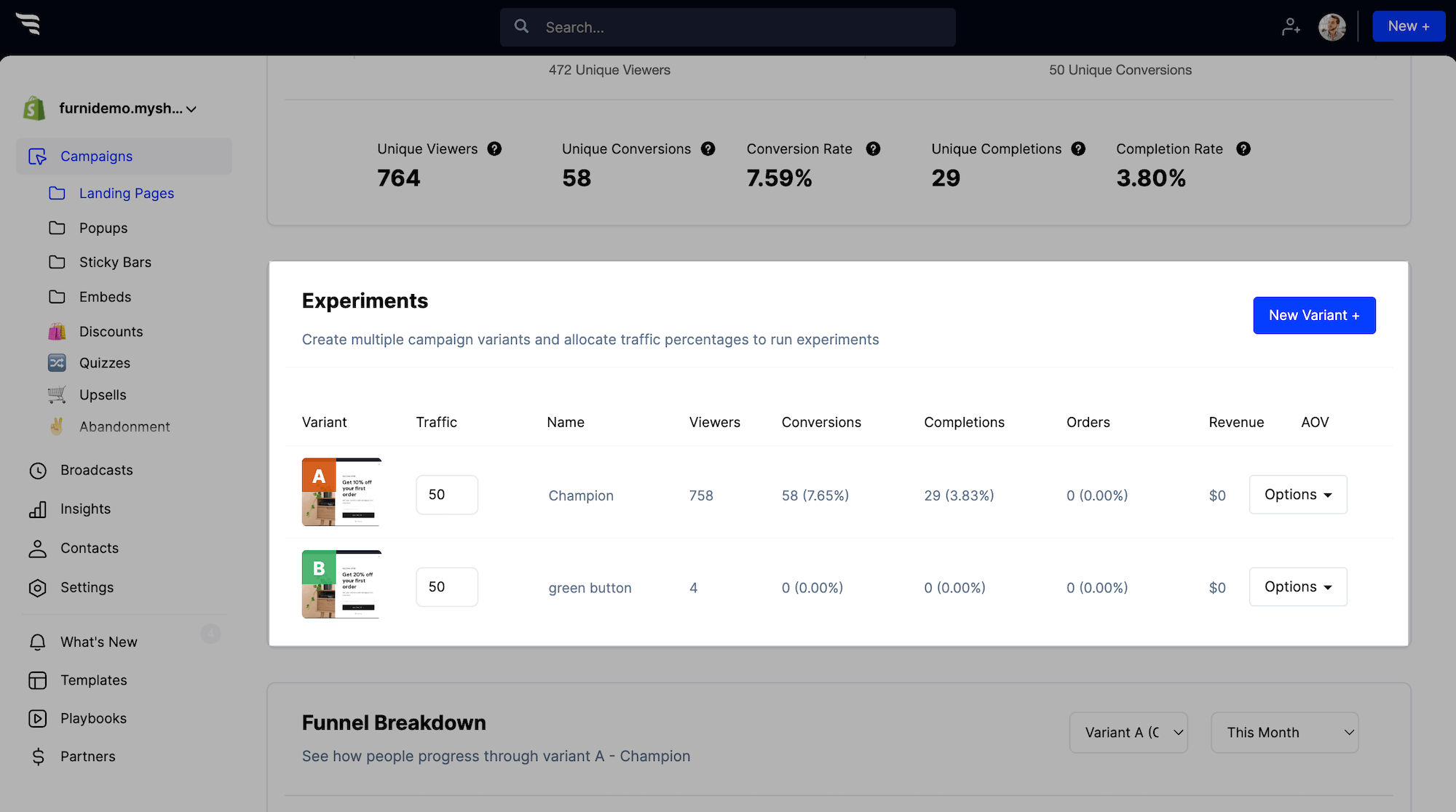
Then split-test: add a variant to test the offer (25% off vs. a free gift), the number of questions, or which products make up each bundle.
Follow up with personalized email and SMS flows
Most quiz takers won’t check out on their first visit. Their quiz answers and the bundle they saw are the best follow-up you have, so build flows that lead with them instead of a generic welcome series, and send every click back to their bundle.
8. Build a quiz follow-up flow in your ESP
Trigger it off the quiz: in Klaviyo, Attentive, Postscript, or your ESP of choice, start the flow from the quiz-completed event or the list you add quiz takers to in step 3. Exit anyone who places an order.
Split by quiz answers: use conditional splits or dynamic content blocks on the custom fields the quiz writes (primary_goal, preferred_method, and so on). A Stress & mood shopper hears about their stress & mood bundle in capsules; a Gut health shopper hears about theirs in gummies.
A simple starting sequence:
- Email right away: their bundle and their 25% off, with a button back to their bundle
- Email a day later, if they haven’t ordered: reviews and FAQs for their goal
- SMS for shoppers who opted in: a short reminder of the discount with the same link
- A last email before the discount expires, if it does
Every message links to the same place: their personalized bundle page, not your homepage or a collection. The next two steps make that link work.
9. Skip returning shoppers straight to their bundle
Without skip logic, a shopper who clicks back from email lands on the intro and has to retake the quiz. Skip logic checks each shopper when they reach a funnel step and jumps them to the right one, so returning quiz takers pick up where they left off.
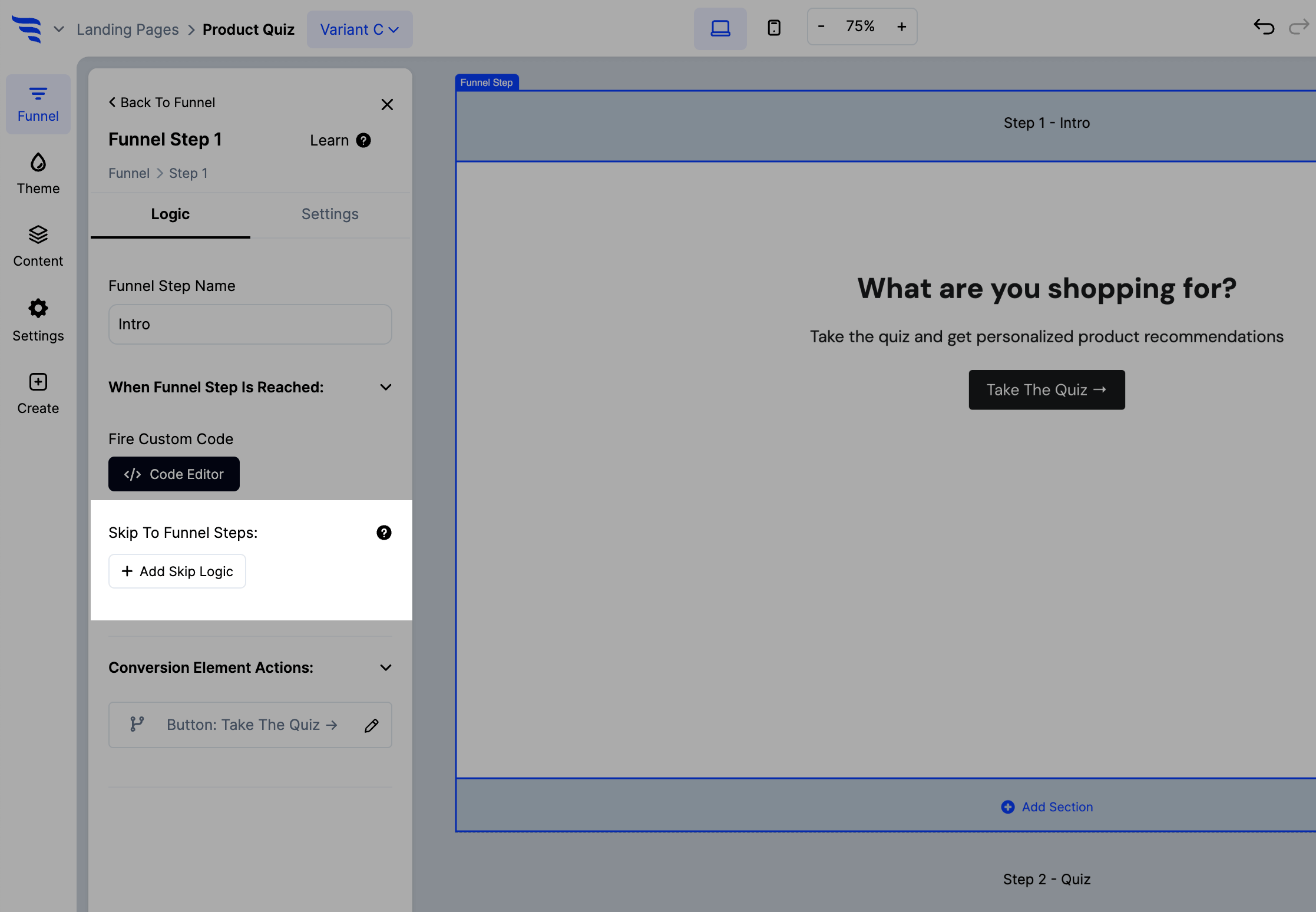
In the builder: click to manage your funnel, edit the intro step, and click + Add Skip Logic. Name the scenario (for example “Skip to bundle”), add the condition that the shopper has already completed the quiz, or that their profile already has a quiz answer like primary_goal, then under Jump To A Funnel Step choose the bundle step.
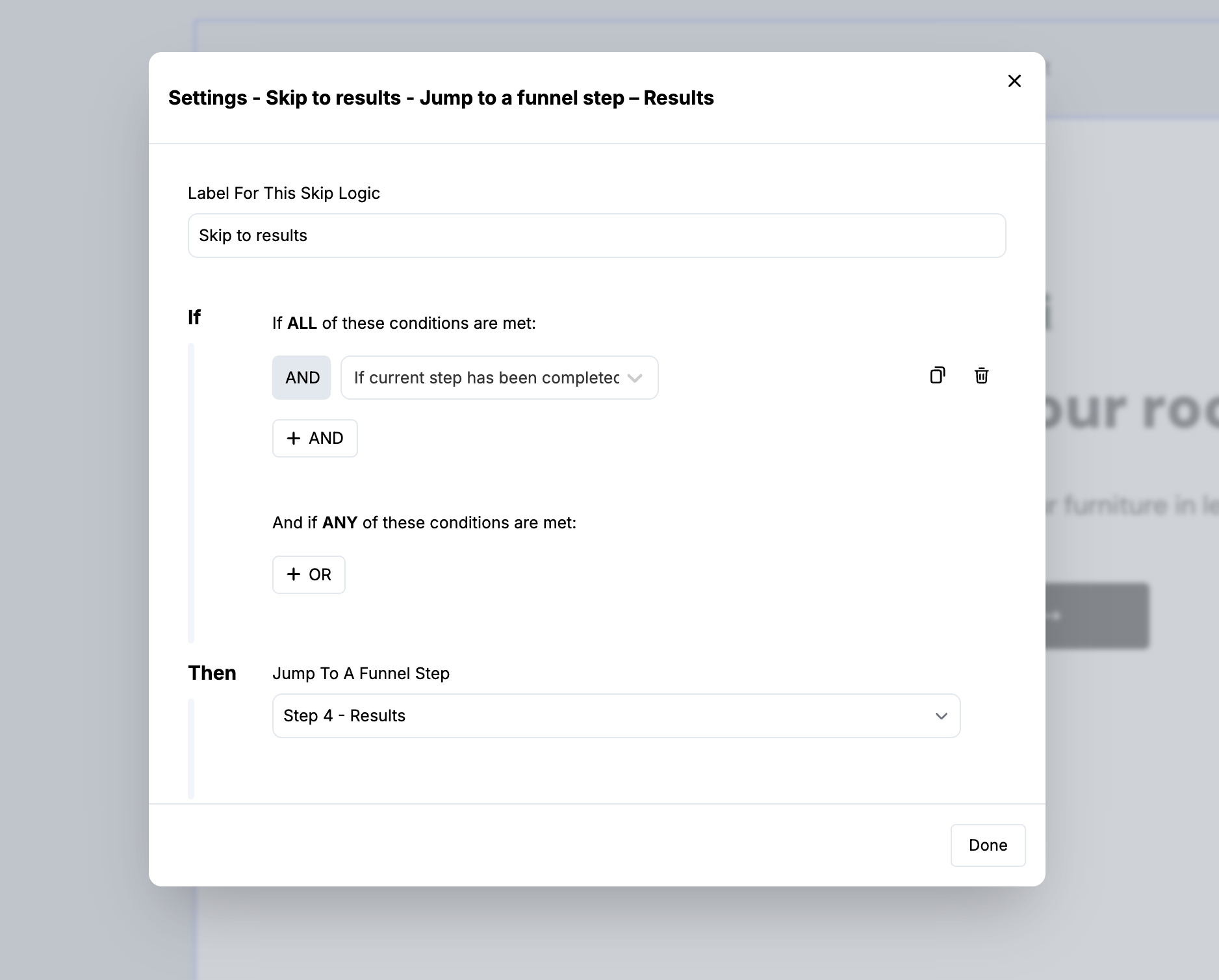
Add the same logic to the email and SMS steps so a known subscriber never sees the form twice. Because skip logic runs per shopper, a forwarded link doesn’t pass along their bundle: a friend who opens it still starts at the intro and takes the quiz.
10. Identify shoppers across devices with the visitor token
ConvertFlow identifies a shopper on the device where they submitted the email form. If they open your email on their phone, that device is new to ConvertFlow. Identity resolution fixes that by passing their ConvertFlow tracking ID in the link.
- Get the token into your ESP: with Klaviyo, ConvertFlow stores it for you automatically on the profile as cf_visitor_token, so there’s nothing to set up. With other ESPs, capture ConvertFlow’s visitor_token tracking ID and store it in a custom field with the same name.
- Append it to every link back to the bundle: add ?cf_visitor_token= with your ESP’s merge tag for that field. In Klaviyo, the link looks like:
https://yourstore.com/pages/bundle-quiz?cf_visitor_token={{ person.cf_visitor_token|default:'' }}
Test it before the flow goes live: take the quiz on desktop, open the first email on your phone, and confirm the link lands on the bundle step with your bundle, not the intro.
Drive shoppers into their bundle
Once the funnel and flows are live, send traffic into the quiz from every channel you already own. Shoppers don’t need to find the quiz on their own.
11. Promote the quiz in Klaviyo, on-site, and in ads
Email your existing subscribers: in Klaviyo, build a segment of subscribers with no quiz answer field set who haven’t purchased. Send them a “build your bundle” campaign with an incentive different from your welcome offer, like a free gift or a better discount. Add the same CTA to your welcome series for subscribers who came in through other forms.
Turn single-product buyers into bundle buyers: after a first order, send customers into the quiz to complete their bundle. They already trust the product; the quiz shows them what goes with it.
Follow your welcome popup with the quiz: make the popup’s last step a CTA to the quiz so new subscribers aren’t left browsing on their own. They’ve already given their email, so use the skip logic from step 9 to skip them past the email offer step. See the popup subscribe playbook.
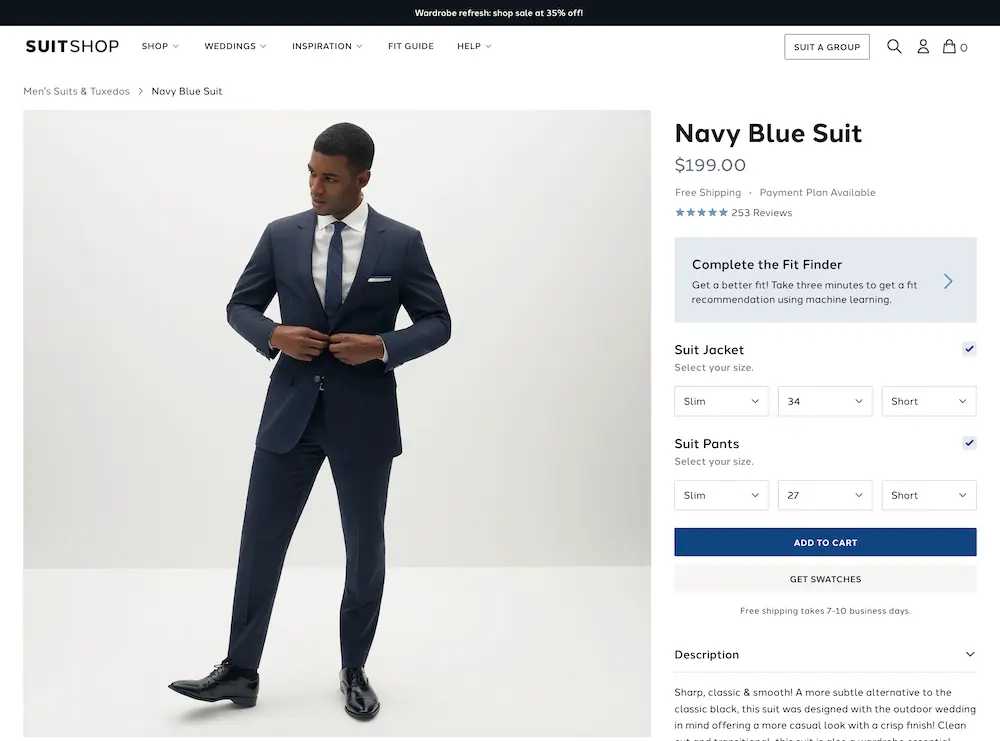
Put the quiz where shoppers hesitate: add it to your nav, and embed a “build a bundle around this” CTA on product pages, the way SuitShop links its fit finder quiz from the product page:
Then show a sticky bar to Klaviyo subscribers who haven’t taken the quiz yet.
Show returning quiz takers their bundle: target shoppers who took the quiz but didn’t buy with a popup that links straight back to their bundle.
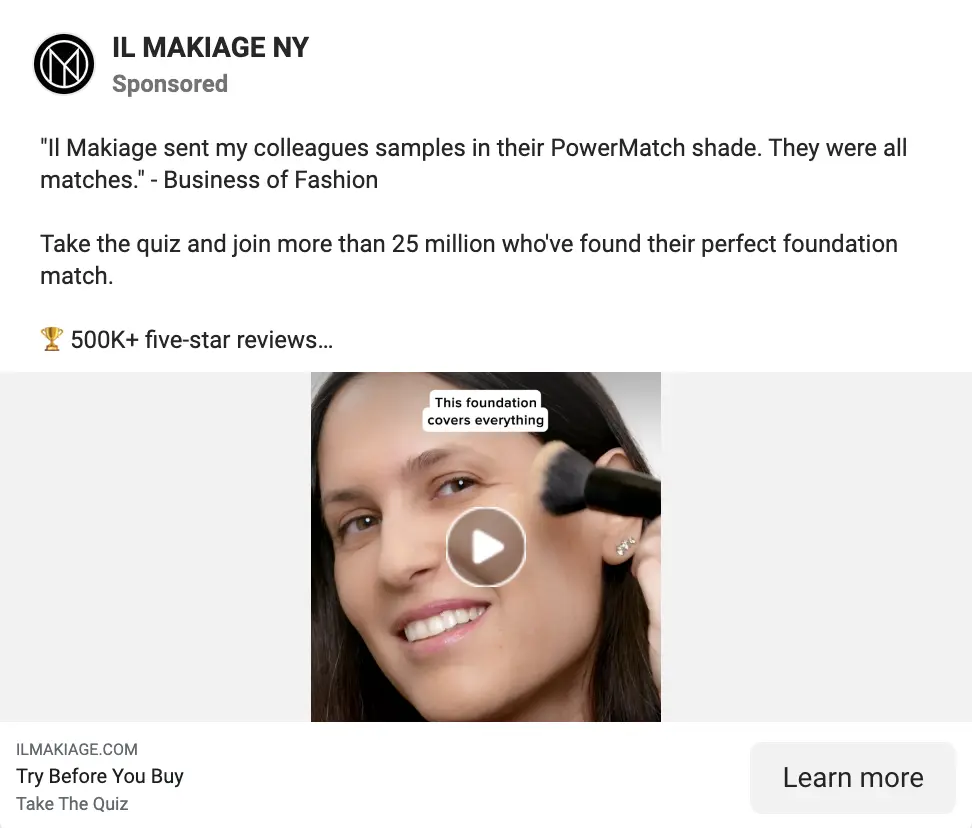
Run bundle ads off quiz data: use the quiz as the CTA in cold Meta ads, like Il Makiage does. Then use Klaviyo’s audience sync to push quiz-answer segments to Meta custom audiences and retarget each segment with its own bundle.
Point seasonal pushes at the quiz: for Black Friday, Cyber Monday, and launches, send traffic to the quiz instead of a collection page. Bundles lock in the order value, so you can afford a bigger offer.
Link it in your social bio: make the quiz your link-in-bio, or the top link on your bio page.





.svg)
