Segment contacts into Yotpo lists. Personalize offers for Yotpo segments. Show Yotpo reviews.
Connect For FreeYotpo's own reviews widget drops star ratings and review content onto your product pages. It does that job, and if all you need is reviews on a product page you don't need anything else.
What it doesn't do is put reviews anywhere else — inside a popup, on a landing page, next to a quiz result — or choose which reviews to show based on who's looking.
This guide covers displaying Yotpo reviews across your funnel, not just your product pages.
In ConvertFlow's Integrations area, connect Yotpo using the API key and secret from your Yotpo account.
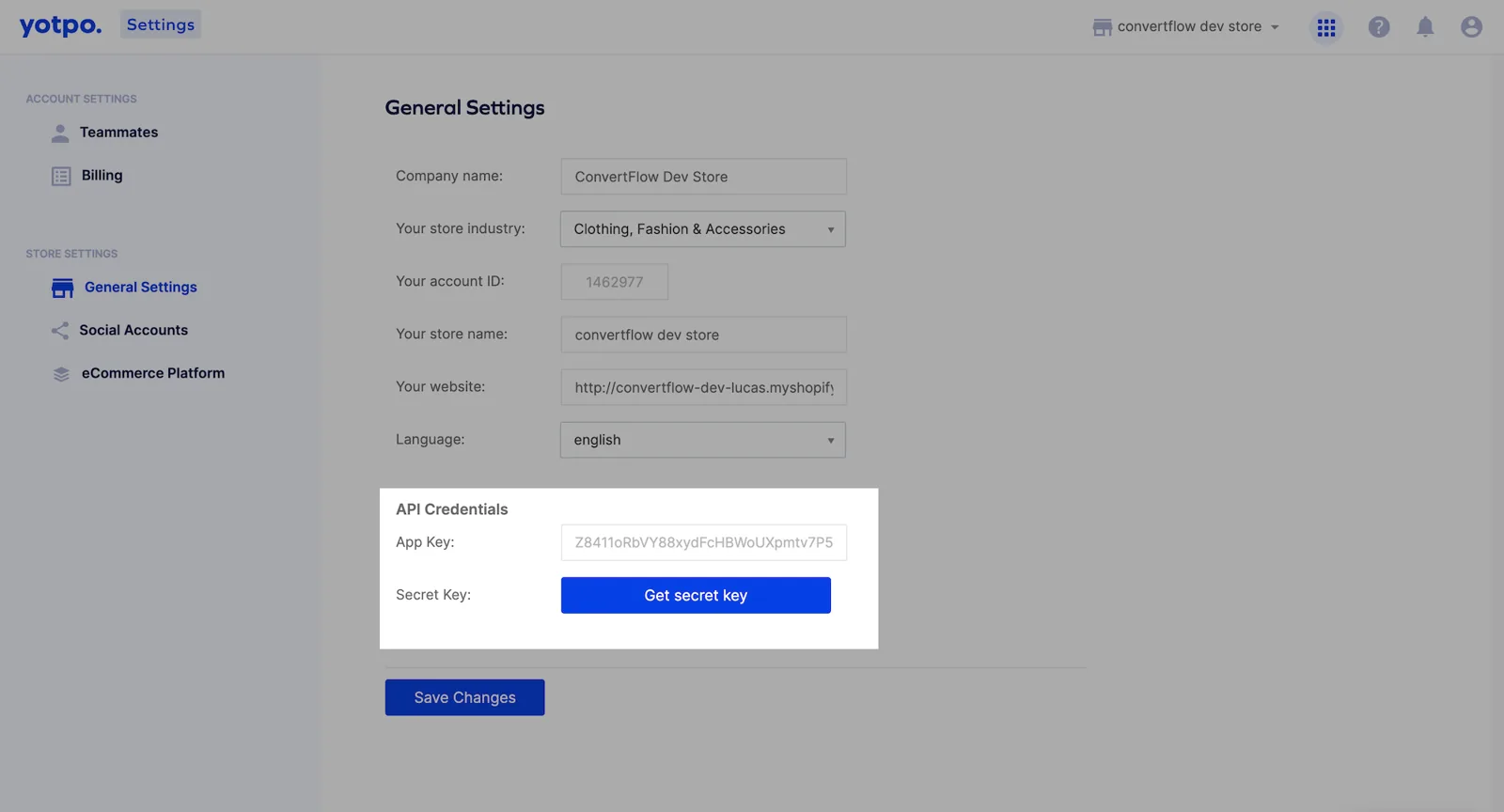
Once connected, ConvertFlow can pull your review content into campaigns.
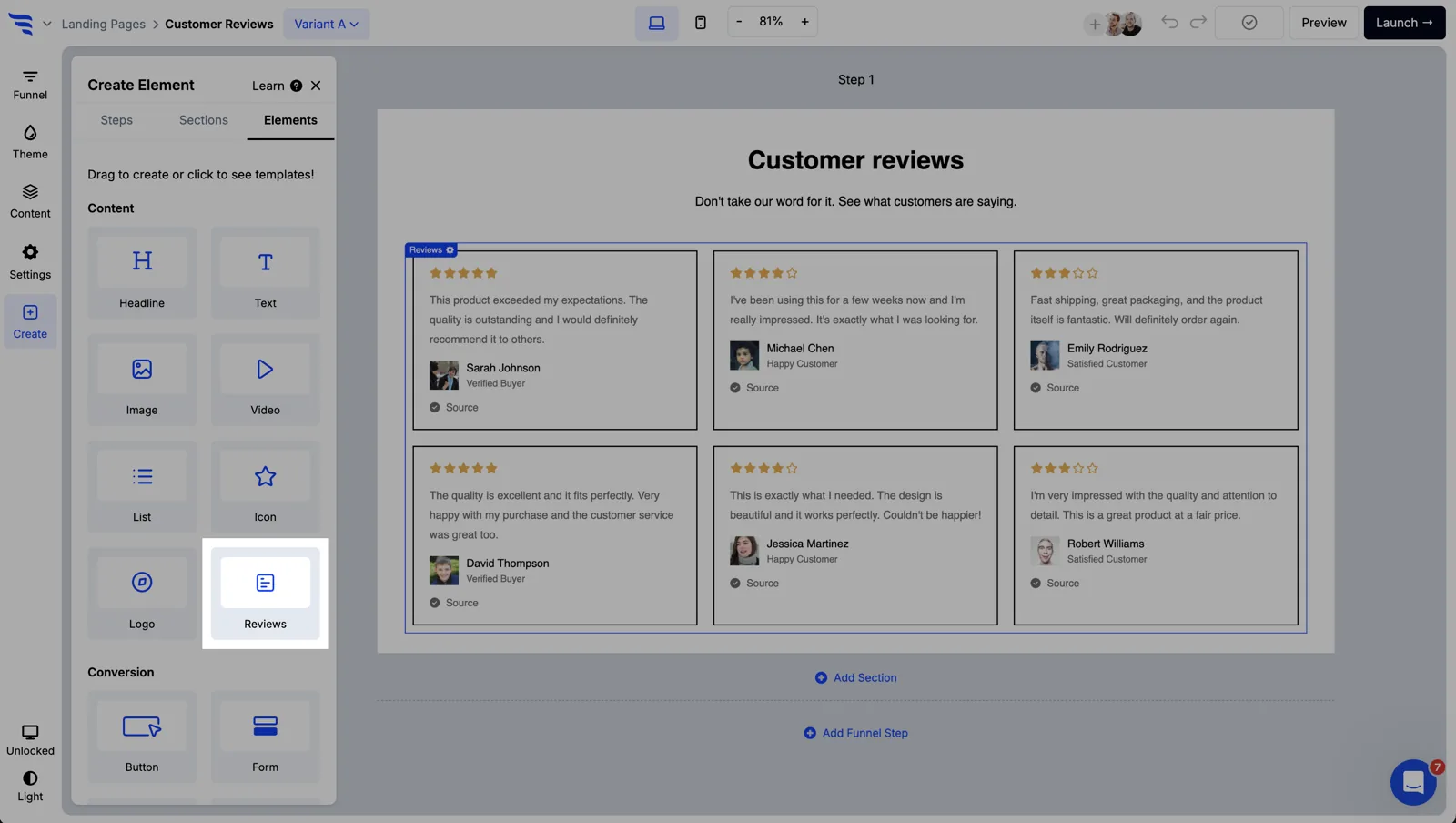
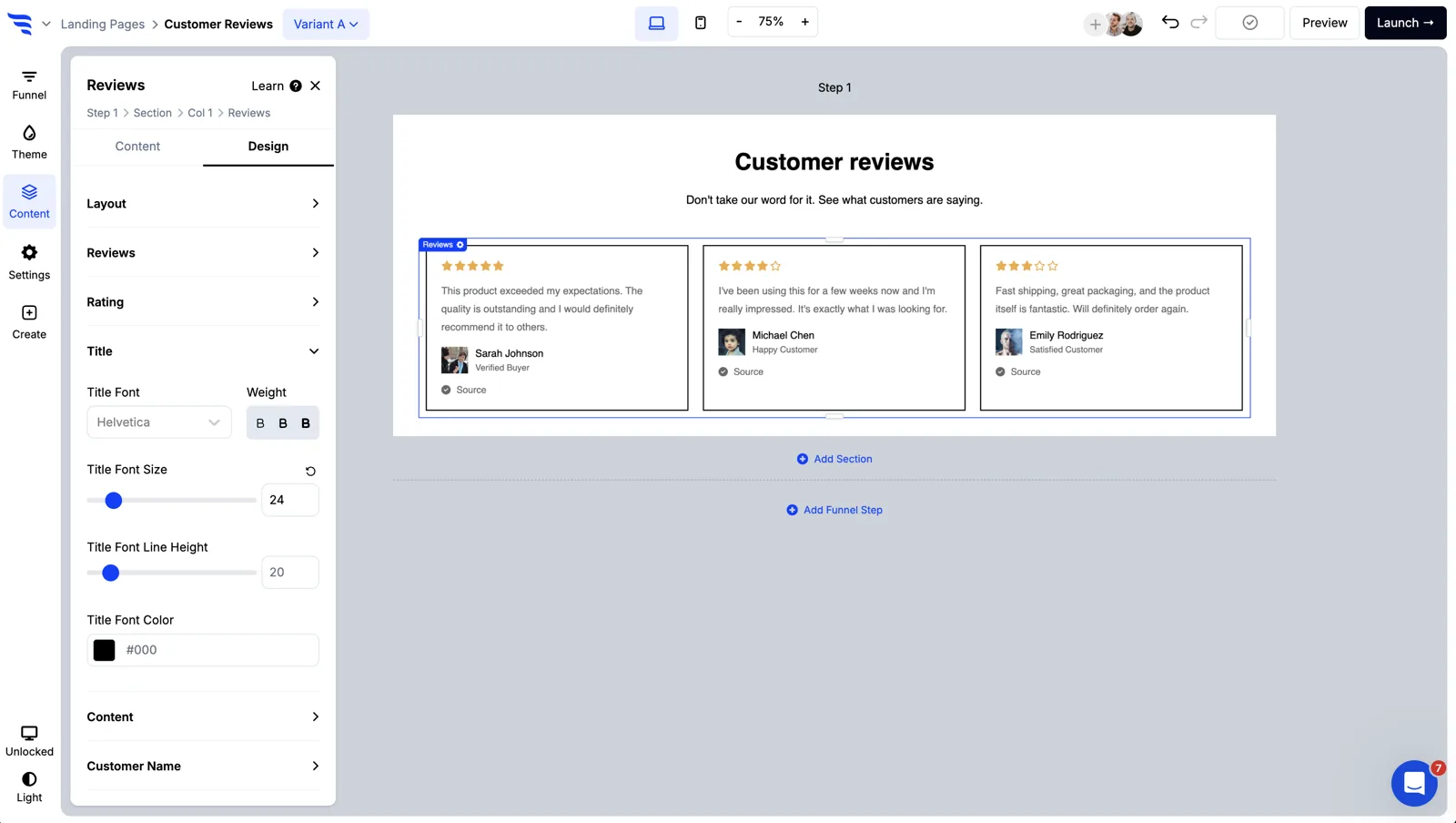
Click to add an element and choose the reviews type.
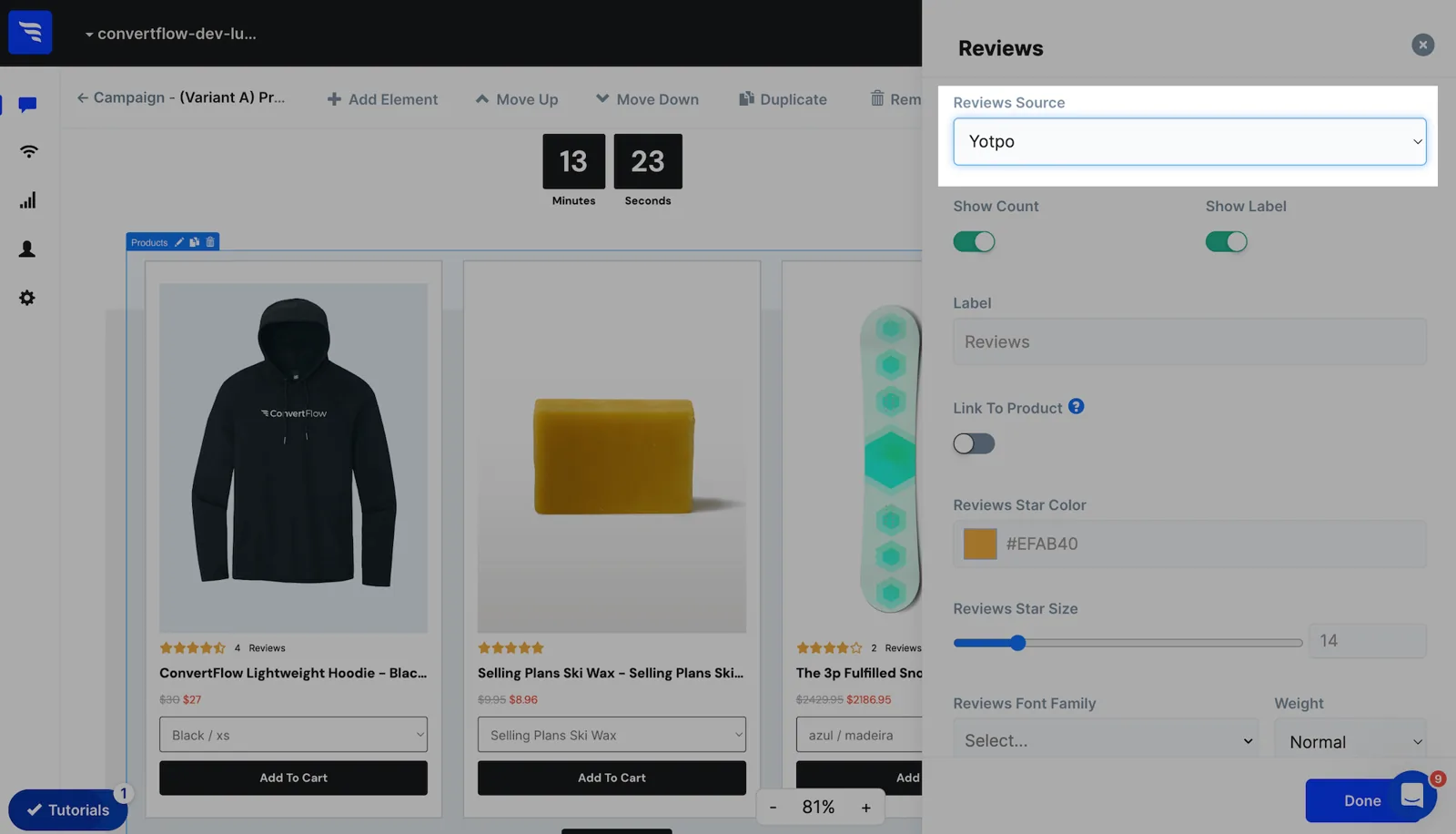
Set the source to Yotpo.
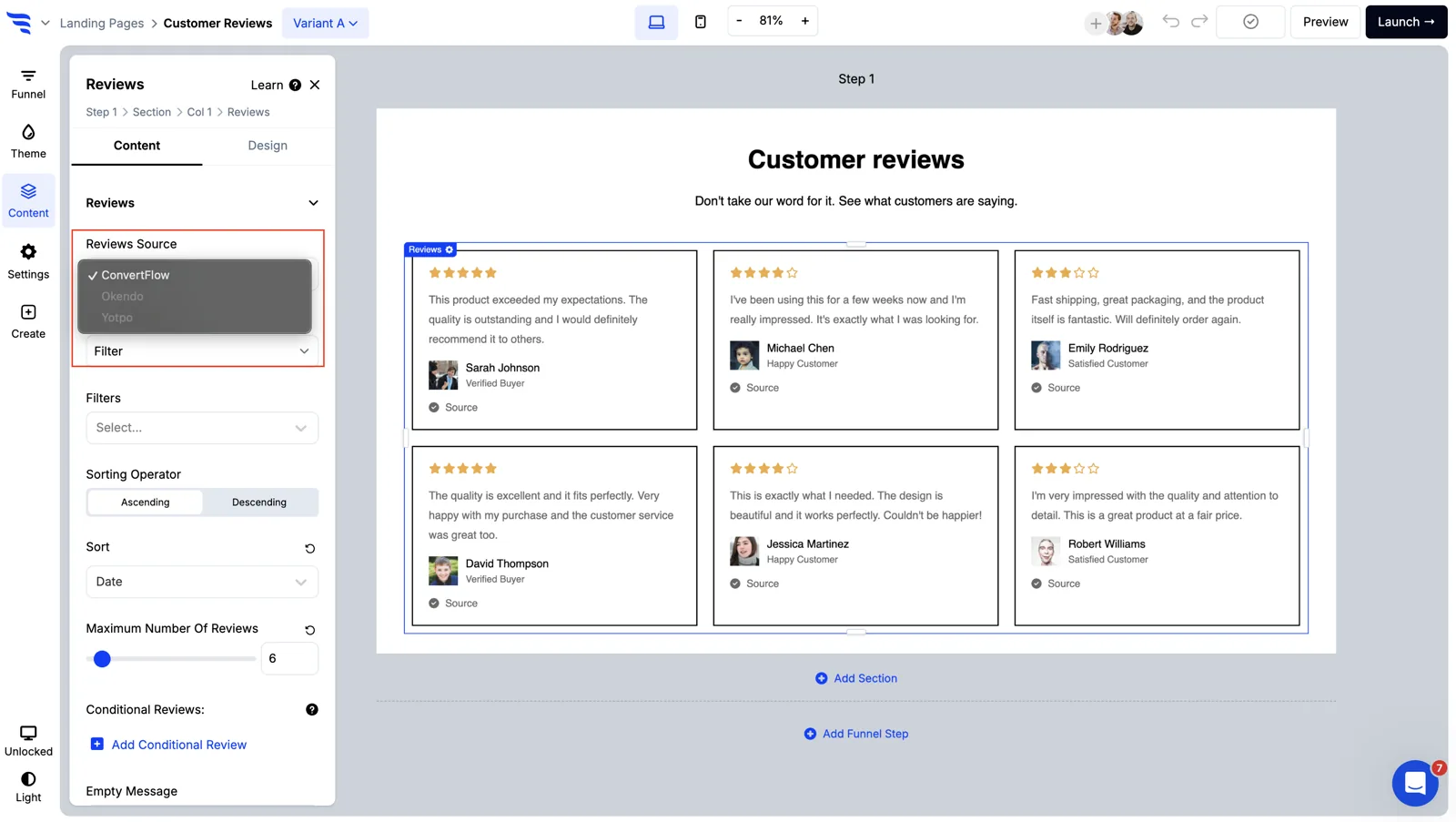
This is where it goes beyond the native widget. Filter and sort the feed by keyword, date or rating.
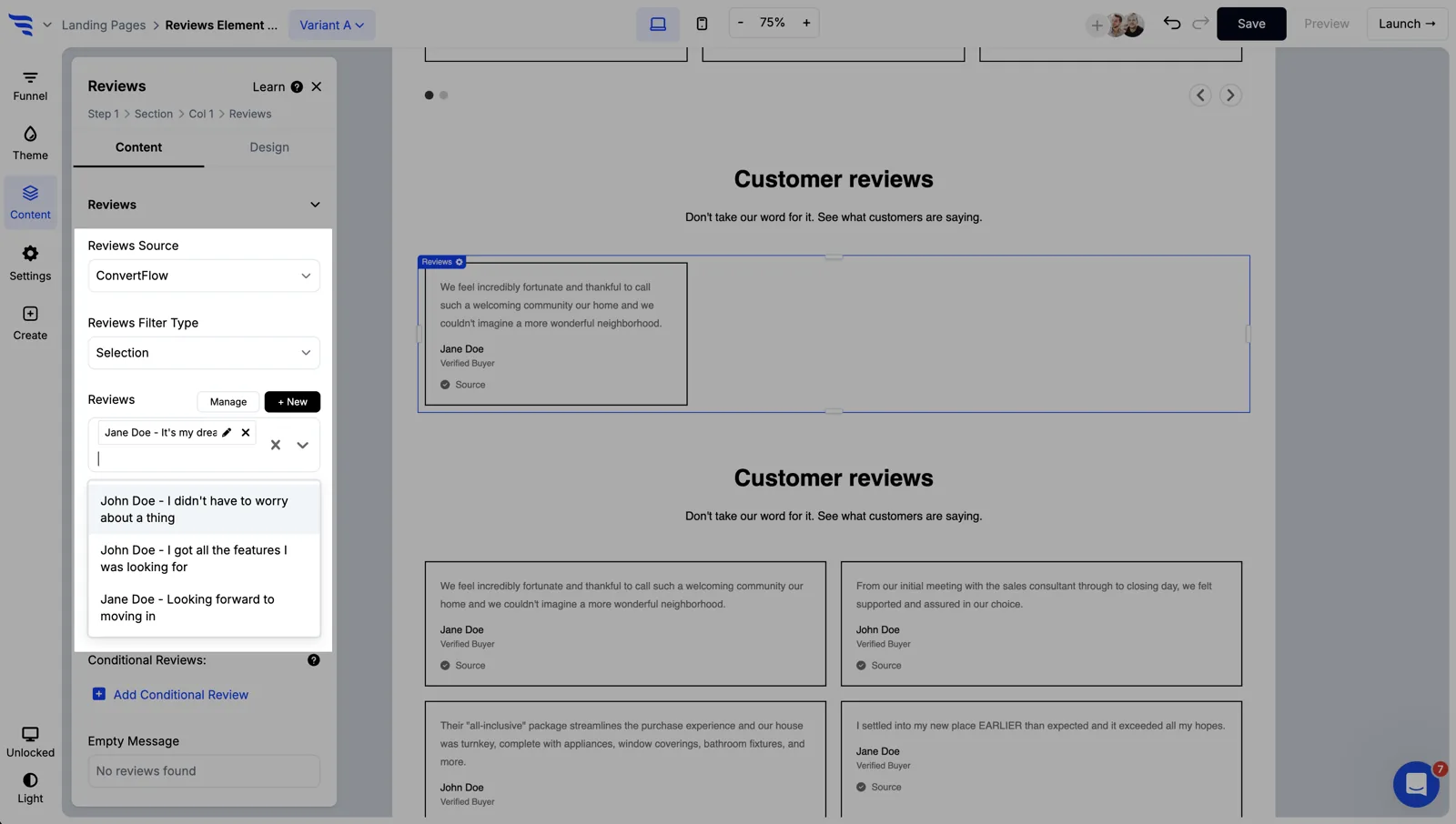
Keyword filtering is the useful one. If a shopper has told you they care about durability, show reviews that mention it — rather than your five most recent, which may be about shipping speed.
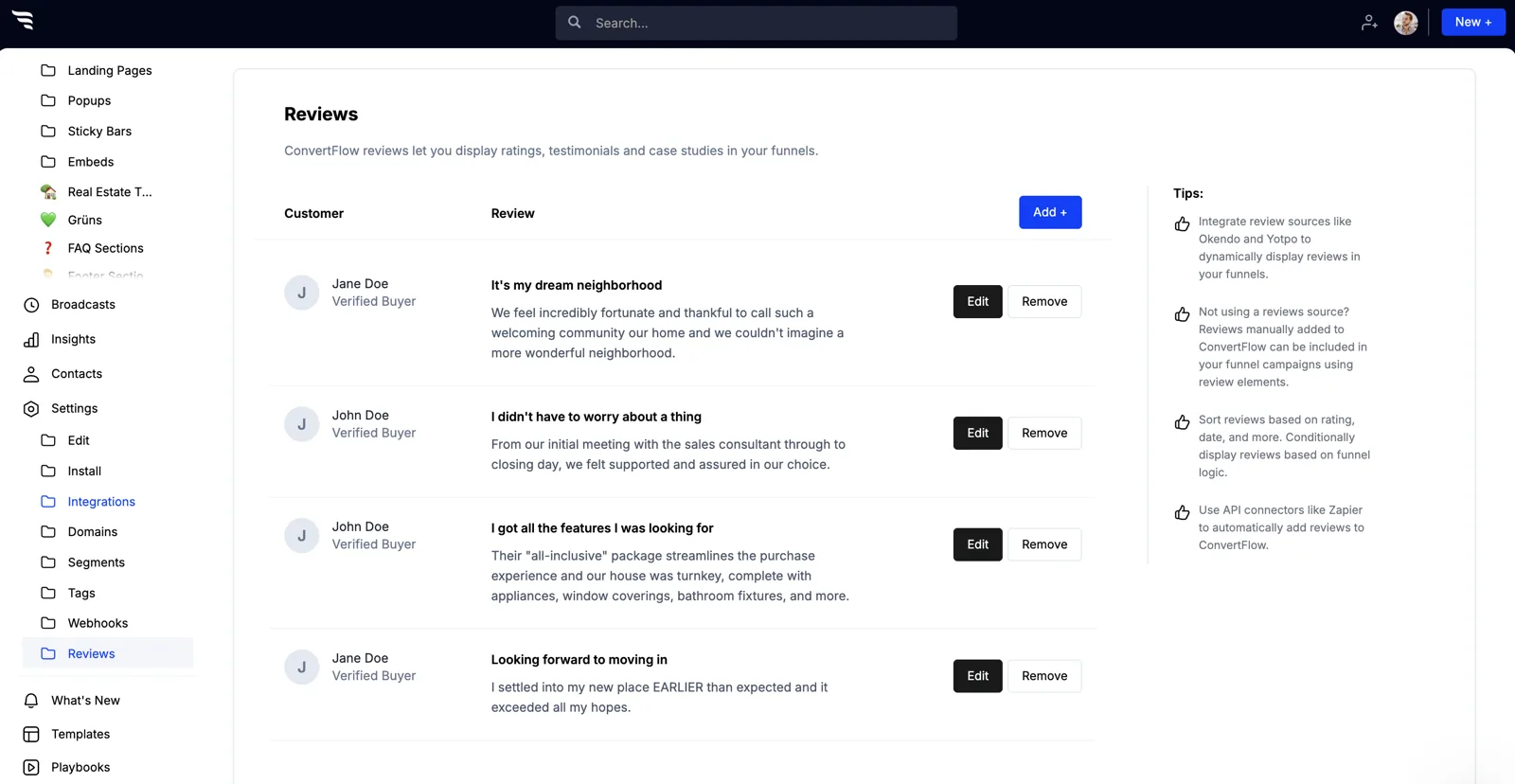
Reviews can be shown conditionally, based on segment or on a quiz answer.
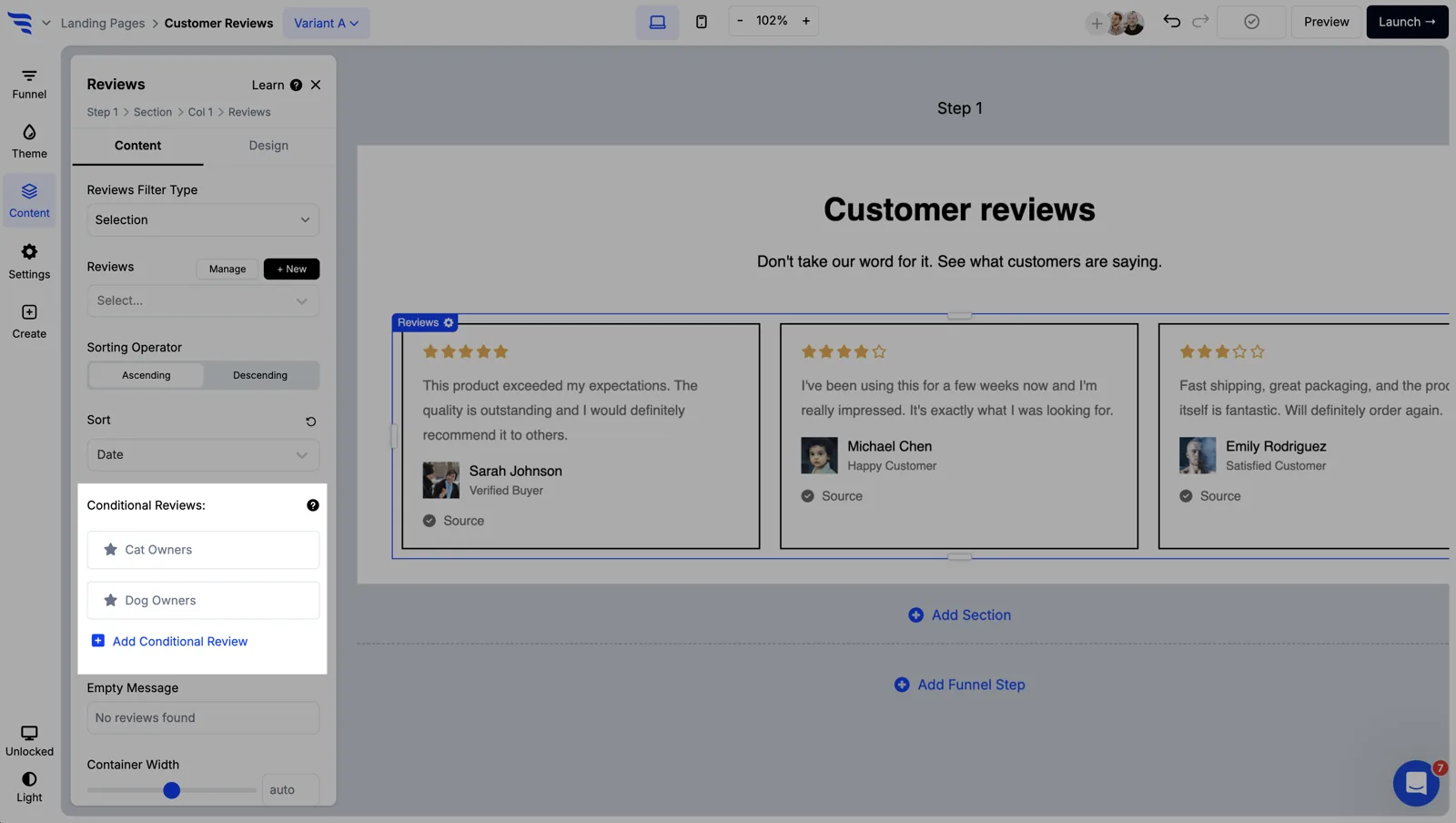
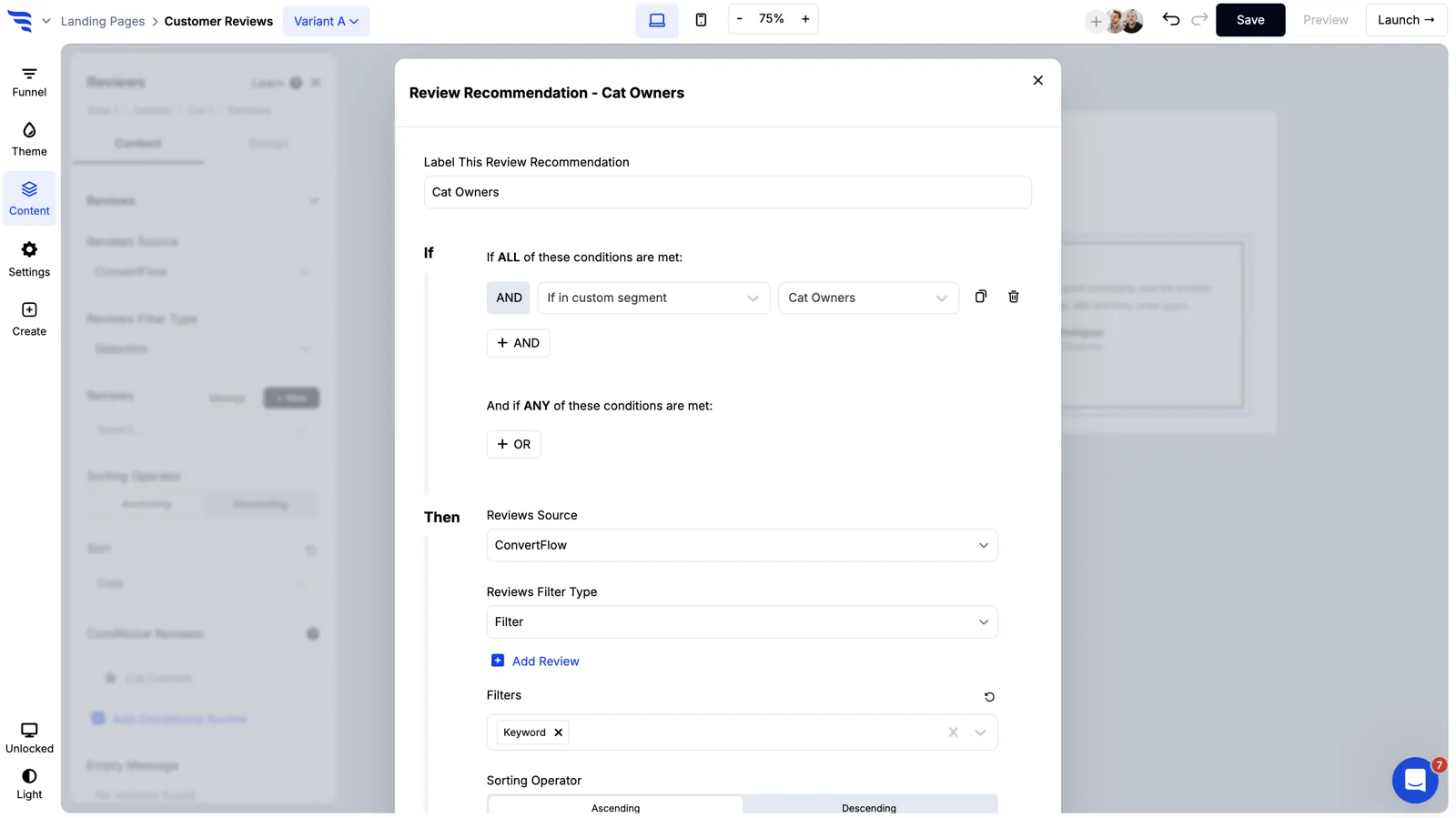
Pair it with keyword filtering and the same results page shows different proof to different shoppers — durability reviews to the shopper who said durability matters, value reviews to the one comparing on price.
Toggle which parts of each review appear — the star rating, reviewer name, date, body text.
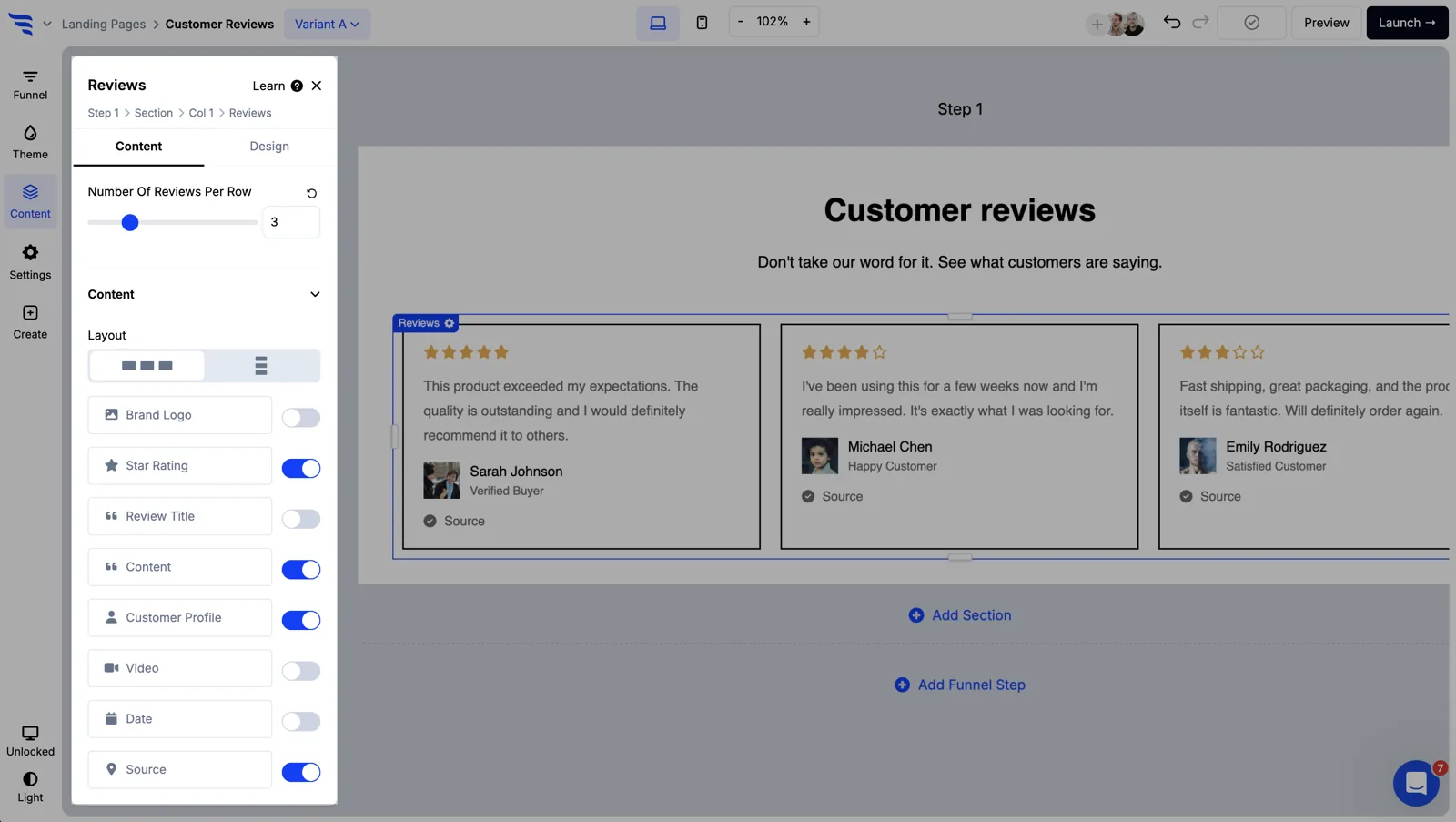
Then style it to match the campaign rather than inheriting the widget's look.
Product elements can display Yotpo star ratings directly, which matters for headless Shopify builds where the native widget isn't straightforward to place.
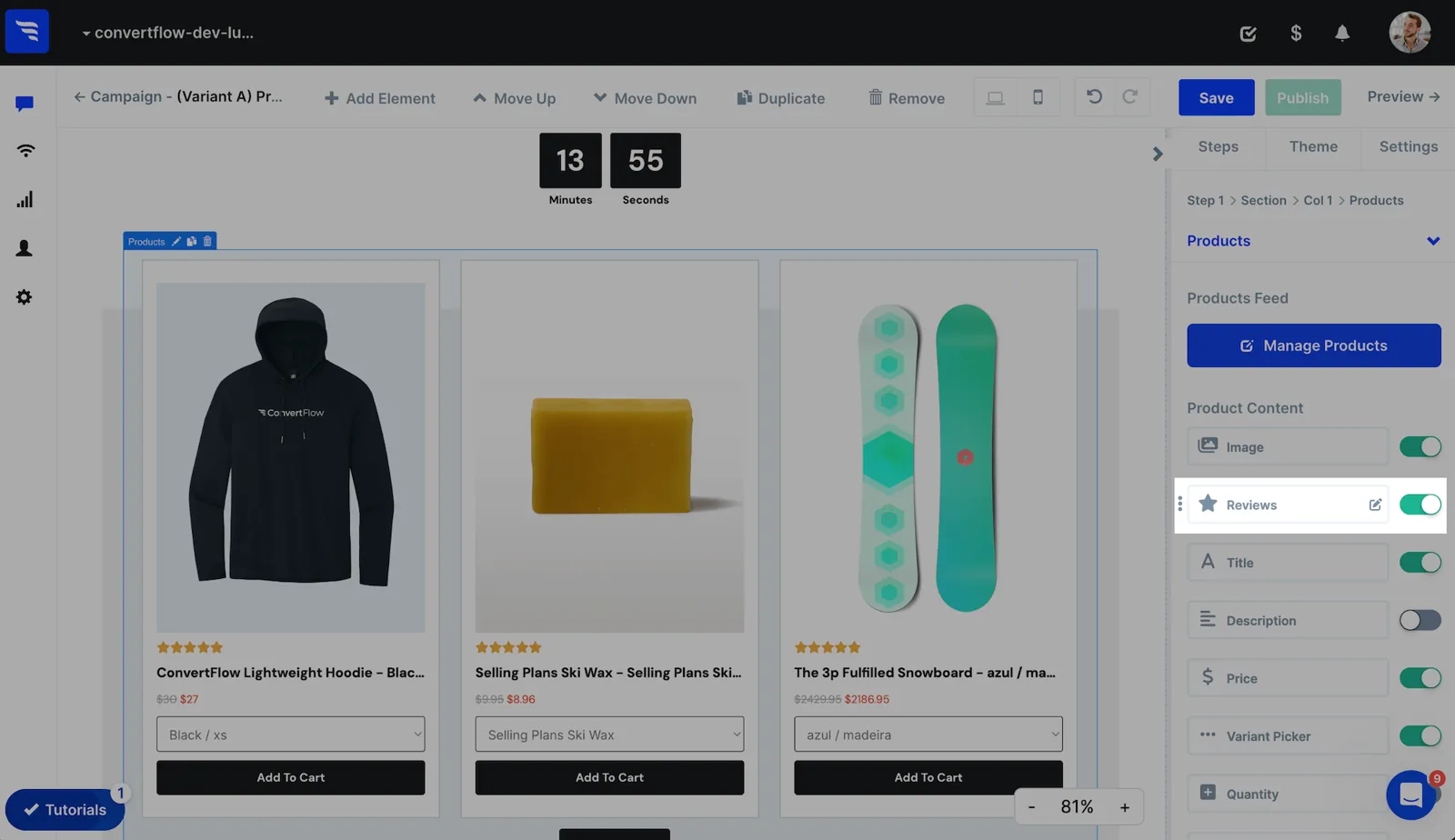
On a quiz results page, this puts a star rating directly beside the recommended product — which is the moment the shopper is deciding.
The Yotpo integration is reviews-only. It displays review content across your funnel; it doesn't sync contacts into Yotpo lists.
If your goal is showing reviews wherever shoppers are deciding, that's exactly the scope you want. If you need contact syncing, that runs through your email platform instead.
To see templates and the full feature set, visit the Yotpo landing page builder.
Create a free ConvertFlow account and integrate
Yotpo
in minutes.
Segment contacts into Yotpo lists. Personalize offers for Yotpo segments. Show Yotpo reviews.
Connect For Free










.svg)