Sync contact fields. Segment contacts into tags & workflows. Personalize your website for GoHighLevel segments.
Connect For FreeGoHighLevel gives agencies a CRM, pipelines, workflows and forms in one place. The forms are functional, but if you're building client-facing funnels, the design ceiling shows up quickly — and every client wants their form to look like their brand, not like the platform.
This guide covers building a GoHighLevel form in ConvertFlow: contacts, tags and workflows still land in GHL, but the form is fully designed and can run across steps.
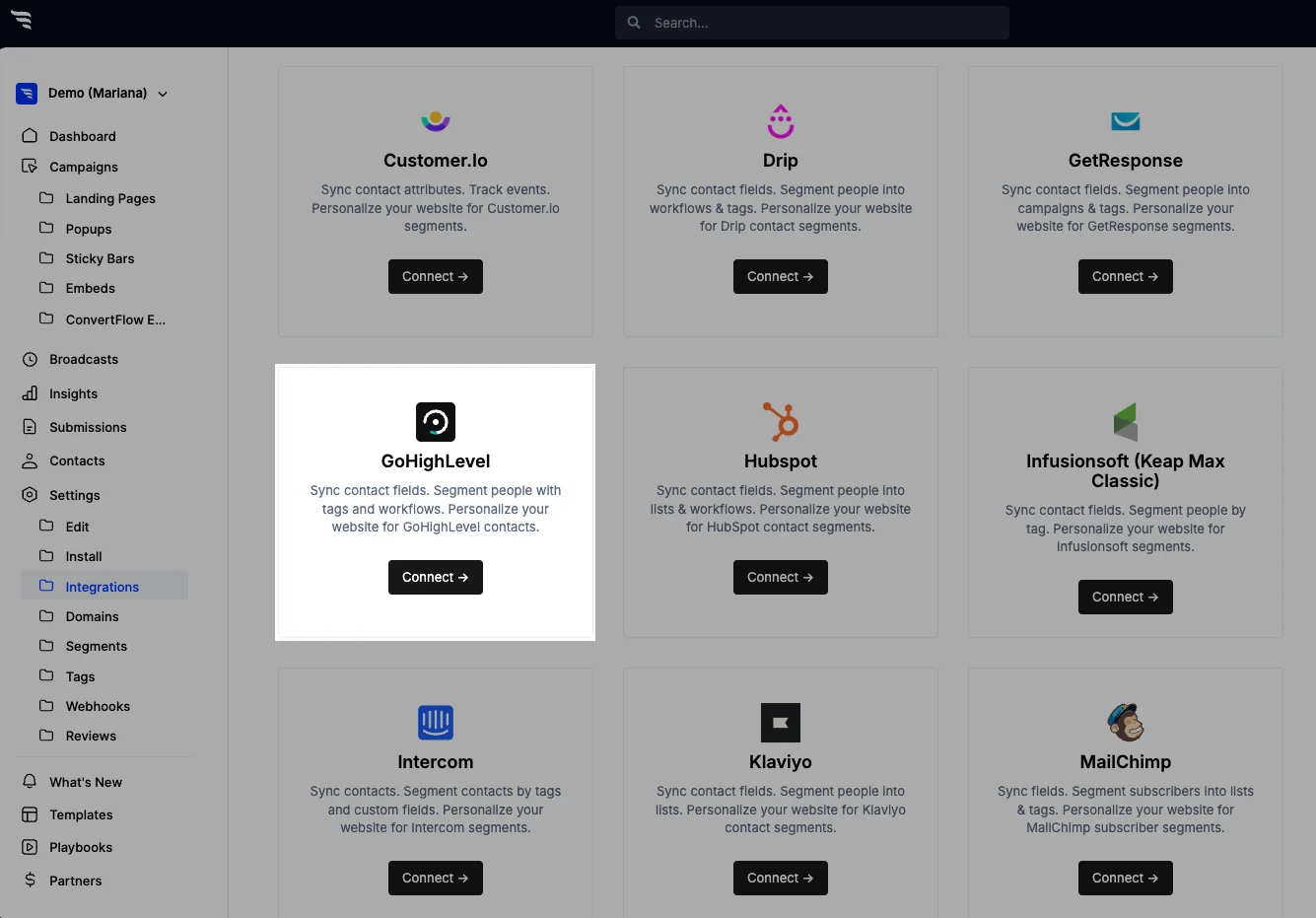
From ConvertFlow's Integrations area, click to connect with GoHighLevel.
You'll need two values: a Private Integration Token and your Location ID.
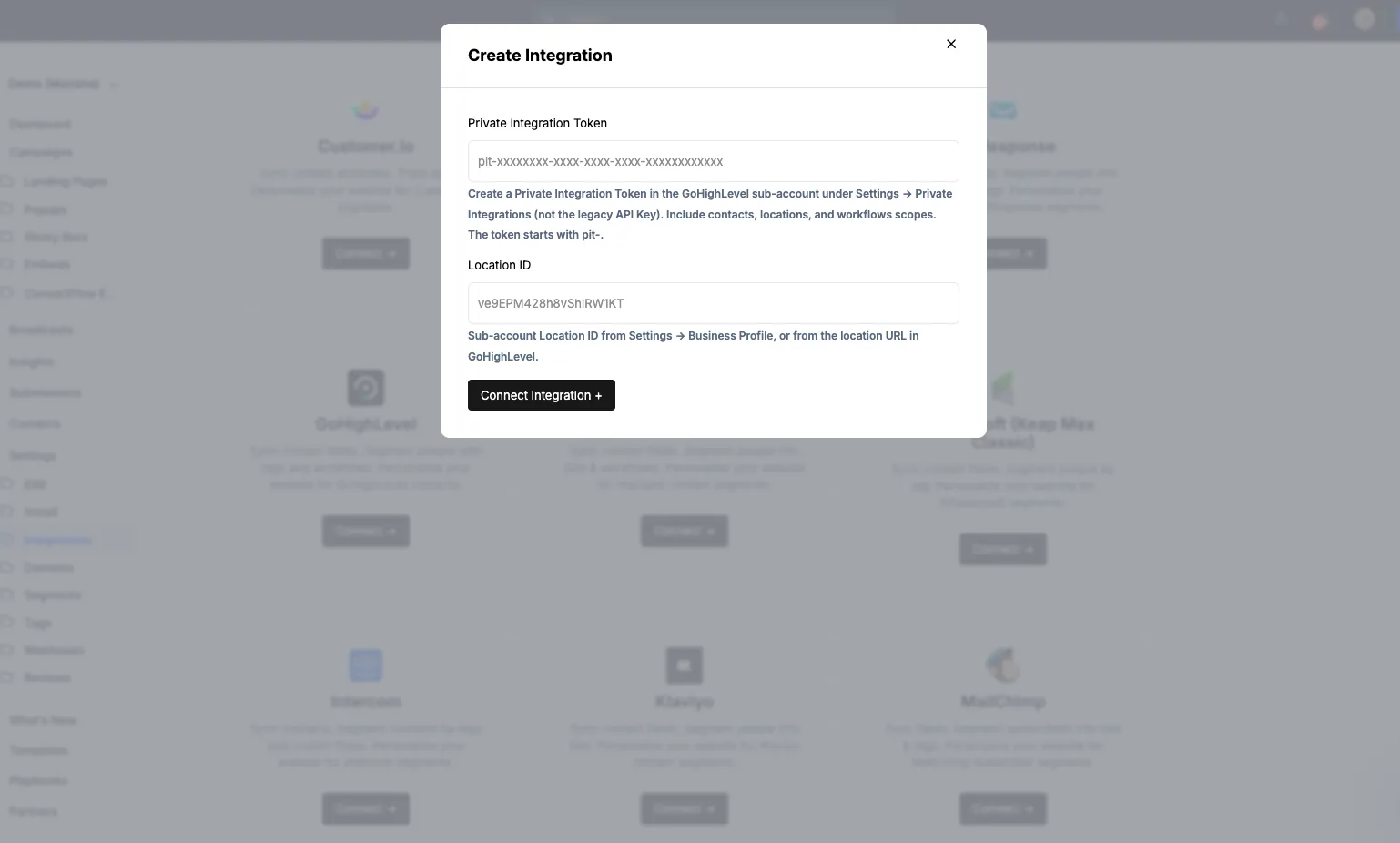
The Location ID is the part to get right if you run multiple sub-accounts. It's what decides which client's account contacts land in — a valid token pointed at the wrong location sends one client's leads into another's CRM, and it won't error.
Create a campaign — landing page, popup or embed — and add a form element.
.avif)
Toggle on the contact fields you want to collect.
.png)
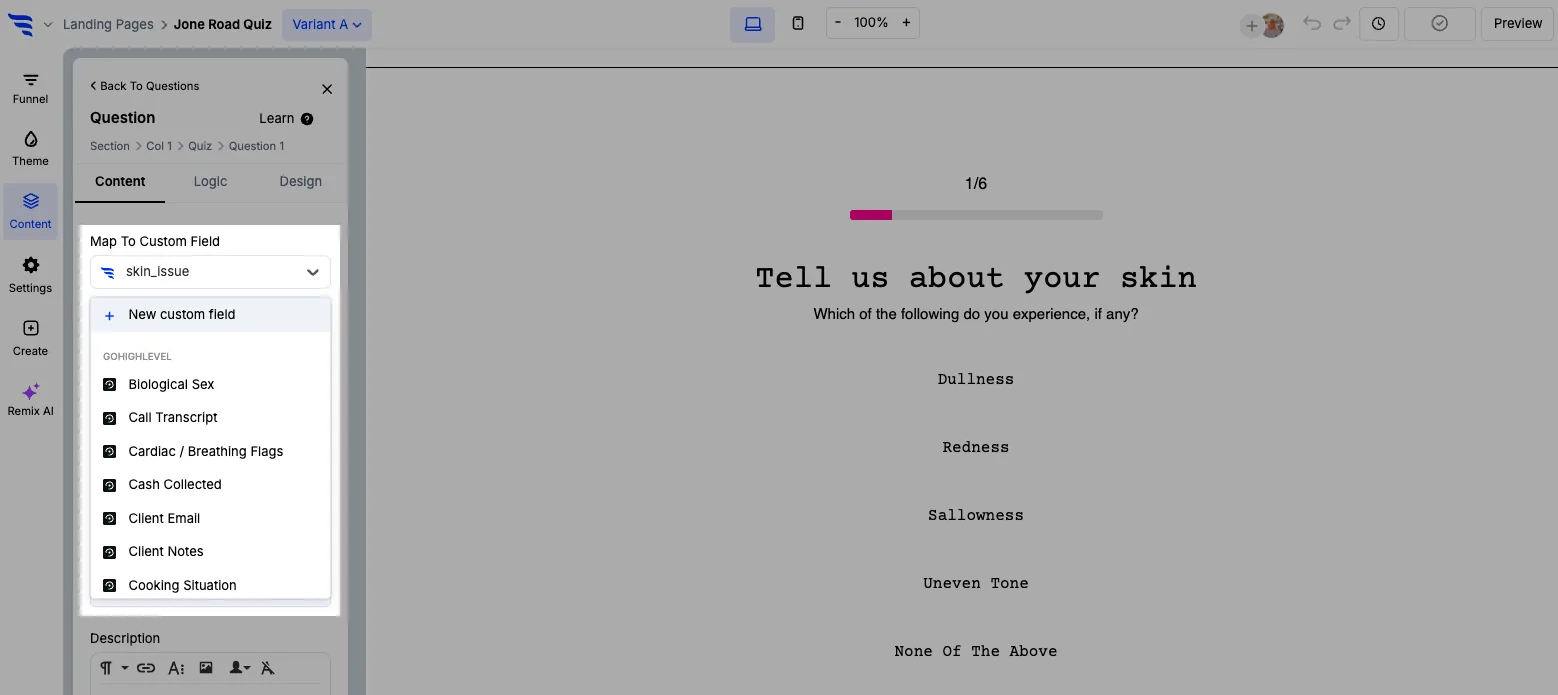
Add a custom field and select the GoHighLevel field it writes to.
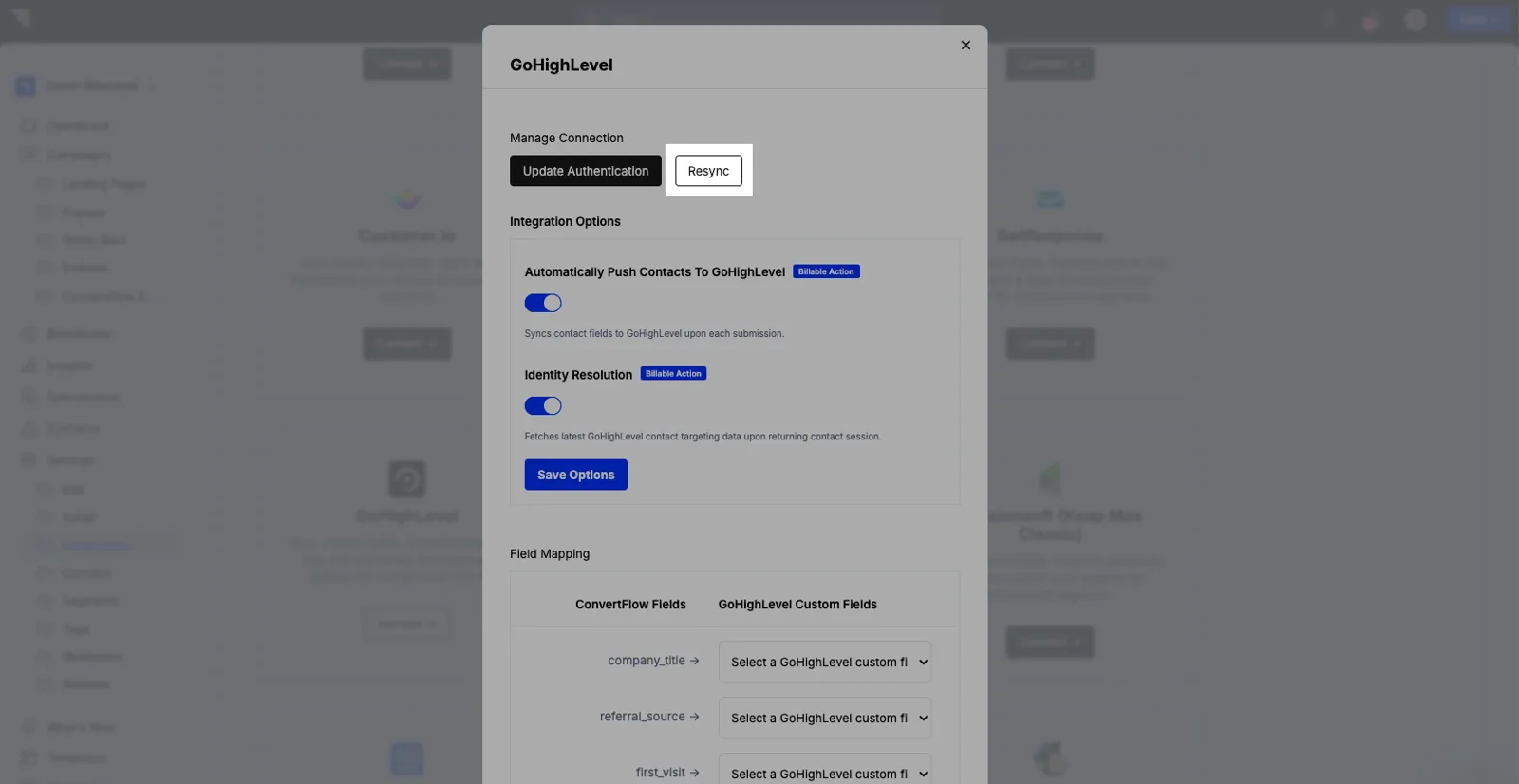
Preset contact fields are mapped from the Manage button on the integration.

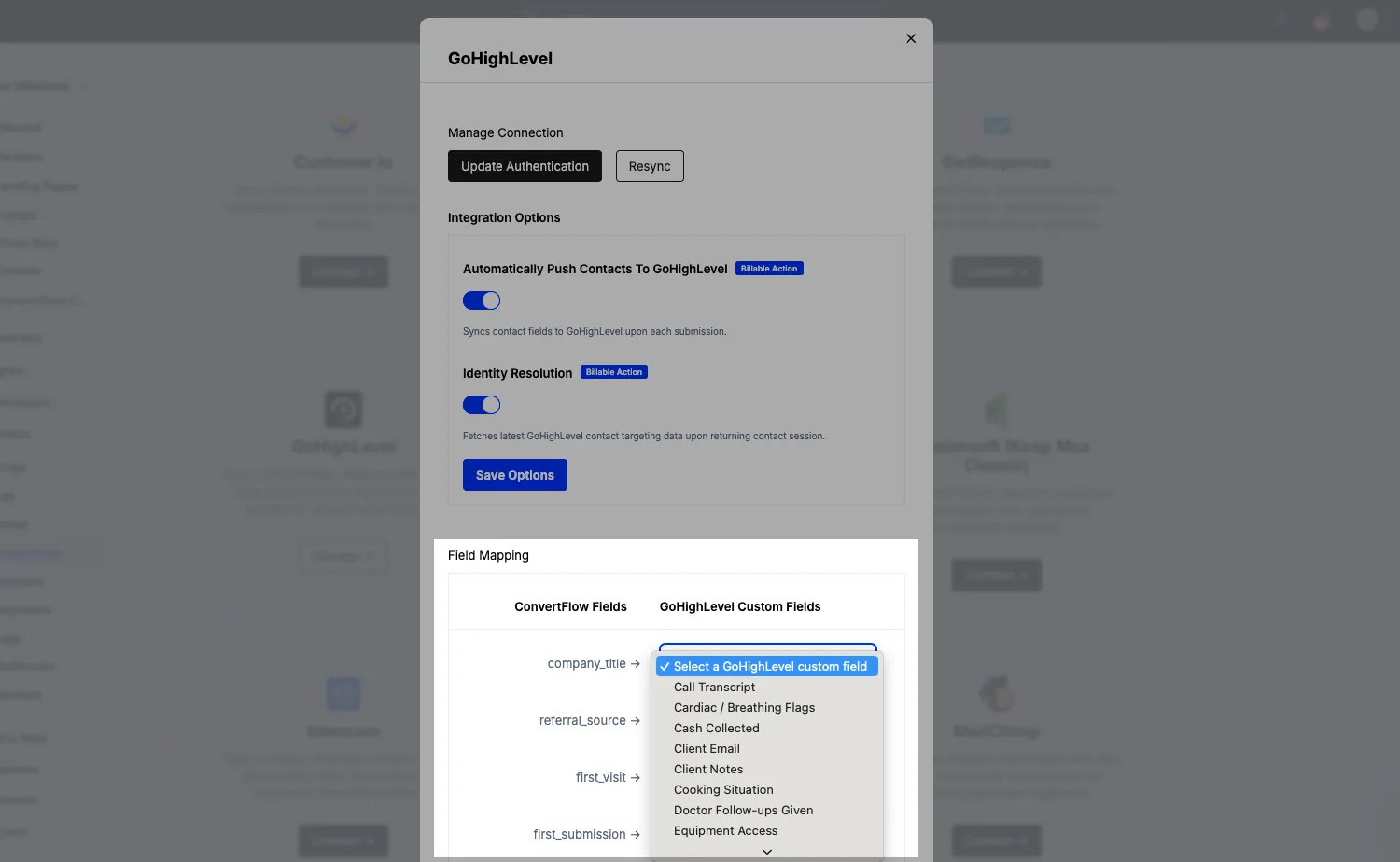
If you add a custom field in GoHighLevel and it doesn't appear in the dropdown yet, click Resync.
Email and phone verification run before the contact syncs. Phone numbers are formatted to the E.164 standard, which matters if the client's workflows send SMS.

For agency lead-gen this is the part that earns its keep. Ask the questions the client's sales team would ask, across steps rather than in one block.
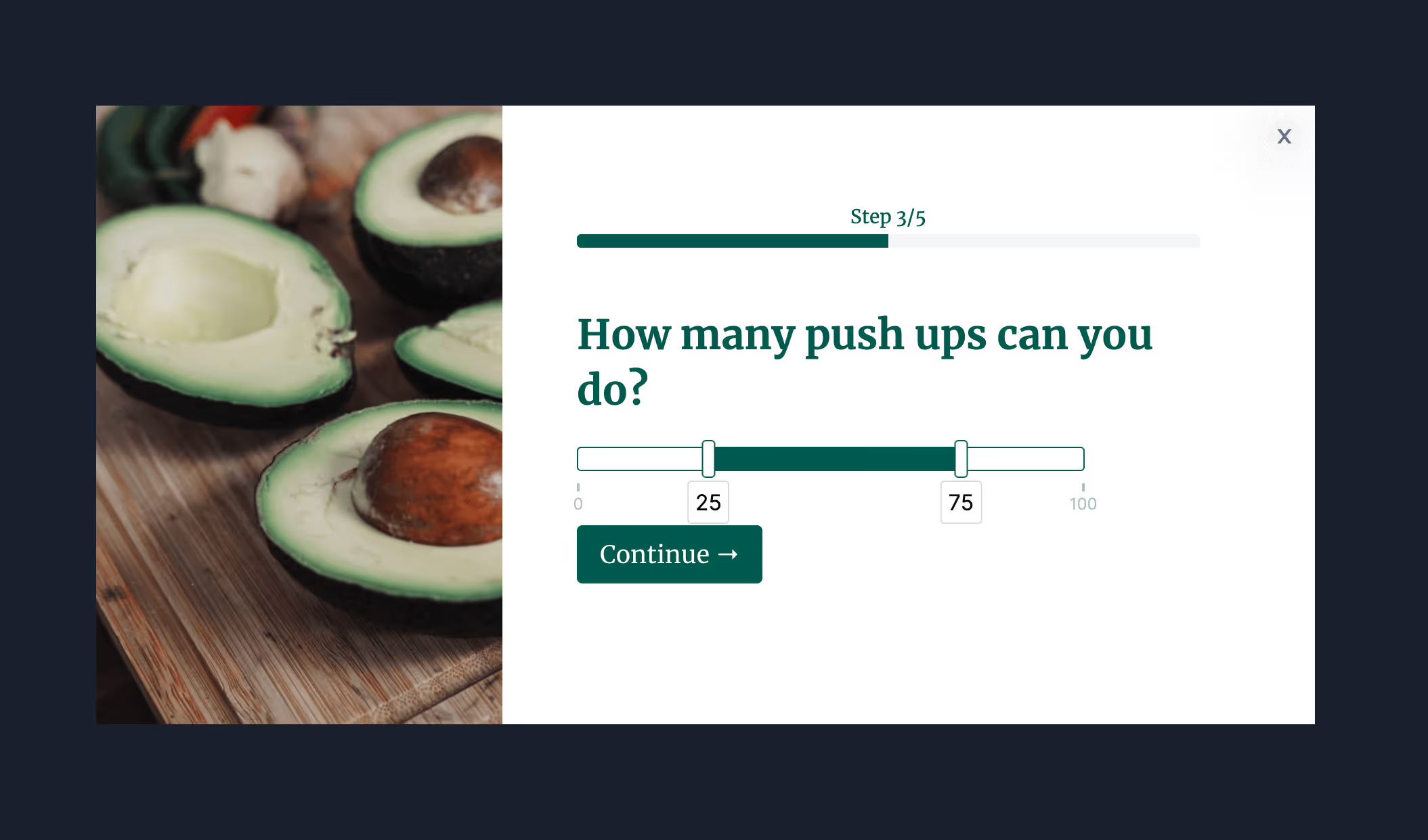
Answers write to GoHighLevel fields, and options can carry score values — so leads arrive scored rather than raw.
Use hidden fields to capture the source page and UTM campaign as well. When you're reporting results back to a client, knowing which ad produced which lead is the whole conversation.
The Design tab controls spacing, field layout, width, fonts, button colour and roundness, field colour and shadows — so the same funnel structure can be re-skinned per client without rebuilding it.
.avif)
In the Actions tab, set the follow-on action and add GoHighLevel automations — applying tags and triggering the workflows that do the follow-up.
.avif)
Conditional actions route by answer, so a qualified lead can be sent to a booking calendar while everyone else enters nurture.
.avif)
Test first — test submissions don't fire workflows, so you won't start a client's SMS sequence while building.
Then publish and read the funnel report, which gives you per-question drop-off and revenue attribution to show the client.
.avif)
To see templates and the full feature set, visit the GoHighLevel form builder.
Create a free ConvertFlow account and integrate
GoHighLevel
in minutes.
Sync contact fields. Segment contacts into tags & workflows. Personalize your website for GoHighLevel segments.
Connect For Free










.svg)