Sync contact fields. Segment people into campaigns & tags. Personalize your website for GetResponse segments.
Connect For FreeGetResponse includes popups, and for a straightforward email capture they do the job. The reasons teams build them elsewhere are usually trigger control, targeting, and wanting to ask something before the email field.
This guide covers building a GetResponse popup in ConvertFlow — subscribers still land in your GetResponse campaigns.
In GetResponse, find your API key under Settings → Integrations and API.
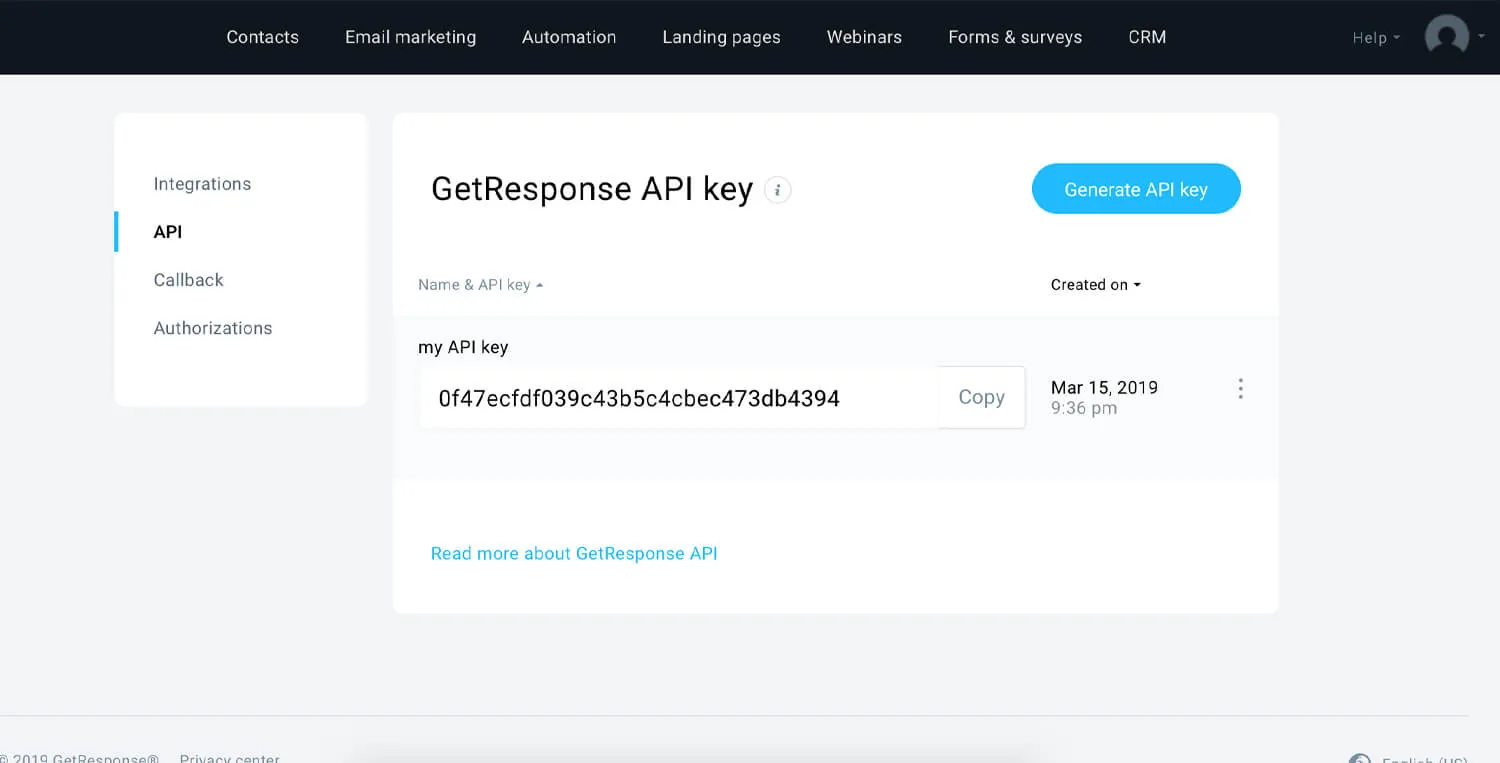
Paste it into ConvertFlow's Integrations area. ConvertFlow then pulls in your campaigns and tags.
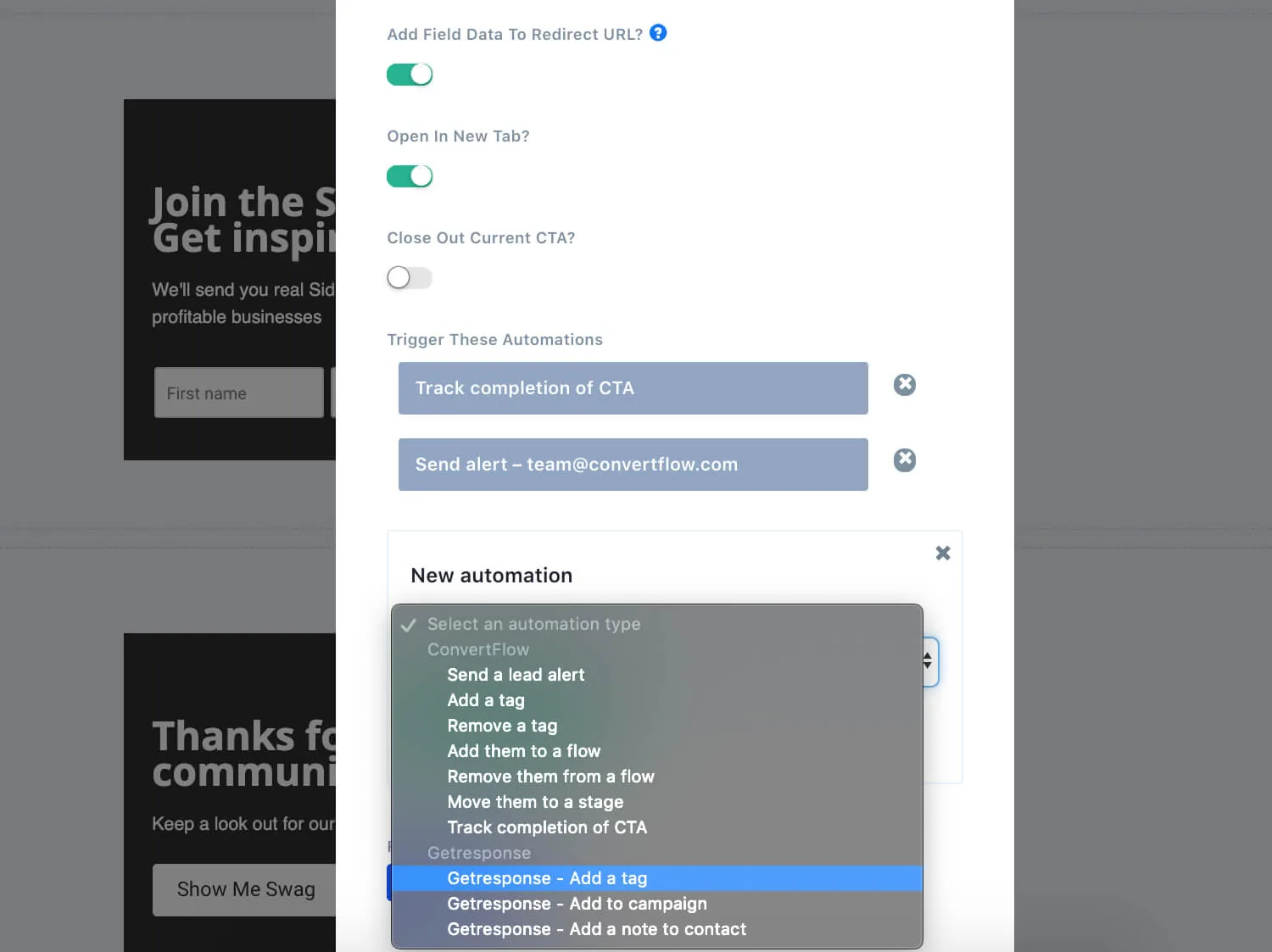
This is the GetResponse-specific decision, and it's easier to make now than to debug later.
GetResponse campaigns can require confirmation before a subscriber becomes active. If you want people added without that confirmation step, uncheck the API subscriptions permission in your GetResponse campaign's confirmed opt-in settings.
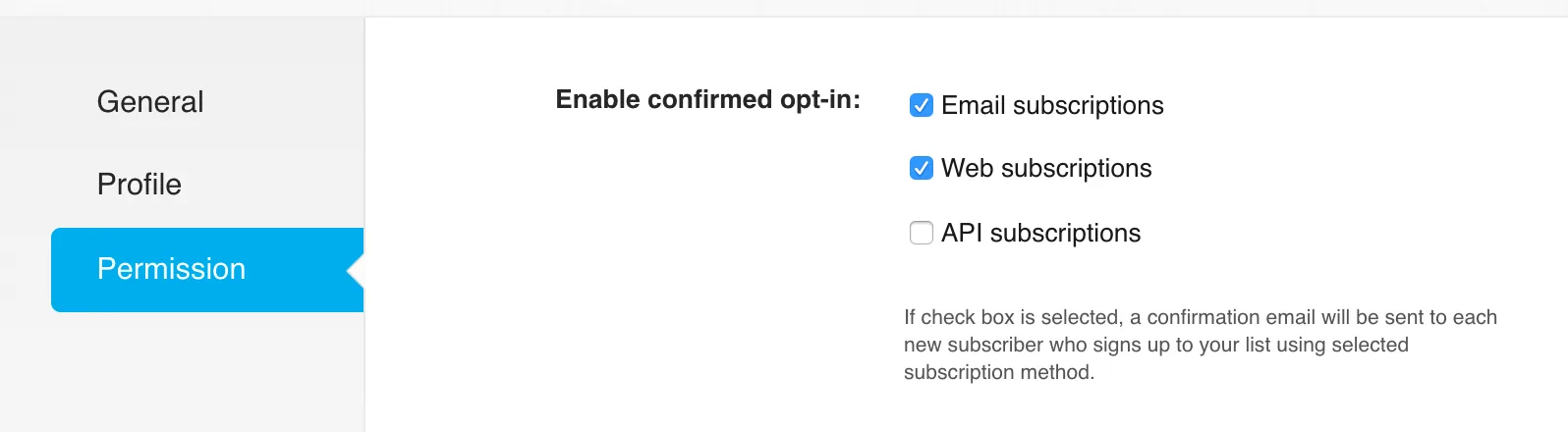
Leave it on and subscribers from your popup will need to confirm by email first. Neither is wrong — but if your popup promises an instant discount code and the subscriber has to confirm before anything sends, that's a broken promise you'll spend a week diagnosing.
Overlay popups are large and centered. Hook popups are smaller and corner-aligned.
.avif)
Then choose a template, or start from scratch.
.avif)
In the Settings tab, scroll to trigger settings.
.avif)
With every trigger except click-only, you can set suppression so the popup stays hidden for a number of days after someone closes it.
A popup doesn't have to be one field. Put a survey step in front of the email capture and you learn something worth segmenting on.
.png)
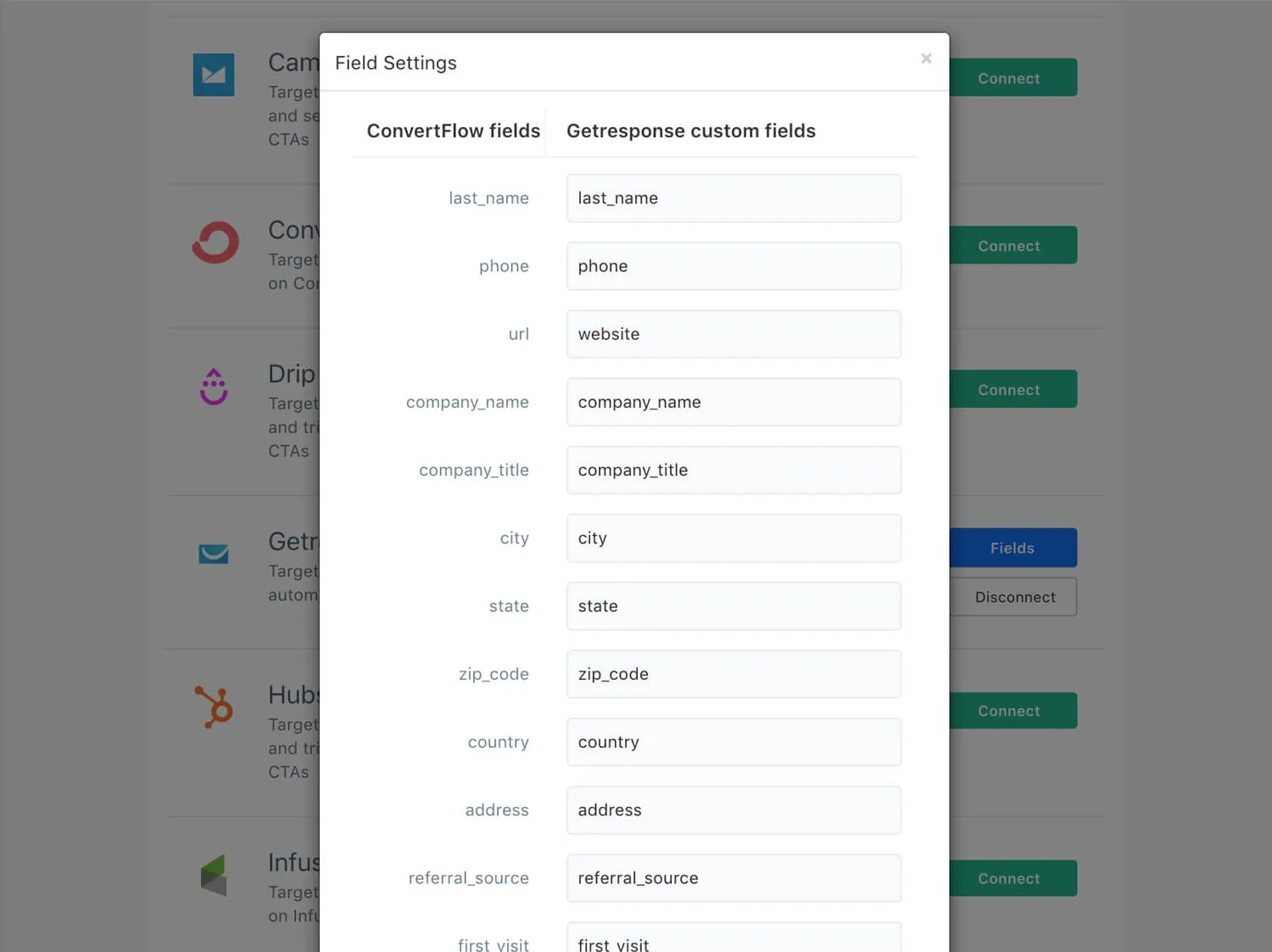
Each answer maps to a GetResponse custom field, so the subscriber arrives described rather than anonymous.
Theme settings control container size, close icon, headlines and buttons.
.avif)
Click Launch to control which pages and visitor segments see it.
.png)
The setting worth using first: exclude people already subscribed in GetResponse. Existing subscribers are your most frequent visitors, so a popup shown to everyone is shown disproportionately to people who can't convert on it.
Run variants against each other and read views, conversions and attributed revenue per variant in the funnel report.
.avif)
If you're on confirmed opt-in, compare submissions here against active subscribers in GetResponse — that gap is your confirmation rate, and improving it is usually cheaper than buying more traffic.
To see templates and the full feature set, visit the GetResponse popup builder.
Create a free ConvertFlow account and integrate
GetResponse
in minutes.
Sync contact fields. Segment people into campaigns & tags. Personalize your website for GetResponse segments.
Connect For Free










.svg)